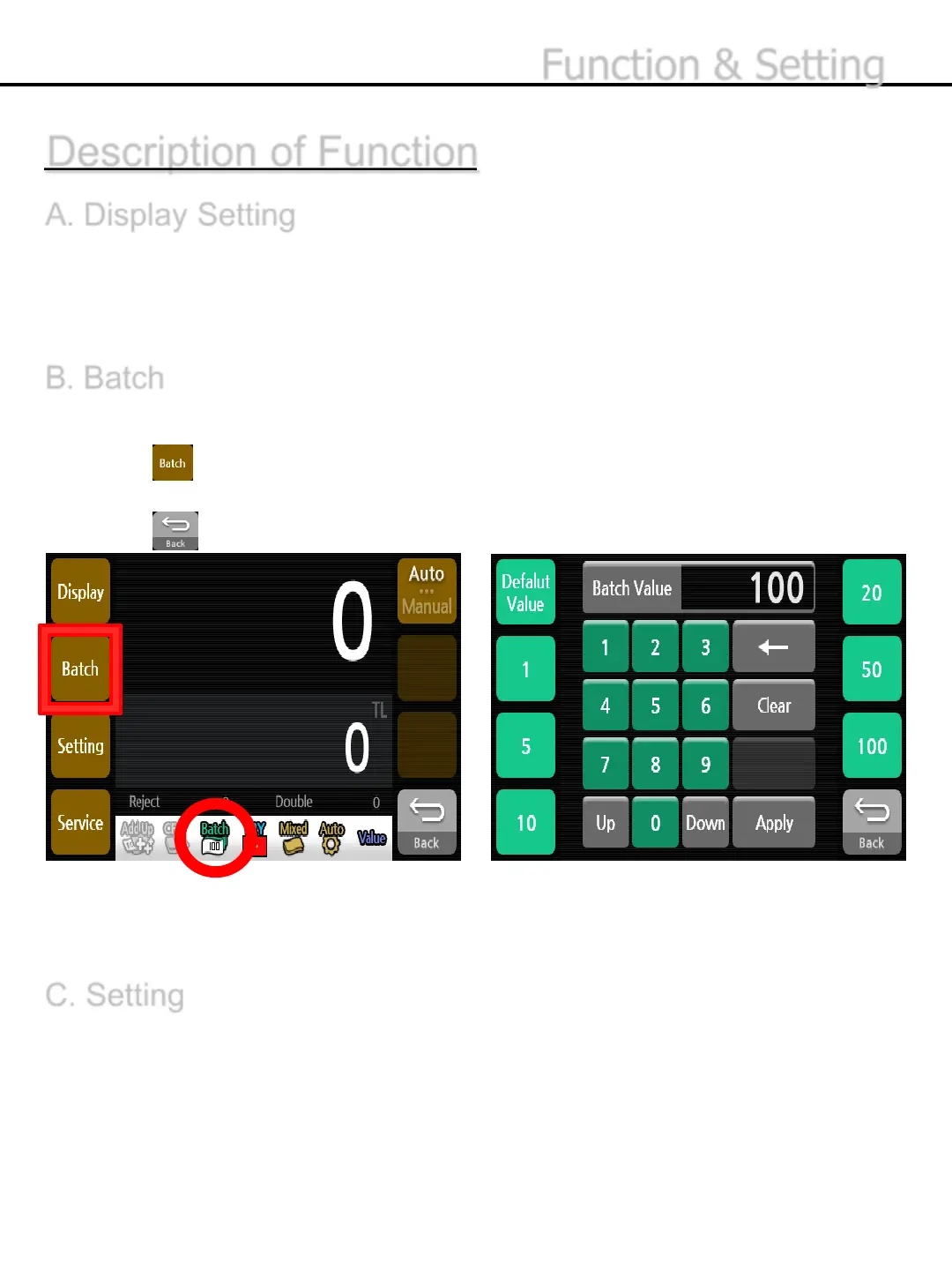
The number of notes could be counted by specifying the batch size.
1) Press button.
2) Set the batch size by putting the number you want.
3) Press button to exit the batch setting menu.
Description of Function
A. Display Setting
Refer to “Display setting” on page 24.
-22-
B. Batch
* The unit of Batch will be displayed at the status band.
* The maximum value is restricted in line with the setting value of Capacity at Settings.
C. Setting
Refer to “Setting” on page 31
Function & Setting


 To Next Page