Page11
IMP LITE
Operating the Controls
Display
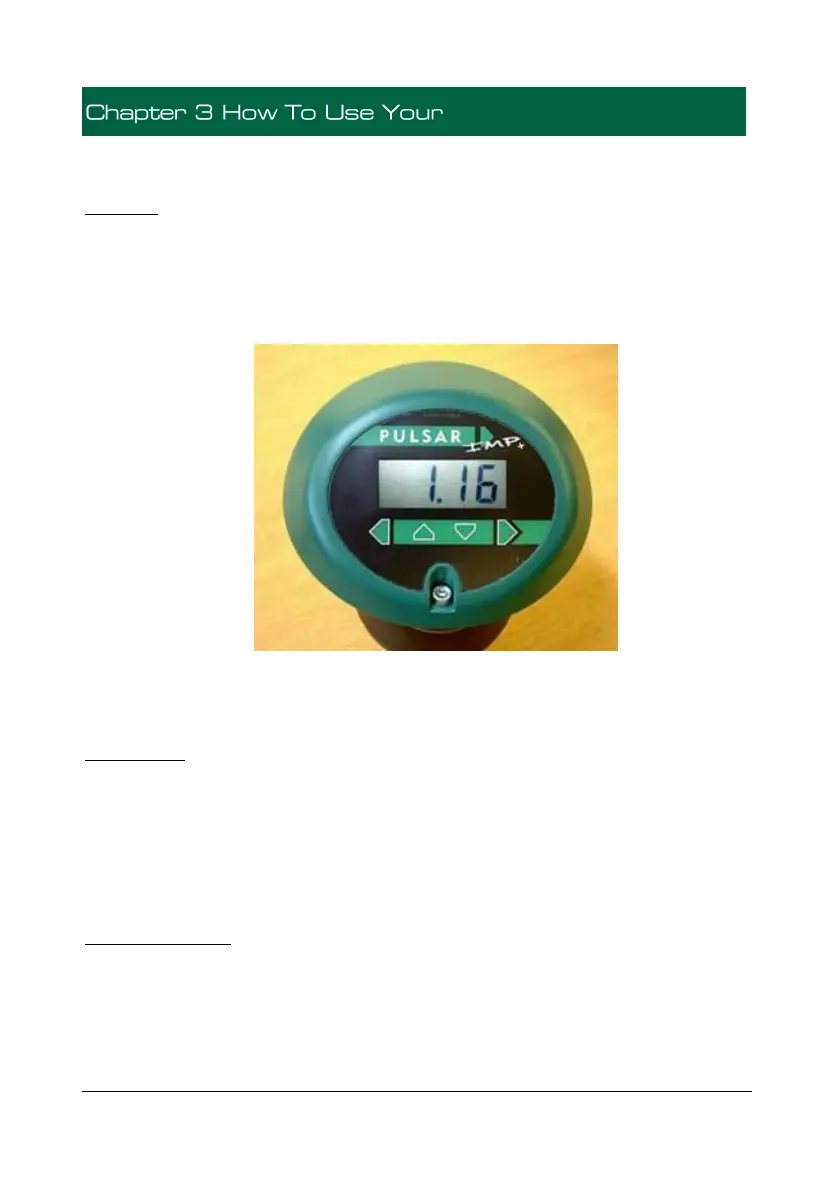
Whilst in the Run Mode, the 4-digit LCD, by default, will display the current
level reading in metres, the display will also alternate between the reading and
“LOE” when a fault condition (Loss Of Echo) is detected. When in the
Program Mode the display is used to read information on the Menu Options
and the values entered.
There are two operating modes for your IMP Lite, Run Mode and Program
Mode.
Run Mode
This mode is used once the IMP Lite has been set up in program mode. It is
also the default mode that the unit reverts to when it resumes operation after a
power failure.
When the IMP Lite is switched on for the first time, it will display, in P104
Measurement Units, the distance from the transducer face to the target.
Program Mode
This mode is used to set up the IMP Lite or change information already set,
this is achieved by using the 4 push buttons located below the display.
Entering a value for each of the menu options that are relevant to your
application provides all the programming information.


 To Next Page