EasyManua.ls Logo

Pulsar PG10000BRCO - User Manual

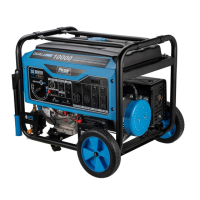
Pulsar PG10000BRCO
26 pages
Print Icon
To Next Page IconTo Next Page
Loading...
support@pulsar-products.com
Model No.: PG10000BRCO
Generator
OPERATOR’S MANUAL

Questions and Answers

  • K
    Kyle WallaceAug 6, 2025
    How to fix a Pulsar PG10000BRCO that won't start or runs rough?
    • S
      sarah90Aug 6, 2025
      If your Pulsar Portable Generator engine won't start, shuts down, or runs rough, try these steps: 1. Ensure the switch is in the “RUN” position. 2. Replace the air filter. 3. Clean or replace the fuel filter. 4. Replace the fuel. 5. Reconnect the spark plug wire. 6. Replace the spark plug. 7. Drain and replace the fuel. 8. Ensure the fuel valve is in the “ON” position. 9. Turn off the choke. 10. Fill the crankcase to the correct oil level and place the generator on a level surface. 11. Wait 5 minutes and crank the engine.
  • J
    Jeremy StevensAug 12, 2025
    What to do if my Pulsar PG10000BRCO Portable Generator engine is running but has no AC output?
    • D
      David ZavalaAug 12, 2025
      If your Pulsar Portable Generator engine is running but there's no AC output, try the following: * Reset the circuit breaker. * Check and repair as needed. * Connect a device that is working properly.
  • D
    Darlene JohnsonAug 17, 2025
    Why does my Pulsar Portable Generator lack power?
    • W
      William GrimesAug 18, 2025
      If your Pulsar Portable Generator engine lacks power, try the following: * Clean or replace the fuel filter. * Replace the air filter.
  • N
    Nathaniel GrossAug 25, 2025
    What to do if Pulsar PG10000BRCO Portable Generator bogs down when a load is connected?
    • Y
      youngjaniceAug 25, 2025
      If your Pulsar Portable Generator engine runs well without a load but bogs down when loads are connected, disconnect the device. Clean or replace the fuel filter.
  • E
    Elizabeth CarsonAug 30, 2025
    How to resolve a Pulsar Portable Generator engine that 'hunts' or falters?
    • I
      idominguezAug 30, 2025
      If the engine of your Pulsar Portable Generator 'hunts' or falters, move the choke to the middle position until the engine runs smoothly. Another potential solution is to clean or replace the fuel filter.

Summary

Introduction

Product Specifications

Details the generator's technical specifications including wattage, voltage, frequency, and engine type.

Contact Information

Provides contact details for warranty assistance, parts ordering, and customer service inquiries.

Safety Rules

Safety Symbols and Warnings

Explains hazard symbols and general warnings for safe generator operation and handling.

Operating Safety Instructions

Provides critical instructions for safe operation, including CO hazards and handling precautions.

Features Overview

Component Identification

Identifies and labels all key components and controls on the generator unit.

Assembly Procedures

Unpacking and Parts Check

Instructions for safely unpacking the generator and verifying all parts are present.

Attaching Wheels

Step-by-step guide for installing the wheels onto the generator frame.

Installing Support Leg

Guidance on how to attach the support leg for stability during operation.

Attaching Battery Cable

Procedure for connecting the battery cable to the generator's battery.

Installing the Handles

Instructions for securely attaching the generator's handles.

Adding; Checking Engine Oil

Details on how to properly add and check the engine oil level.

Adding Fuel

Instructions for safely adding fuel to the generator's fuel tank.

Connecting Generator to Building System

Steps for safely connecting the generator to a building's electrical system.

Generator Operation

Grounding the Generator

Explains the importance and procedure for properly grounding the generator.

How to Start Engine

Detailed steps for starting the generator engine using different methods.

How to Stop Engine

Instructions on the correct procedure for shutting down the generator engine.

Receptacles and Extension Cords

Information on available receptacles and guidelines for using extension cords.

Extension Cord Selection

Guide to selecting appropriate extension cords based on load and length.

Moving the Generator

Safe procedures for tilting, rolling, or carrying the generator.

Dont Overload Generator

Guidance on preventing generator overload by matching loads to its capacity.

Wattage Reference Guide

A reference list of common appliances and their approximate wattage requirements.

Hour Meter and Power Management

Explanation of the hour meter and best practices for managing power output.

Charging Battery and Cold Weather Ops

Instructions for charging a 12V battery and operating in cold weather conditions.

Maintenance and Care

Pre-Operation and After-Use Checks

Essential checks to perform before starting and after finishing generator use.

Maintenance Schedule

Outlines the recommended maintenance tasks and their frequencies.

Changing Oil and Oil Recommendations

Procedure for changing engine oil and guidance on selecting the correct oil viscosity.

Air Filter and Spark Plug Service

Instructions for cleaning the air filter and checking/servicing the spark plug.

Spark Arrestor and Cooling System

Guidance on inspecting the spark arrestor and servicing the cooling system.

Fuel Tank and Carburetor Draining

Procedure for draining the fuel tank and carburetor for storage or maintenance.

Storage and Transportation

Recommendations for safely storing and transporting the generator.

Troubleshooting Guide

Output and Load Issues

Addresses problems with AC output availability and engine bogging under load.

Starting and Running Problems

Solutions for issues like failure to start, rough running, or shutdown during operation.

Engine Power and Performance Issues

Troubleshooting for loss of engine power or fluctuating engine speed ('hunts').

CO Sensor System

Indicator Lights and Faults

Explains the CO sensor indicator lights and what to do in case of a system fault.

Diagrams

Pulsar PG10000BRCO Specifications

General IconGeneral
BrandPulsar
ModelPG10000BRCO
CategoryPortable Generator
LanguageEnglish

Related product manuals