Page 7
Getting Started.
Before you can use your phone for
the first time, you need to do the
following:
1. Insert a SIM card into your phone
2. Charge your phone fully
3. Turn your phone on
4. Follow the start-up guide
on your phone
Inserting your SIM card
Your MP 01 phone is designed for
use with micro-SIM (3FF) cards. If
you have a nano-SIM card, use the
SIM adapter that is provided in your
phone box. Punkt. recommends that
you do not permanently use the
SIM adapter.
Warning: Only use micro-SIM cards
or the provided SIM adapter. If you
use another type of SIM card, you
may damage your phone or SIM card.
Before you insert your SIM card,
turn off your phone and unplug the
micro USB cable. Read more about
turning your phone off on page 8.
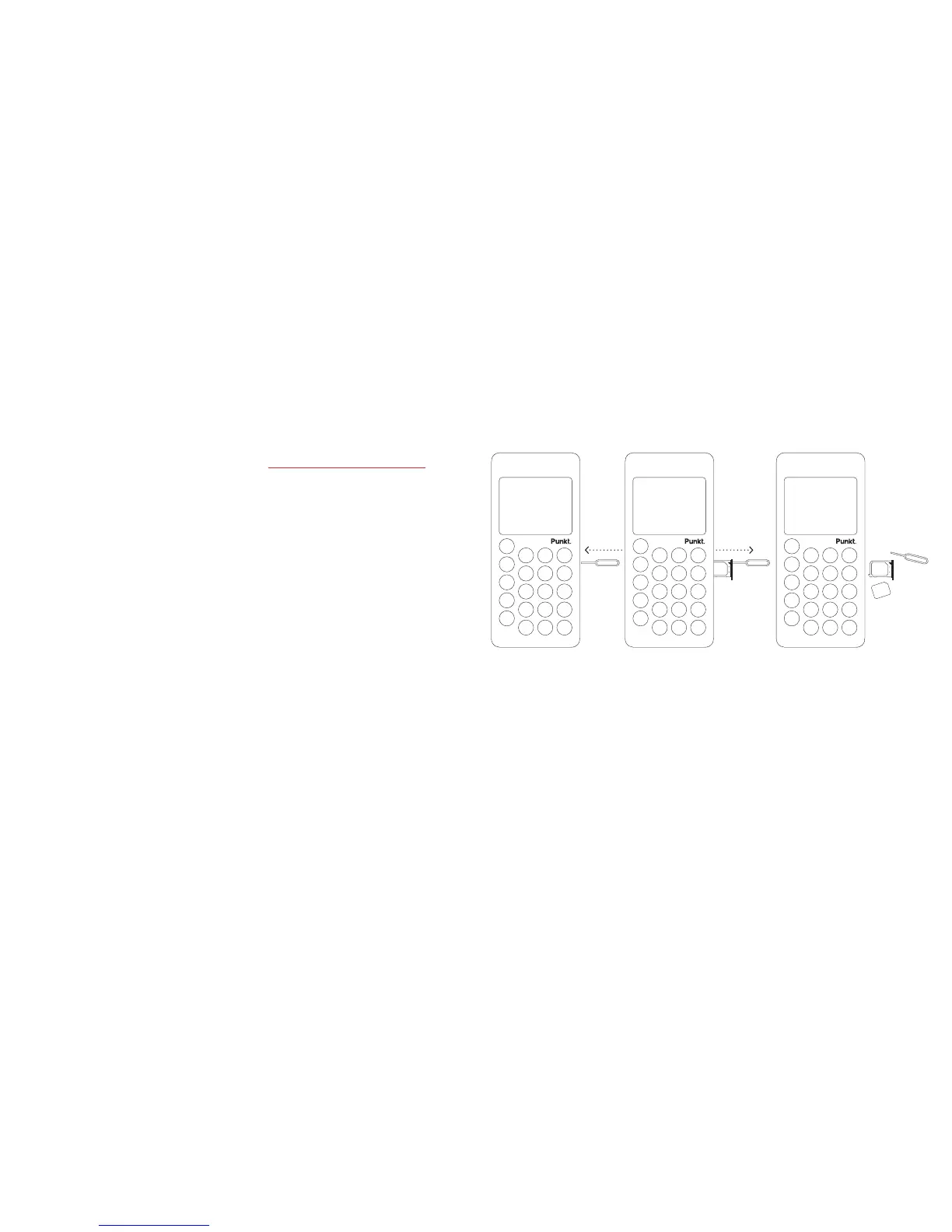
1. Insert the SIM tray pin into the
hole on your phone, until the SIM
tray pops out.
2. Pull the SIM tray carefully to
remove it from your phone.
3. Place your SIM card into the SIM
tray, with the metal side of the
SIM card facing down.
4. Insert the SIM tray back into your
phone and push it in until you feel
it click into place.



 To Next Page