PuraTech
®
Owner’s Manual 12/11/2013 15
Setting and Using the Controller
The controller must be set up correctly for the appliance to perform properly.
Note: Ensure that the bottom of the controller is firmly locked onto the four tabs on the top of the drive end cap
assembly. See Figure 9.
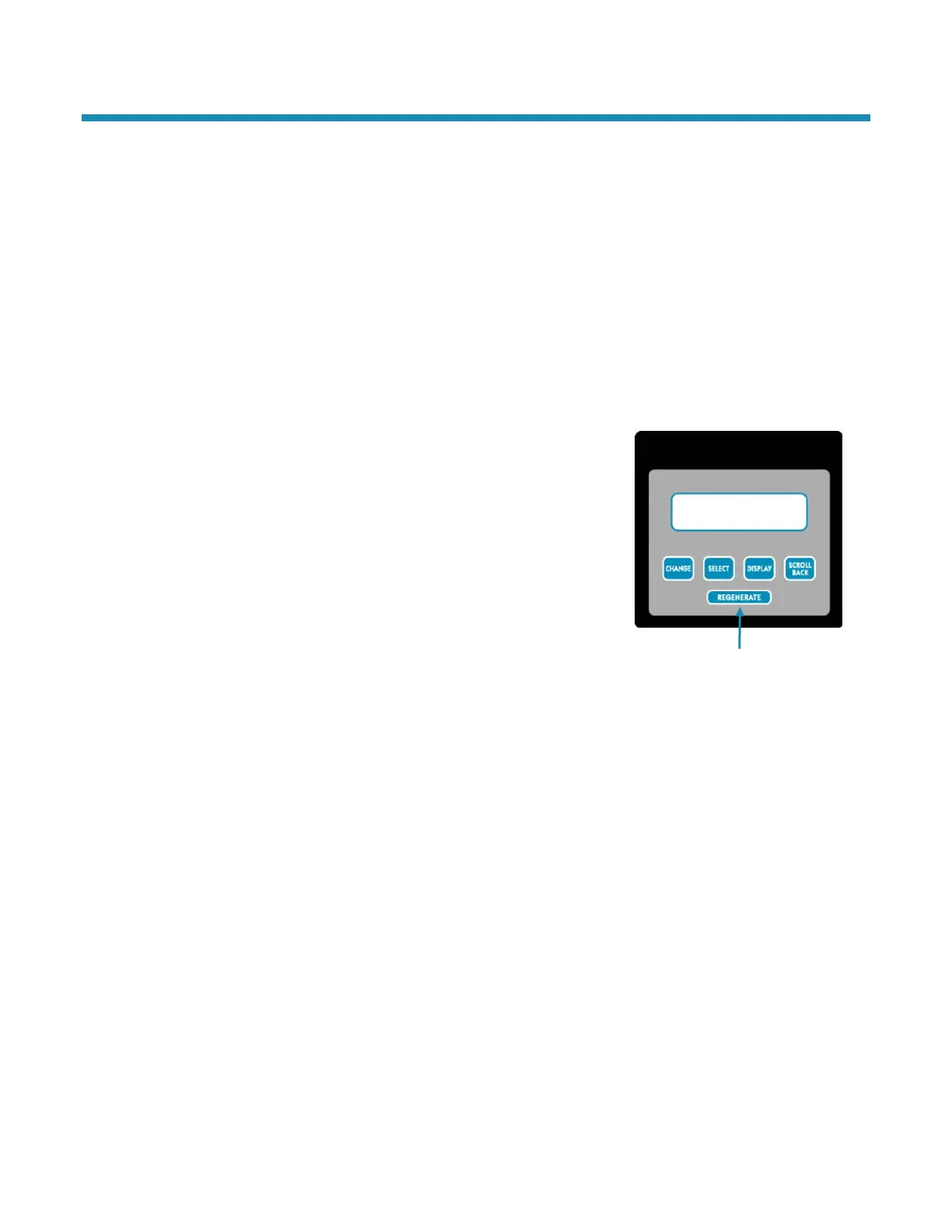
Regenerate Button
The Regenerate button is used when starting the water filtration appliance and to start an immediate
regeneration. The Regenerate button can be used in three ways:
1. The Regenerate button can be used to put the appliance into an immediate regeneration.
A. Press and hold the Regenerate button for about five seconds until the display changes from
“Regenerate” to “Going to.”
B. The appliance is in regeneration mode and will display the status of each cycle. After all regeneration
cycles are complete, the display will return to Normal operating mode.
2. The Regenerate button can be used to quickly advance through all of the regeneration cycles to speed up
the cycles, which is used when starting up or diagnosing the appliance
only.
A. To advance through the regeneration cycles, press and hold the
Regenerate button for about five seconds until the display
changes to “Going to.”
B. The cycle position will display (for example, Backwash 1).
C. Each cycle can be advanced by pressing the Regenerate button.
Always wait until the cycle position displays before advancing to
the next cycle position.
3. Press and release the Regenerate button in Normal operating mode to
schedule a regeneration tonight or toggle it off.
Figure 7: Regenerate Button



 To Next Page