PuraTech
®
Owner’s Manual 12/11/2013 16
Service Settings
To program Service Settings on the controller, press and hold the Select and Display buttons while “Service
Settings” is displayed until “Set Language Eng” is displayed. Programming Service Settings is similar to
programming Customer Settings (see Customer Settings for programming details). The values that can be set
are listed below.
Note: The Service Settings must be set before the Customer Settings.
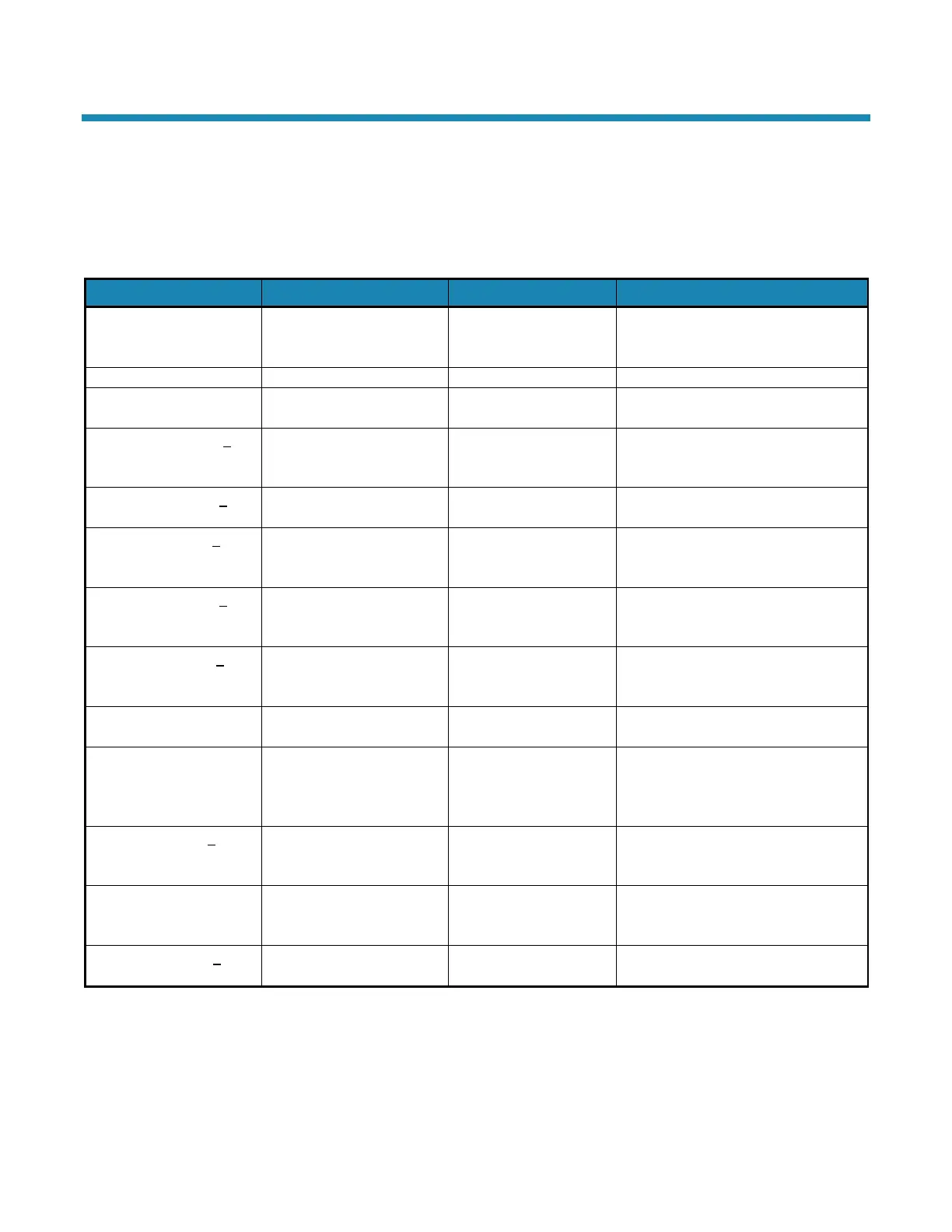
display
Entrer Langue Fra
Displays the current
software version
Timer (Mode 1)
How often regeneration
occurs
Only displays when in Mode 1
Hardness of the water that
was tested
(00000 to 99999 mg/L)
This is the actual hardness reading
and is not compensated for iron
Amount of iron in parts per
million of the water that
This value is used to calculate
compensated hardness automatically
parts per million of
This value is used to calculate
compensated hardness automatically
Regenerant filling the brine
tank
using the hardness, iron,
and manganese settings
ppm or mg/L
Hardness + (4 x each ppm iron) +
(4 x each ppm manganese) =
capacity number
(0000 to 9999 gm)
See Water Conditioner Specifications
or Modes 1 and 2 Setting Chart for
capacities based on salt usage
regeneration at regularly
See 72–96 Hour Regeneration
Number of minutes the first
backwash cycle lasts
Set to the nearest tenth of a minute
Warning: When iron and/or manganese is present in the water supply, do not use potassium chloride as a
regenerant. Iron and/or manganese bacteria may develop and foul the conditioning media and may
void the warranty.
This table continues on the next page.



 To Next Page