15
Listening to Internet Radio and more Siesta Flow Owner’s Manual v1.0
2 Listening to Internet radio and more
This chapter explains how to listen to Siesta Flow in Pure Connect (‘The Lounge’) source. You can
search for exciting stations that match your interests, catch up with radio programmes you’ve missed,
discover the world of podcasting or listen to a selection of PURE sounds designed to stimulate, inspire
and relax.
Listening to Internet Radio and more
Select your wireless network from the list
1 The first time you select the ‘The Lounge’ source Siesta Flow will scan for all the visible wireless
networks in the surrounding area and display them in a list.
Note If you want to enter your wireless network details manually tap Manual .
The strength of each wireless network is shown in brackets from 1 (weak) to 10 (strong).
2.1 Connecting Siesta Flow to your wireless network for the first time
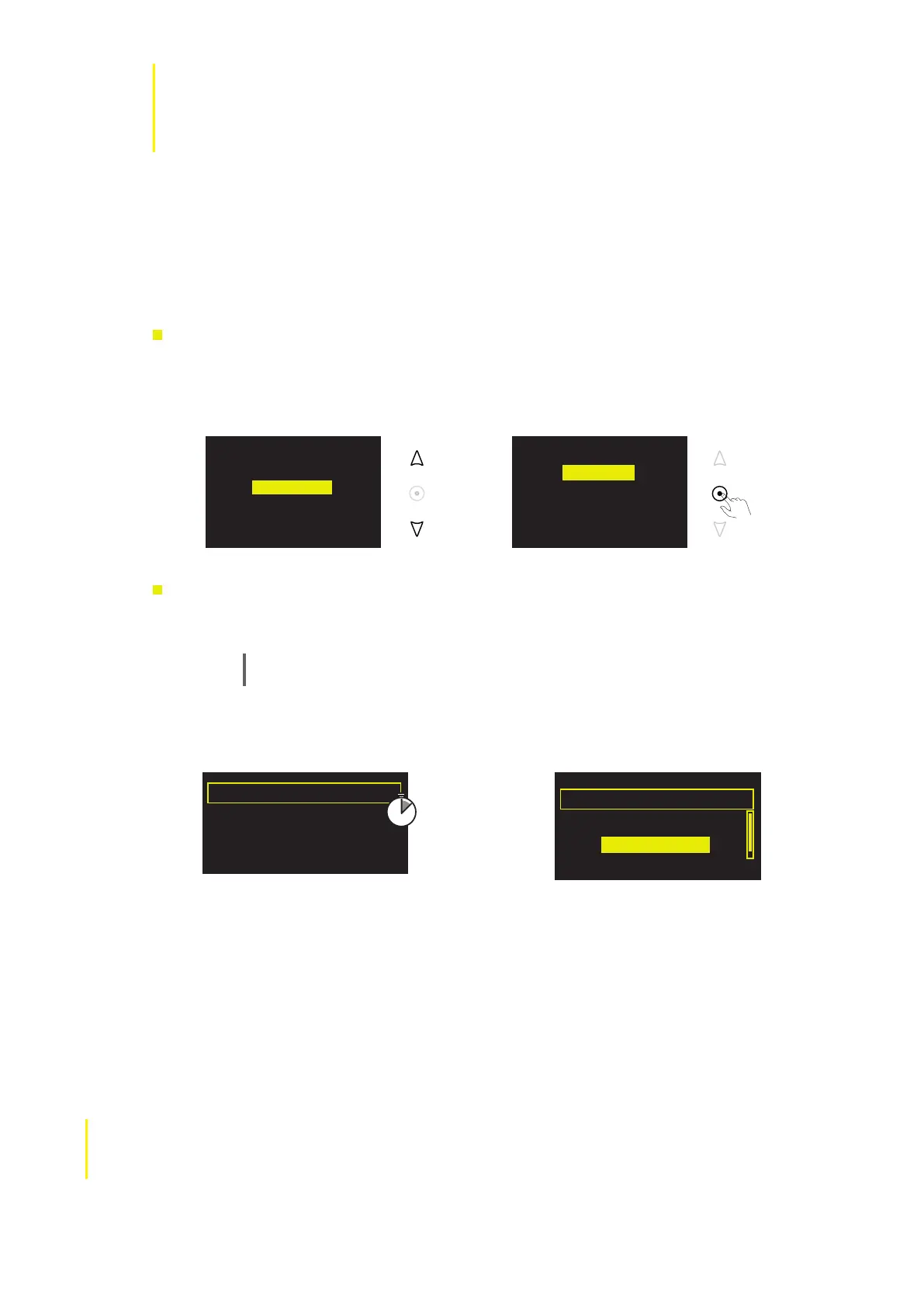
Select ‘The Lounge’ audio source
1 Tap Source, or tap Back until the Source screen is displayed.
2 Highlight and select ‘The Lounge’.
Scanning for
wireless networks
2 Highlight and select the name of your wireless network from the list.
Scanning...
Scan
Cancel Manual
(3)BT Home Hub A102
(9)SmithFamily
Select wireless network
- No network selected -
Manual
Selecting a
wireless network
DAB radio
The Lounge
Media player
FM radio
Auxiliary input
Selecting
The Lounge
DAB radio
The Lounge
Media player
FM radio
Auxiliary input



 To Next Page