22
Listening to Internet Radio and more Siesta Flow Owner’s Manual v1.0
4.4 Opening groups of items
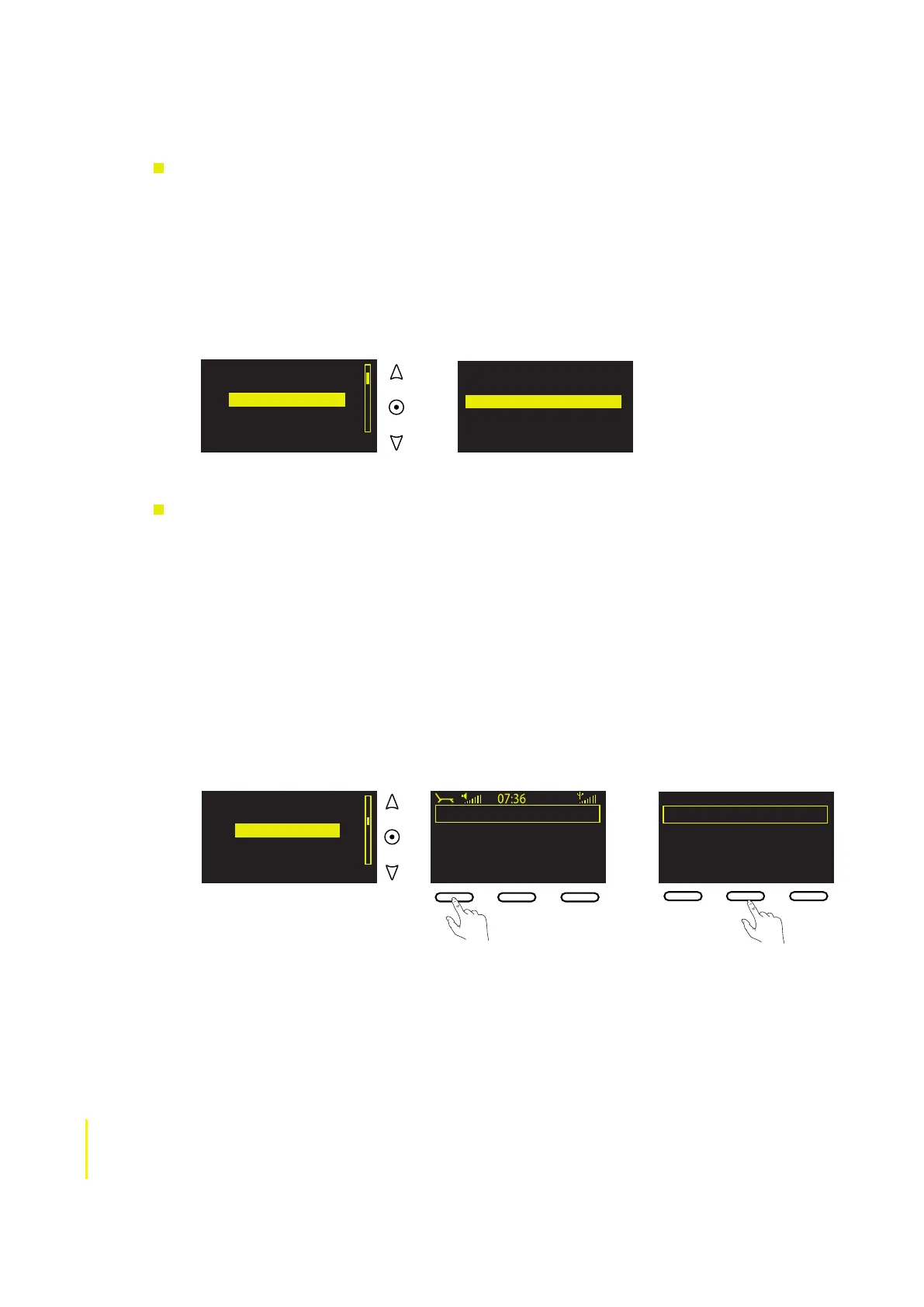
To open a group of programmes or podcast episodes
Groups of listen again programmes and podcasts (and Favorites Folders) are preceded by a ‘+’
symbol. For example, all of the listen again programmes in a regular series, or a collection of podcast
episodes, may be grouped underneath the title of the series.
1 Highlight and select a group title, preceded by a ‘+’ symbol, to view all of the programmes or
episodes in that group.
2 Highlight and select an individual programme or episode title to begin playback. To go back to
the group title, tap Back.
2.5 Adding and viewing your Favorites
To add a station, programme or podcast to your favorites
You can add stations, programmes and podcasts to ‘My favorites’ for quick and easy access.
Anything that you add to ‘My favorites’ will be listed under ‘My Siesta Flow’ at connect.pure.com (as
long as you register and connect your radio to the website). You can log-in at connect.pure.com to
organise your Favorites into separate folders, eg, you could have a separate folder for each member of
your household, or separate folders for speech radio and music.
1 Perform a new search for content if desired.
2 Highlight a station, listen again programme or podcast. If you want to listen before adding the
item to your favorites, tap Select to tune in, or go to step 3.
3 Tap Add ♥ to add the service to ‘My favorites’.
4 The ‘Add Favorite’ confirmation screen appears. Tap OK to return to confirm and return to the
previous screen.
+Best of The Boro
+Best of Today
+Between the lines
+Beyond belief
+Big Brother Podcasting
Search
Add ♥
Armistead Maupin, author of
John Burnham Schwartz
Salman Rushdie, author of
Jennifer Finney Boylan
James McBride, author of
Search
Listening to an
item in a group
Clube 720 AM
Clube FM 100.5
Clyde 1 102.5FM
Crik FM classic rock
Cristal 1060 AM
Search
Add ♥
Clyde 1 102.5FM
Clyde 1 102.5FM
Options
Add
♥
Add favorite
Added to My favorites♥
Clyde 1 102.5FM
Add fav OK Menu
Adding a station
to My favorites



 To Next Page