35
Siesta Flow Owner’s Manual v1.0
Tap Edit to adjust the alarm settings.
6.2 Setting alarms
Siesta Flow has four alarms which you can set. Each can sound a tone, tune to a FM station, play a
Pure Connect (Lounge) alarm, or tune to a Pure Connect (Lounge) station when activated.
To set an alarm
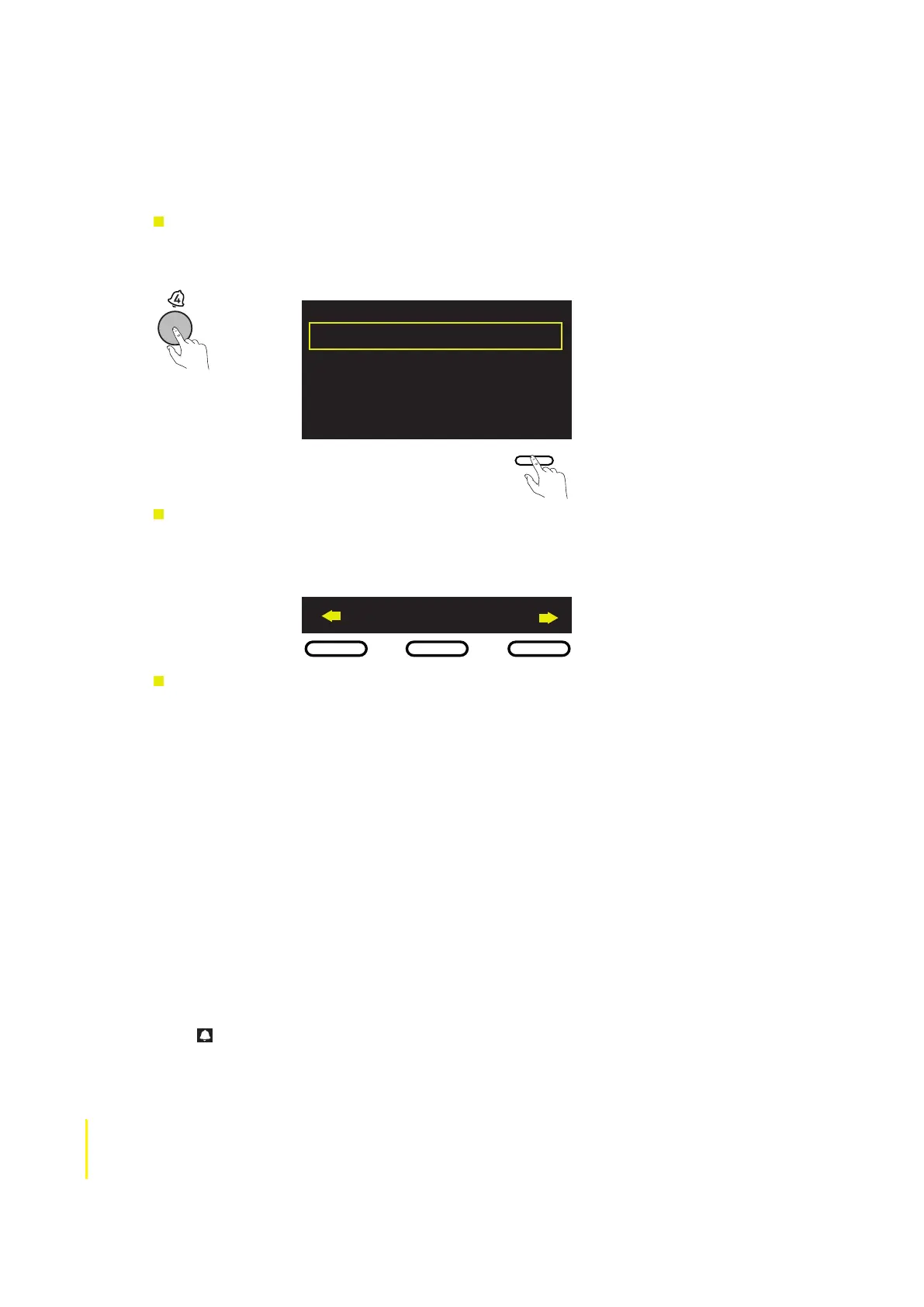
Press the Alarm button (1-4) that you wish to store the alarm to. This will display the current settings
for that alarm, as shown in the example below.
6:00
Lounge alarm
2 Tone Beep
Daily (Mon-Sun)
Alarm 4 O
Edit
Editing Alarm settings.
To edit settings use the Navigation buttons, tap select to confirm and move to the next screen, or tap
one of the arrows to move back and forward through the settings. To save settings and exit at any
point in the setup, tap Save.
Save
Settings step by step
1 Highlight ‘On’ to switch the alarm on, ‘Off’ to switch the alarm off, or ‘Skip once’ to skip the
next occurrence. The current status is shown on the top line of the screen.
2 Adjust the hours and minutes for your alarm time.
3 Select when you wish the alarm to sound: Once, Daily, Weekdays, Weekends, or Saturday/
Sunday only.
4 Choose either ‘Lounge station’, ‘Lounge alarm’, ‘FM’ or ‘Tone’,
Lounge station Choose a station from your Lounge favorites, or select ‘Last tuned’ and the
alarm will sound the most recent Lounge station you listened to.
Lounge Alarm Choose from 365 different alarm sounds created by PURE.
FM Choose an FM station or ‘Last tuned’ to sound the most recent FM station
you listened to.
Tone The alarm sounds a beeping tone.
5. Tap Save - Your alarm is now set.
The icon is displayed when an alarm is set and there are no active sleep timers.
To quickly toggle between Alarm On, Alarm Off and Skip Once without editing any settings, press
the alarm button repeatedly.



 To Next Page