26
MEDIA
Using the PCRN to control
iPod/iPhone
Playing back audio les from an
iPod/iPhone
1. Press the MEDIA key.
2. Select menu option iPod/iPhone.
3. Select menu option Music.
4. Select the category of the audio le.
- Playlists
- Artists
- Songs
- Albums
- Genres
- Composers
- Podcasts
- Audiobooks
5. Within either of the categories, select an
audio le for playback.
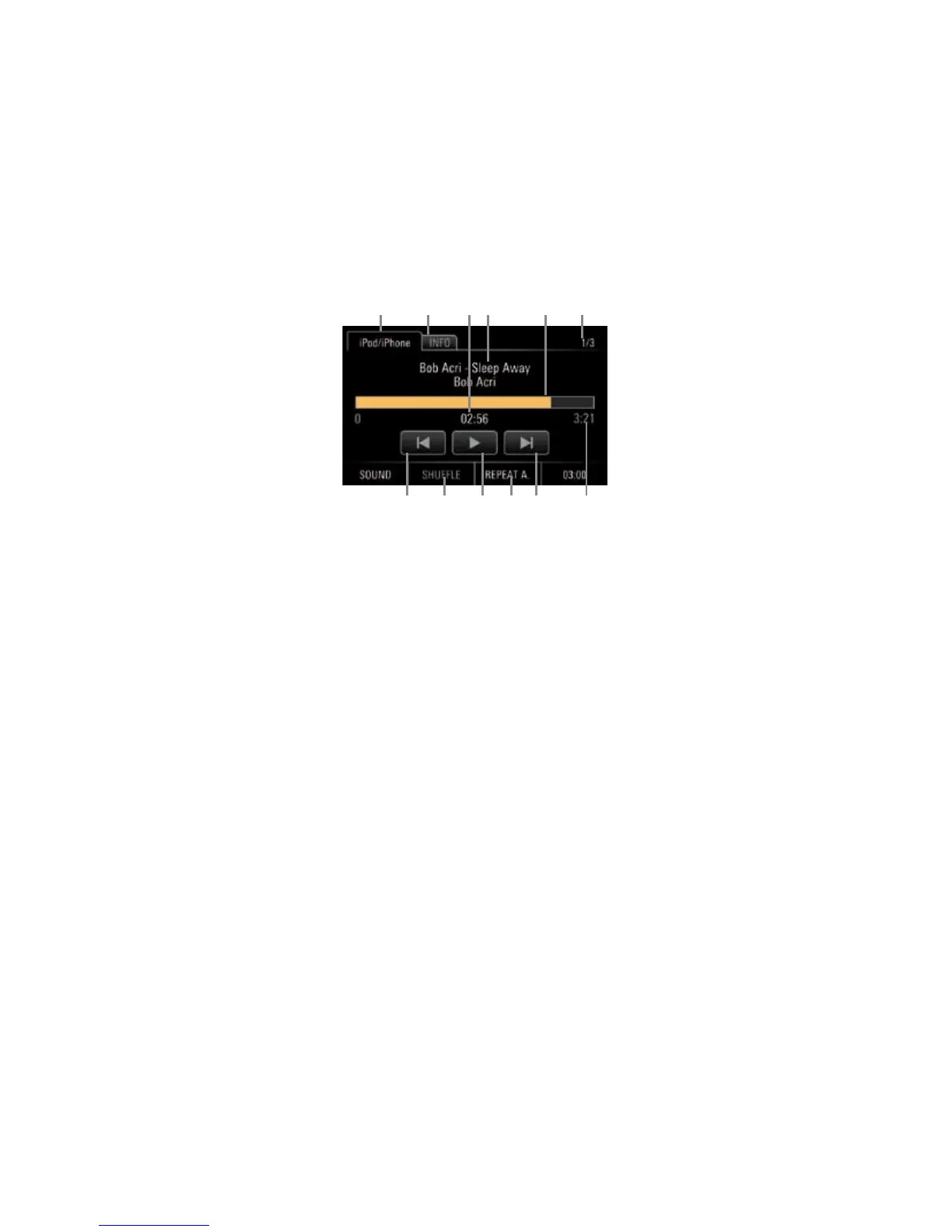
iPod/iPhone audio player control
elements
After a track is selected, the audio player is dis-
played to provide information about and control
of the following functions:
A Tab iPod/iPhone:
Return to le list
B Tab INFO:
Track no./album cover/interpret/track/al-
bum/genre/duration
C Track no. of total number of tracks
D Artist/track/album
E Progress bar
F Playback time
G Total track time
H Preceding track/subsequent track
I SHUFFLE:
Enable or disable shue play
J Pause/Play
K REPEAT:
Repeat
- REPEAT A. (repeat all)
- REPEAT 1. (repeat track)
- REPEAT (repeat enabled/disabled (grey))
Playing back external audio
sources via the Aux input
The PCRN allows further external audio devices
to be connected to the Aux-IN.
1. Press the MEDIA key.
2. Select menu option Aux-IN.
Supported le formats
The PCRN’s media player supports the following
le formats:
Audio formats
.ac, .m4a, .mp3, .ogg, .wav, .wma
B
G
A D CF E
K HJH I


 To Next Page
 Loading...