PHONE
35
Bluetooth
®
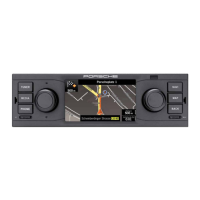
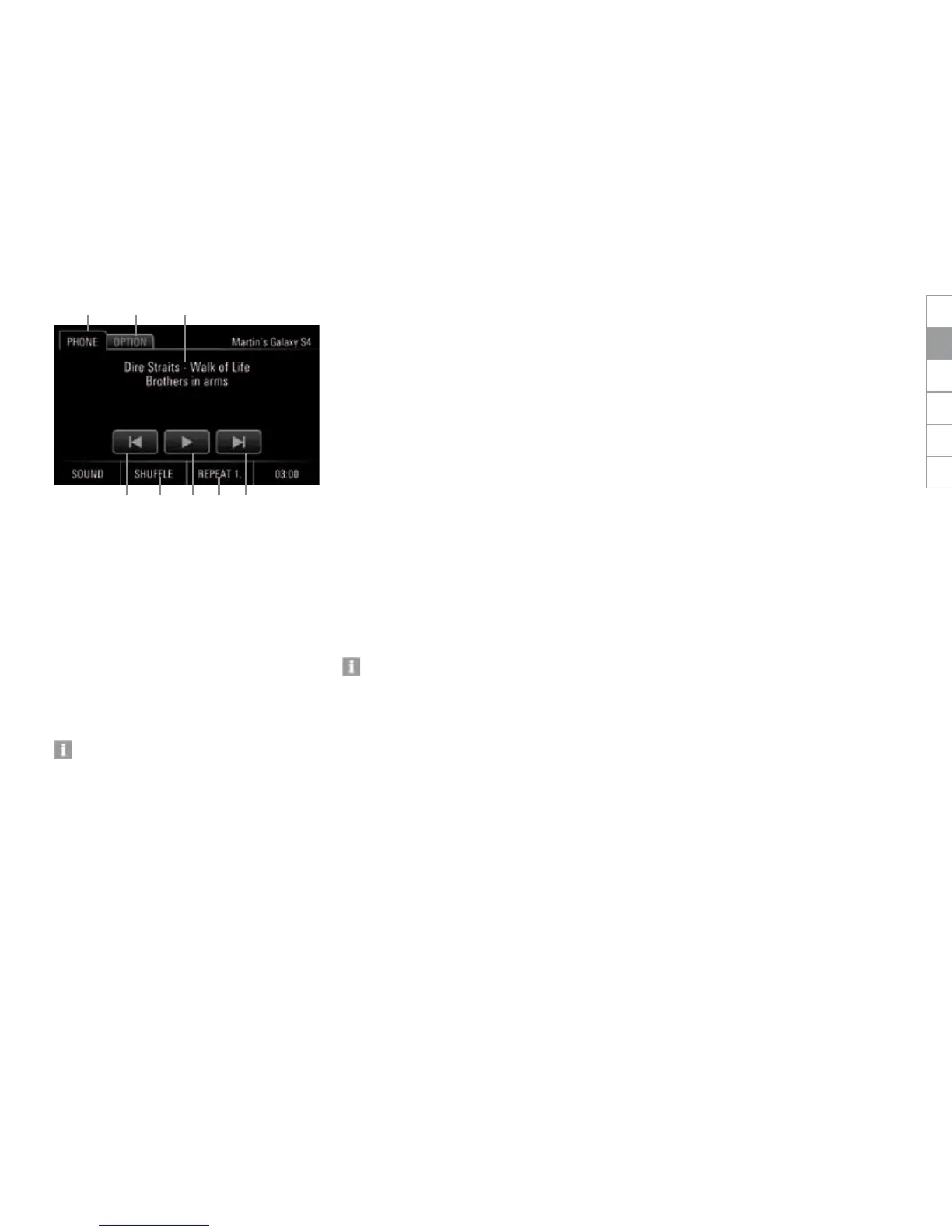
control elements-audio player
A Tab PHONE
B Tab INFO
C Preceding track/subsequent track
D Button SHUFFLE ON/OFF:
Enable or disable shue play
E Pause/Play
F Button REPEAT:
Repeat
- REPEAT A. (repeat all)
-
REPEAT 1. (repeat track)
- REPEAT (repeat enabled/disabled (grey))
G Artist/track/album
Some audio source may require the volume
to be controlled at the device itself.
Recommendation:
Set the volume at the external Bluetooth
®
audio source.
Then set the volume at the PCRN.
Bluetooth
®
settings
Select option Bluetooth settings to make basic
adjustments of the Bluetooth
®
hands-free feature.
Proceed as follows:
1. Press the PHONE key.
2. Select tab OPTION.
- or -
Tap button SET and then select Bluetooth
settings.
Turning Bluetooth
®
on/o
1. Press the PHONE key.
2. Select tab OPTION.
3. Tap option eld Bluetooth to enable or
disable it.
Automatic bonding to mobile device
The function Auto. connect causes the PCNR to
automatically establish a Bluetooth
®
connection
to the mobile device whenever you enter the
vehicle. This requires the mobile device to be
already registered in the PCRN.
Automatic bonding to the mobile device
requires Bluetooth
®
to be enabled at the
mobile device. Please observe the operating
instructions of the corresponding device.
Enabling automatic bonding
1. Press the PHONE key.
2.
Select tab OPTION.
3. Tap option eld Auto. connect.
tap and enable.
Disabling automatic bonding
1. Press the PHONE key.
2. Select tab OPTION.
3. Tap option eld Auto. connect.
tap and disable.
Automatic call acceptance
The function Auto. answer makes the PCRN ac-
cept calls without any interaction at the PCRN or
mobile device. This requires the mobile device to
be already logged in and bonded to the PCRN.
Enabling and disabling Automatic call
acceptance
1. Press the PHONE key.
2. Select tab OPTION.
3. Tap option eld Auto. answer to enable or
disable the function.
BA
F CEC D
G
DEENFRITESRU


 To Next Page
 Loading...