30
PHONE
Bluetooth
®
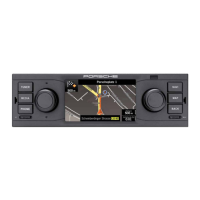
control elements
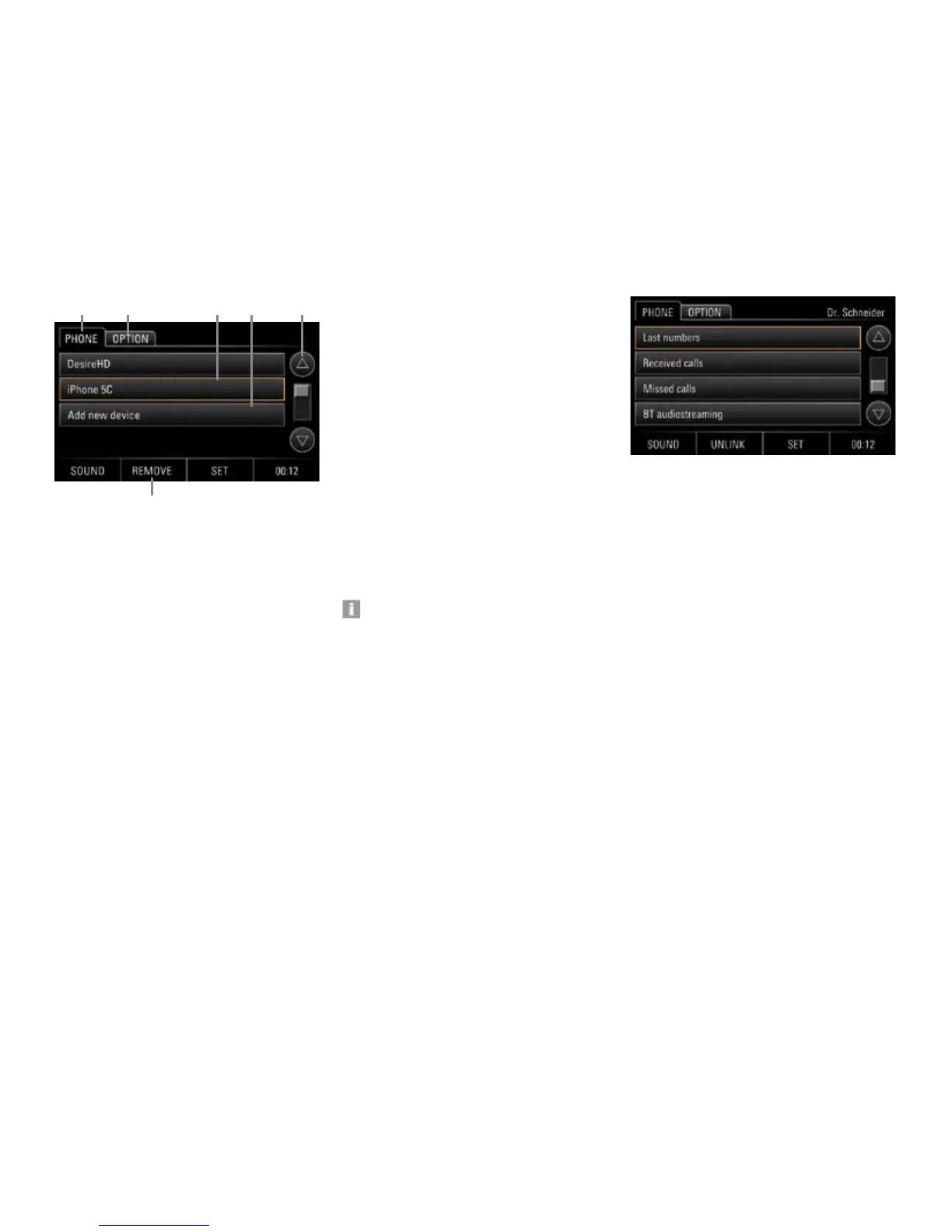
A Tab PHONE
B Tab OPTION:
Bluetooth
®
settings
C Selected mobile device
D Add new device
E Arrow buttons/scroll bar
F Button REMOVE:
Removes the mobile devices from the list
Enabling and disabling Bluetooth
®
1. Press the PHONE key.
2. Select tab OPTION.
3. Tap option eld Bluetooth to enable or
disable it.
Alternatively, you can enable or disable
Bluetooth
®
as follows:
1. Tap button SET.
2. Select menu option Bluetooth settings.
3. Tap option eld Bluetooth to enable or
disable it.
Using the Bluetooth
®
-hands-free
feature
The Bluetooth
®
-hands-free feature allows you
to use the PCRN as a hands-free device for
Bluetooth
®
mobile devices. To use the Bluetooth
®
function, press the PHONE key at the device.
Please note that to be able to use the
Bluetooth
®
-hands-free feature, your mobile
device must support the Bluetooth
®
Hands-
Free Prole.
Logging in the mobile device
Use function Add new device to have the system
scan for your device and to log it into the PCRN.
Follow the instructions shown in the PCRN display.
To ensure that your Bluetooth
®
device is identied
by the PCRN, make sure that the Bluetooth
®
func-
tion of the mobile device is enabled and set to
"visible". For further information please refer to
the operating instructions of your mobile device.
1. Press the PHONE key.
2. Select menu option Add new device. A scan
is started, and a list of all identied devices is
displayed.
3. Select your device from the list.
4. When asked, enter the pairing code (default:
1234) on the cell phone, or conrm the
request on the cell phone. After the connec-
tion has been established with the cell phone,
the above menu appears with the telephone
record (last numbers, received calls, missed
calls, etc.)
A B
F
C D E


 To Next Page
 Loading...