User Manual
PT-E-HD50
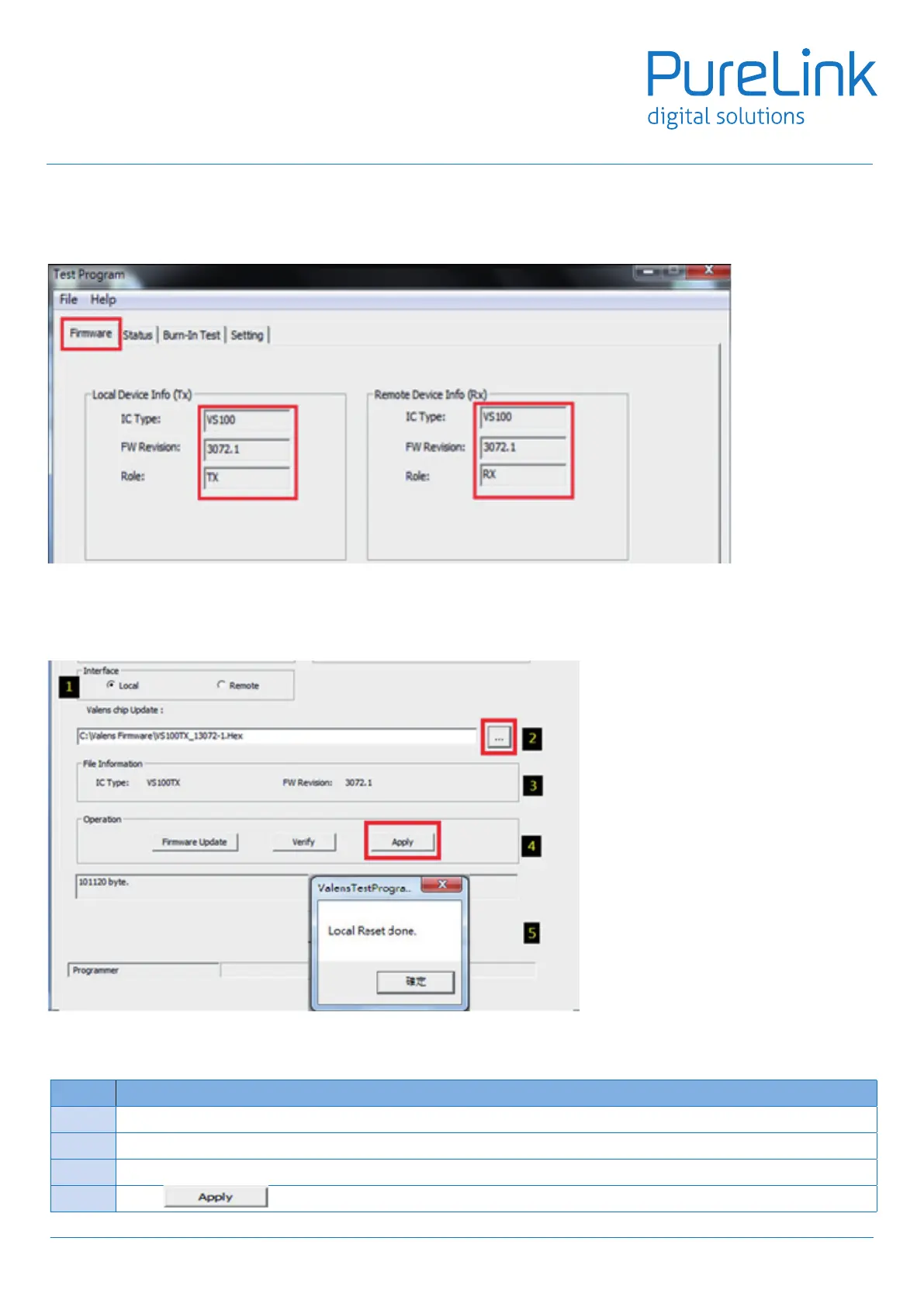
2.1 Checkthecurrentrmwareversion.
The upper part reveals the IC type/rmware version on the TX and RX.
2.2 Updatetherequiredrmware
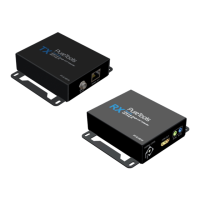
In the lower parts, we will see the information as below
2.3 Wheneverwanttoupdatethermware,followthestepsasbelow:
Step Action
1 Select Local(TX) or Remote(RX) for rmware Update.
2 Select the rmware le from your PC
3 Review the le information of the selected rmware.
4 Select to get rmware updated and veried at the same time
11


 To Next Page