User Manual
PT-E-HD50
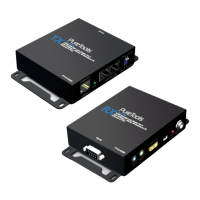
1. Connect a HDMI or DVI source (such as a Blu-ray Disc player) to the transmitting unit PT-E-HD50-TX.
2. Connect a HDMI or DVI display (such as a LCD TV) to the receiving unit PT-E-HD50-RX.
3. Connect IR Blaster/Receiver to both TX and RX units.
4. Connect USB cable to PC/Laptop
5. Connect a Cat-5/5e/6 cable between the transmitting and receiving units.
6. Make sure this Cat-5/5e/6 cable is tightly connected and not loose.
7. Plug in 24V DC power supply unit to the power jack of the transmitting unit PT-E-HD50-TX
10. Installation
9
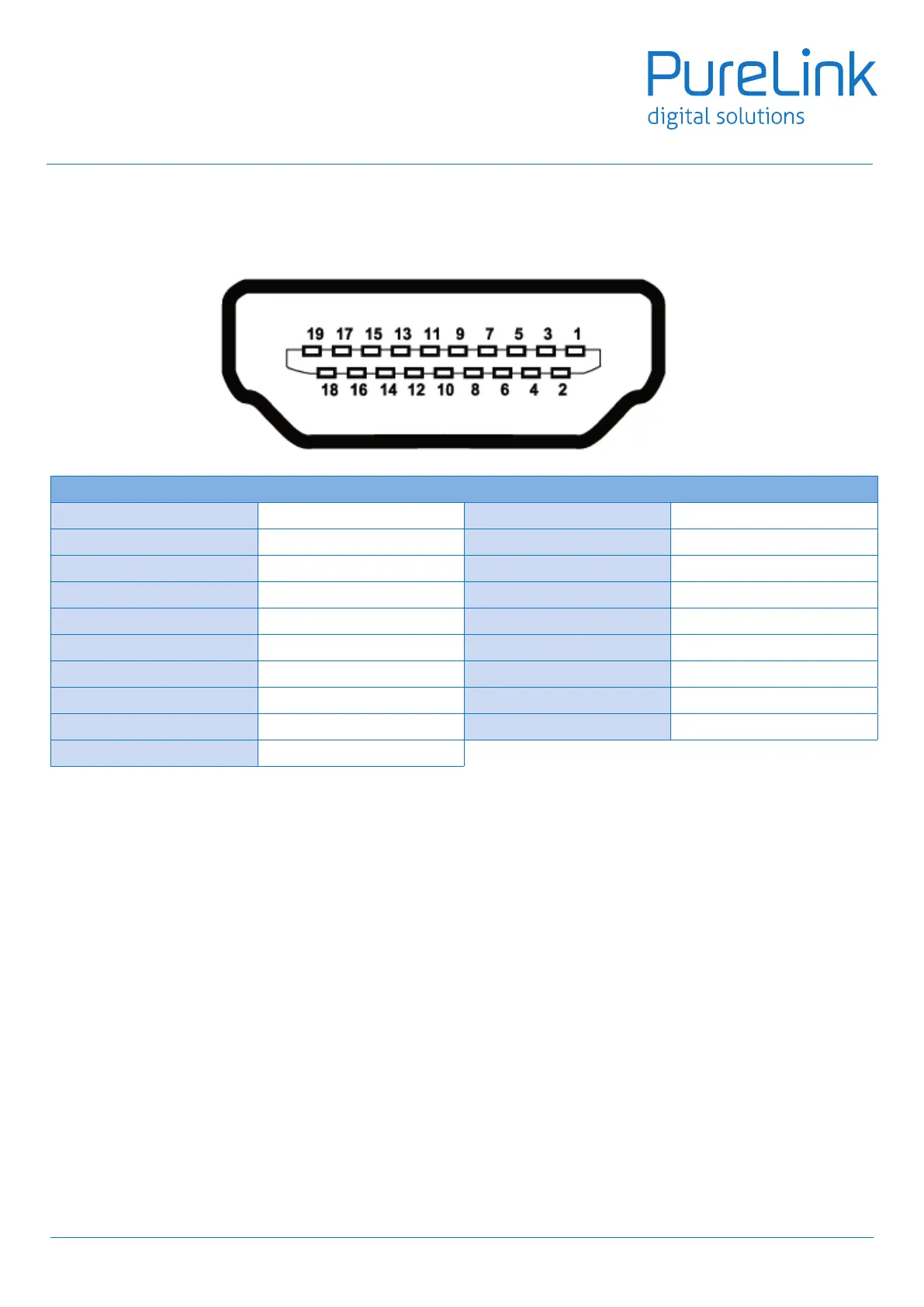
9.HDMIPINDenition
Type A (Receptacle) HDMI
Pin 1 TMDS Data2+ Pin 11 TMDS Clock Shield
Pin 2 TMDS Data2 Shield Pin 12 TMDS Clock–
Pin 3 TMDS Data2– Pin 13 NC
Pin 4 TMDS Data1+ Pin 14 Reserved (N.C. on device)
Pin 5 TMDS Data1 Shield Pin 15 SCL
Pin 6 TMDS Data1 Shield Pin 16 SDA
Pin 7 TMDS Data0+ Pin 17 DDC/CEC Ground
Pin 8 TMDS Data0 Shield Pin 18 +5V Power
Pin 9 TMDS Data0– Pin 19 Hot Plug Detect
Pin 10 TMDS Clock+


 To Next Page