TOOL MASTER Lite 14
13
MANUAL © Evoset AG
Radius/Diameter Selection
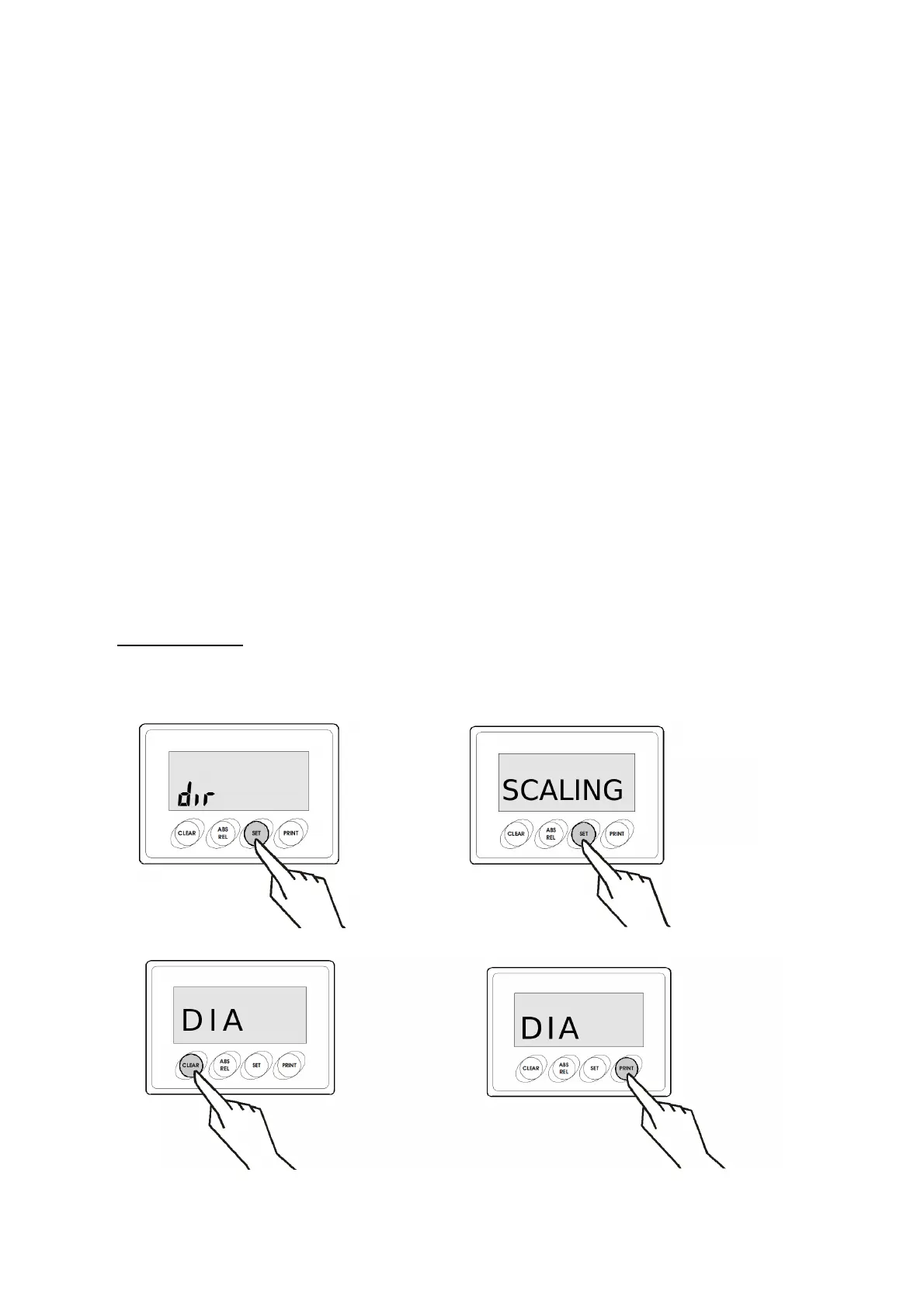
The TOOL MASTER LITE 14 pre-setter gives you the option to measure a tool's radius or
diameter. The pre-setter is set to measure diameter by default. The following steps show how
to toggle between the two scaling options.
1. On the X-axis Display, press and hold the SET key for about 5 seconds to access the
Programming Menu.
2. Press SET until SCALING is displayed.
3. Toggle between RAD and DIA (diameter and radius) by pressing the SET and ABS/REL
key. Select the desired option and press ENTER to set your choice.
4. Press CLEAR several times to exit the Programming Menu. The radius/diameter selection is
complete.
NOTE: Do not change the scaling option on the Z-Axis Display. It should always be set to
RAD.
Step 1/2 Step 3
Step 4


 To Next Page