EasyManua.ls Logo

Pyle PLHRDVD90KT - User Manual

Pyle PLHRDVD90KT
5 pages
Print Icon
To Next Page IconTo Next Page
Loading...
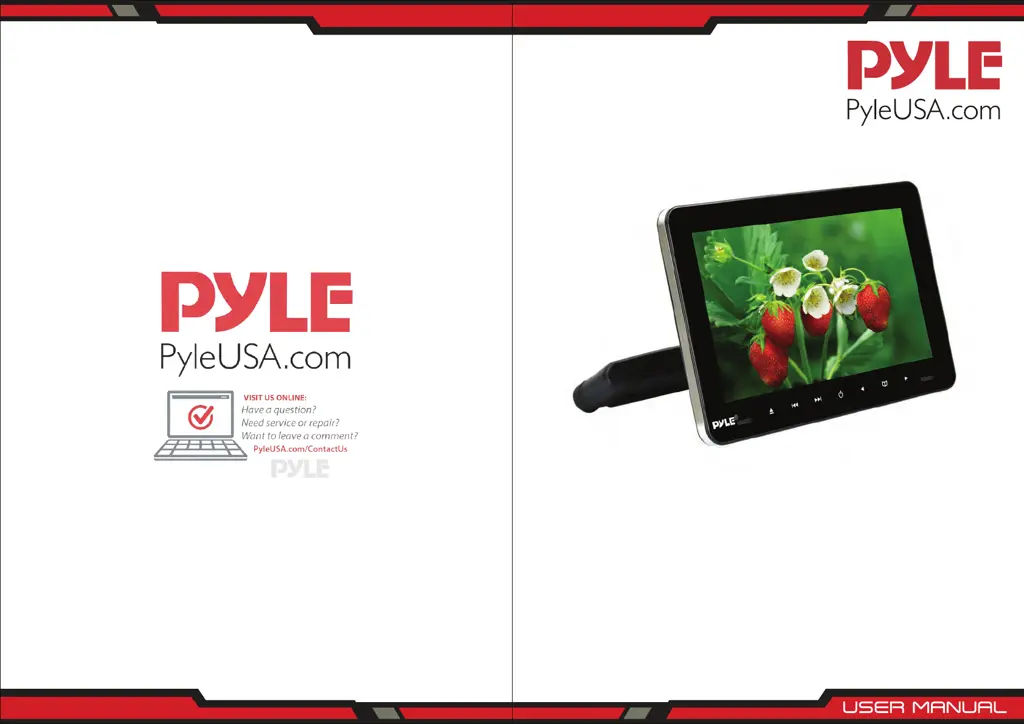
Car Video Entertainment Display
Monitor System
PLHRDVD103
PLHRDVD90KT - PLHRDVD904
9.4’ -inch
10.5’ -inch

Questions and Answers

  • R
    riveradeniseAug 15, 2025
    What to do if my Pyle Car Receiver has no sound and image?
    • S
      Sophia HillAug 15, 2025
      If your Pyle Car Receiver is showing no sound and image, the issue might be due to a disconnected power supply or the unit not being turned on. Check the power connection to ensure it's properly connected and verify that the receiver is switched ON.
  • J
    Jordan BooneAug 18, 2025
    Why does my Pyle PLHRDVD90KT Car Receiver have no power?
    • D
      Donna RichardsonAug 18, 2025
      If your Pyle Car Receiver has no power, it could be due to inaccurate voltage or a disconnected fuse. Verify the voltage accuracy and check the interconnect circuit. If the fuse is disconnected, replace it with the correct specification.
  • K
    Kaitlyn BrownAug 21, 2025
    What to do if my Pyle PLHRDVD90KT has no sound?
    • T
      Tonya PhelpsAug 21, 2025
      If you're experiencing no sound from your Pyle Car Receiver, the volume might be set too low or the volume setup may not be properly configured. Try increasing the volume or adjusting the volume settings.
  • C
    Christopher WellsAug 25, 2025
    What to do if my Pyle PLHRDVD90KT shows a black screen?
    • Y
      yyoungAug 25, 2025
      If your Pyle Car Receiver is displaying a black screen, it may be due to incorrect image luminance and contrast settings, or undervoltage. Adjust the image luminance and contrast settings and check the voltage supply.
  • R
    Roger AlvarezAug 27, 2025
    What to do if my Pyle PLHRDVD90KT has no image after loading the disc?
    • R
      Ricky SmithAug 27, 2025
      If your Pyle Car Receiver shows no image after loading a disc, it might be due to several reasons: the disc may only contain audio frequency, the disc could be scratched, or the disc format might not be supported. Ensure the disc is compatible with your receiver and inspect it for any scratches.
  • M
    Mary CarterAug 30, 2025
    Why is the image on my Pyle PLHRDVD90KT Car Receiver blurring and unstable?
    • T
      toddramirezAug 30, 2025
      If the image on your Pyle Car Receiver is blurring and unstable, the disc might be scratched. Inspect the disc and replace it if necessary.
  • G
    George SchmidtSep 2, 2025
    What to do if my Pyle PLHRDVD90KT Car Receiver has no image?
    • B
      Bethany AyersSep 2, 2025
      If your Pyle Car Receiver is not displaying an image, the disc might be scratched, or the signal wire could be disconnected. Inspect the disc for scratches and check the signal wire connection.
  • T
    Taylor MartinezSep 5, 2025
    Why does my Pyle Car Receiver have a color cast?
    • M
      mklineSep 6, 2025
      If your Pyle Car Receiver is showing a color cast, it could be due to an incorrect function menu setup or a weak signal. Review the function menu settings and check the signal strength.
  • M
    Maria KnightSep 8, 2025
    Why is the sound unstable on my Pyle PLHRDVD90KT when there is vibration?
    • H
      Holly LarsenSep 8, 2025
      If you are experiencing unstable sound from your Pyle Car Receiver due to vibration, the DVD might be dirty or seriously damaged. Clean the DVD, and if the issue persists, replace it.
  • S
    Steven MezaSep 12, 2025
    Why is the sound unstable on my Pyle PLHRDVD90KT Car Receiver even without vibration?
    • D
      Danielle ColemanSep 12, 2025
      If the sound from your Pyle Car Receiver is unstable even without vibration, the disc is likely dirty or scratched. Try cleaning the disc, and if that doesn't work, replace it.

Pyle PLHRDVD90KT Specifications

General IconGeneral
BrandPyle
ModelPLHRDVD90KT
CategoryCar Receiver
Screen Size9 inches
Resolution800 x 480 pixels
TouchscreenYes
DVD PlayerYes
USB PortYes
SD Card SlotYes
BluetoothYes
AM/FM RadioYes
Built-in MicrophoneYes
Remote ControlYes
Region Free PlaybackYes
HDMI InputNo
Headrest MountYes
Wireless IR HeadphonesYes
Video SystemNTSC/PAL
Media FormatDVD, CD, MP3, MP4
Power Output4 x 50 Watts
Power SupplyDC 12V

Related product manuals