www.PyleUSA.com20 www.PyleUSA.com 21
Register Product
Thank you for choosing PyleUSA. By registering your product,
you ensure that you receive the full benets of our exclusive
warranty and personalized customer support. Complete the
form to access expert support and to keep your PyleUSA
purchase in perfect condition.
Start Here
Model Number:
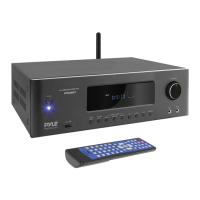
PT865BT
PyleUSA.com/pages/register
FCC STATEMENT
This equipment has been tested and complies with the limits for a Class B
digital device, per part 15 of the FCC Rules. These limits are designed to provide
reasonable protection against harmful interference in a residential installation.
This equipment generates, uses, and can radiate radio frequency energy, and if
not installed and used per the instructions, may cause harmful interference to
radio communications. However, there is no guarantee that interference will
not occur in a specic installation. If this equipment does cause harmful
interference to radio or television reception, determined by turning the
equipment o and on, the user is encouraged to correct the interference with
one or more of the following measures: Reorient or relocate the receiving
antenna. Increase the distance between the equipment and the receiver.
Connect the equipment to an outlet on a dierent circuit from the one the
receiver is connected to. Consult the dealer or an experienced radio/TV
technician for help.
Caution:
Changes or modications not explicitly approved by the manufacturer could
void your authority to operate this equipment.
Compliance: This device complies with part 15 of the FCC Rules.
Operation is subject to the following conditions: (1) This device must not cause
harmful interference, and (2) this device must accept any interference received,
including interference that may cause undesired operation.
RF Exposure Information:
The device meets general RF exposure requirements and can be used safely.
TROUBLESHOOTING
Problem Reason Solution
Abnormal or
Faulty Screen
External interference,
CPU issue
Power o the system.
Unplug it, then restart
No Sound
• Improper speaker or audio
device connection
• Power cable not correctly
plugged in
• Mute mode activated
• Speaker short circuit
• Verify speaker and audio
device connections.
• Ensure the power
supply is connected
correctly.
• Adjust volume settings.
• Disable mute mode.
• Power o, reconnect
speakers, and restart.
Sound
Distortion
• Incorrect amplifyer input
• Volume set too high
• Check the amplier
input connection.
• Adjust the volume to a
lower level.
Staccato or
Relay Ticking
Noise
• Speaker impedance below
4 ohms
• Volume set too high
• Speaker short circuit or
improper connection
• Use speakers with
proper impedance.
• Reduce volume to a
moderate level.
• Power o, reconnect
speakers, and restart.



 To Previous Page