45
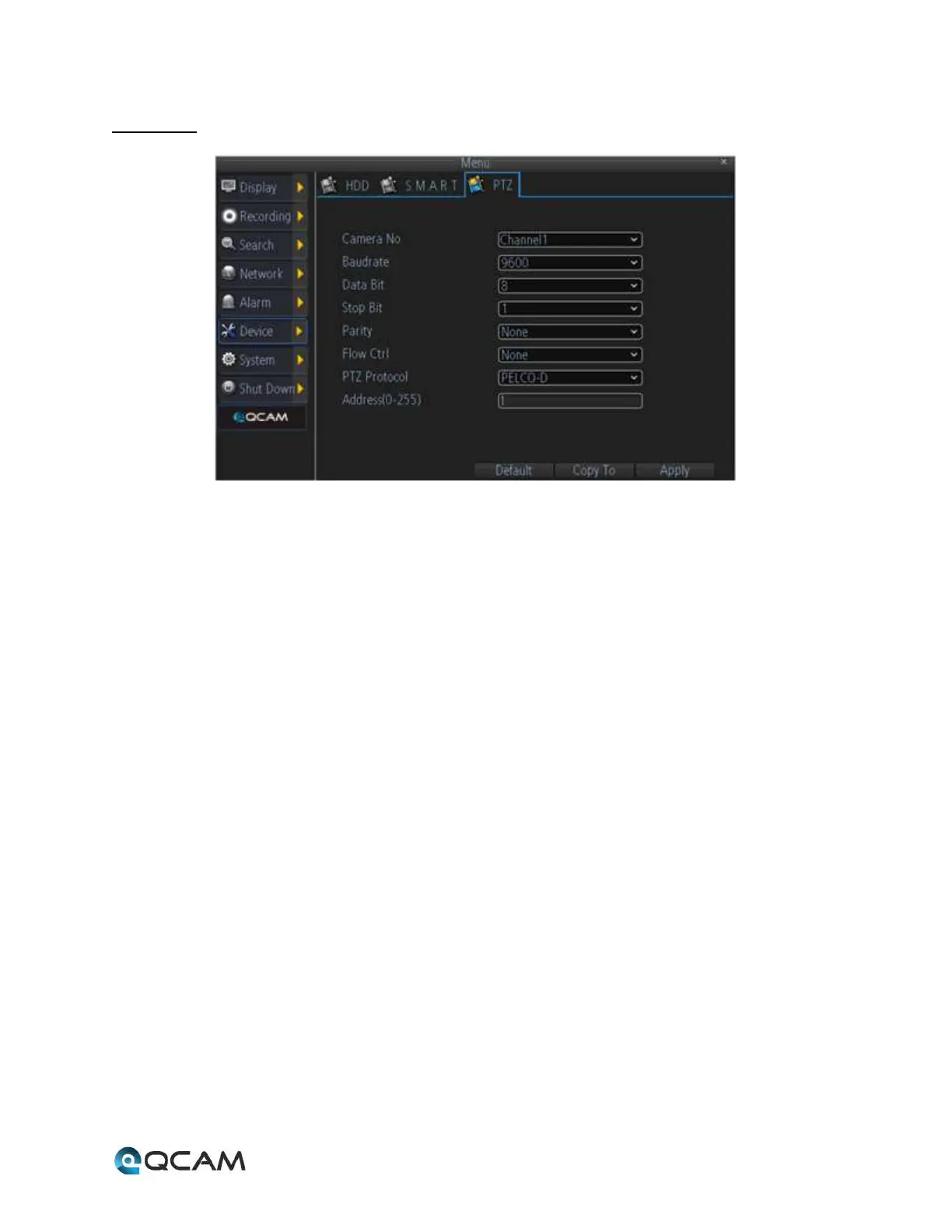
4.6.7.3 PTZ
Below is an explanation of the fields on this screen:
• Camera No.: This dropdown box allows the user to select a camera to view or change PTZ settings for.
• Baudrate: This dropdown box allows the user to change the baudrate for the selected camera.
• Data Bit: This dropdown box allows the user to change the data bit for the selected camera.
• Stop Bit: This dropdown box allows the user to change the stop bit for the selected camera.
• Parity: This dropdown box allows the user to change the parity for the selected camera.
• Flow Ctrl: This dropdown box allows the user to change the flow control settings for the selected camera.
• PTZ Protocol: This dropdown box allows the user to change the PTZ protocol for the selected camera.
• Address: This dropdown box allows the user to view the PTZ address for the selected camera.



 To Next Page