46
4.6.8 System
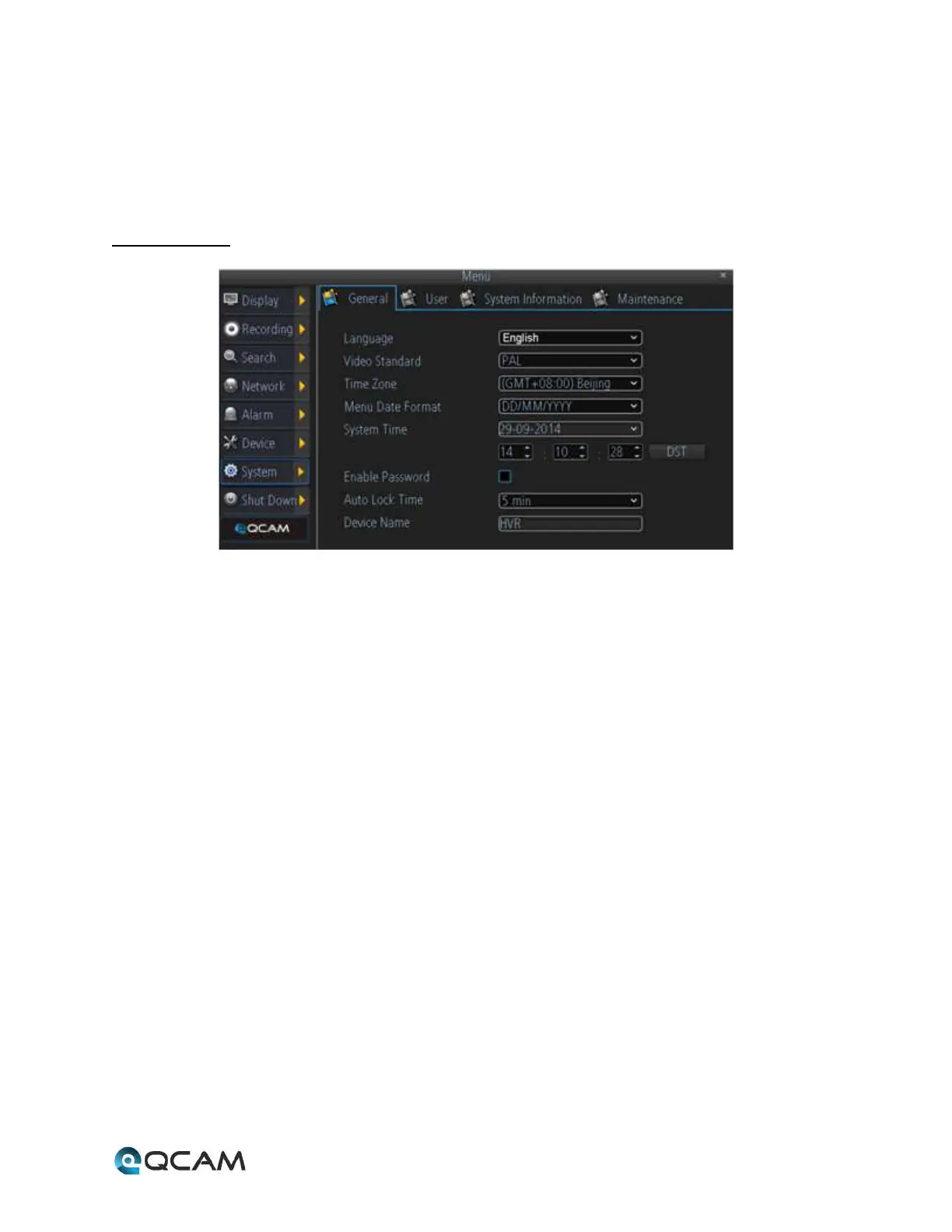
The system menu is where the user can change general settings, user settings, view system information, and
conduct system maintenance.
4.6.8.1 General
Below is an explanation of the fields on this screen:
• Language: This dropdown box allows the user to change the NVR’s display language.
• Video Standard: This dropdown box allows the user to change the NVR’s video standard to either PAL or NTSC.
• Time Zone: This dropdown box allows the user to change the NVR’s time zone.
• Menu Date Format: This dropdown box allows the user to change the date format used on the NVR.
• System Time: This dropdown box allows the user to change the system time for the NVR. The DST button
activates daylight savings time on the NVR.
• Enable Password: This dropdown box allows the user to enable or disable password protection for the NVR.
• Auto Lock Time: This dropdown box allows the user to change the automatic password lock on the NVR.
• Device Name: This dropdown box allows the user to change the NVR’s display name.



 To Next Page