Manual for S4 series
Chapter 2
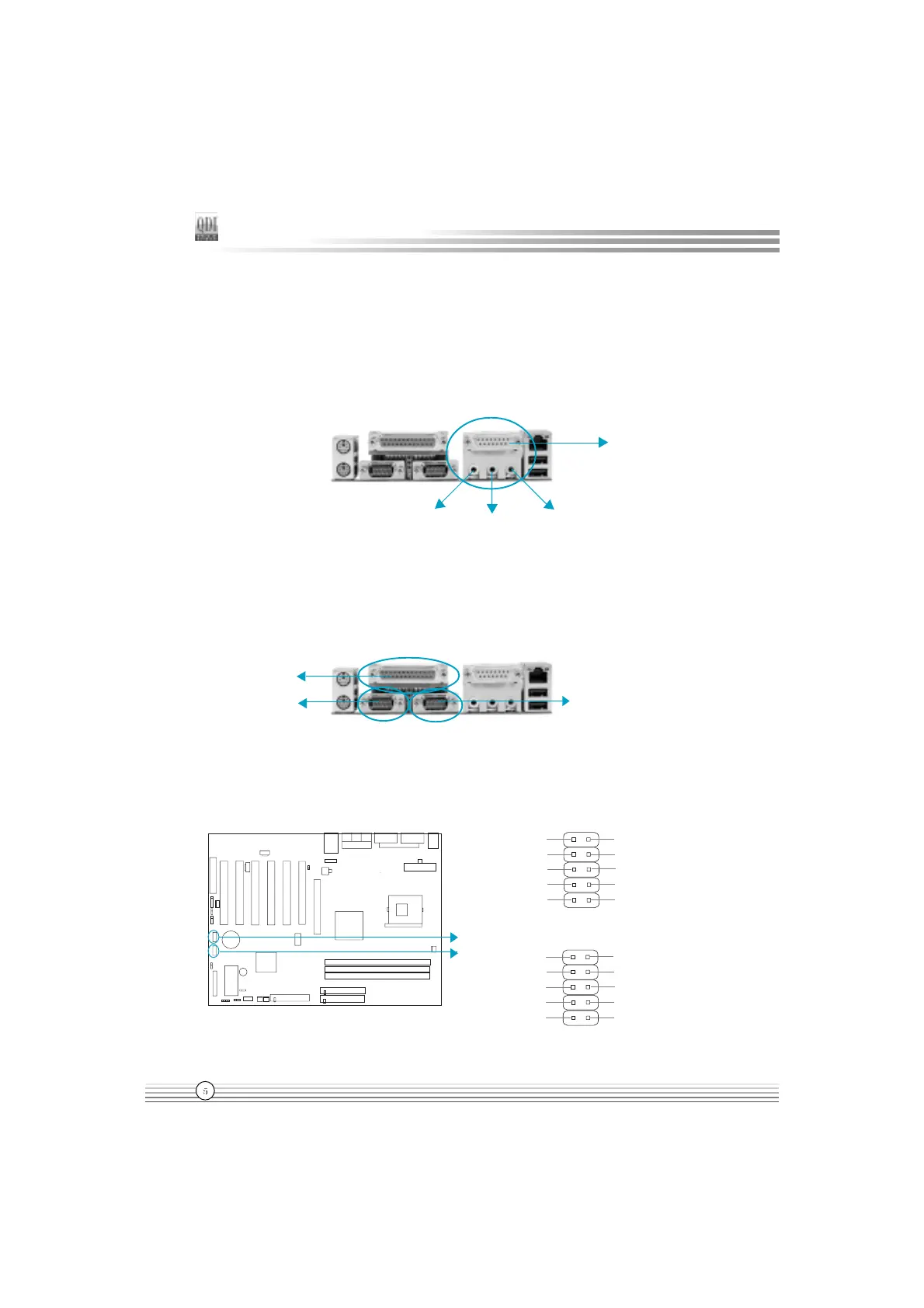
Line-in jack, Microphone-in jack, Speaker-out jack and MIDI/Joystick
Connector
(Available on S4-A/AL)
The Line-in jack can be connected to devices such as a cassette or minidisc player to
playback or record. The Microphone-in jack can be connected to a microphone for voice input.
The Speaker-out jack allows you to connect speakers or headphones for audio output from
the internal amplifier.The MIDI/Joystick connector allows you to connect a game joystick or a
MIDI device.
Parallel Port, Serial Port Connectors (UART1, UART2)
The parallel port connector can be connected to a parallel device such as a printer. The serial
port UART1,2 connectors can be connected to a serial port device such as a serial port
mouse. You can enable/disable them and choose the IRQ or I/O address in Integrated Periph-
erals from AWARD BIOS SETUP.
Parallel Port
UART1
UART2
USB3 /4/5/6 Connectors
Besides USB1 and USB2 ports on the back panel, the mainboard also has another two 10-
pin headers on board which may connect to front panel USB cable to provide additional 4
USB Ports.
USB5,6
MIDI/Joystick
Speaker out
Line in
Microphone in
D2-
GND
GND
GND
D3+
D3-
+5V
D2+
1
+5V
GND
USB3,4
D4-
GND
GND
GND
D5+
D5-
+5V
D4+
1
+5V
GND
USB3,4
USB5,6


 To Next Page
 Loading...