Manual for S4 series
Chapter 3
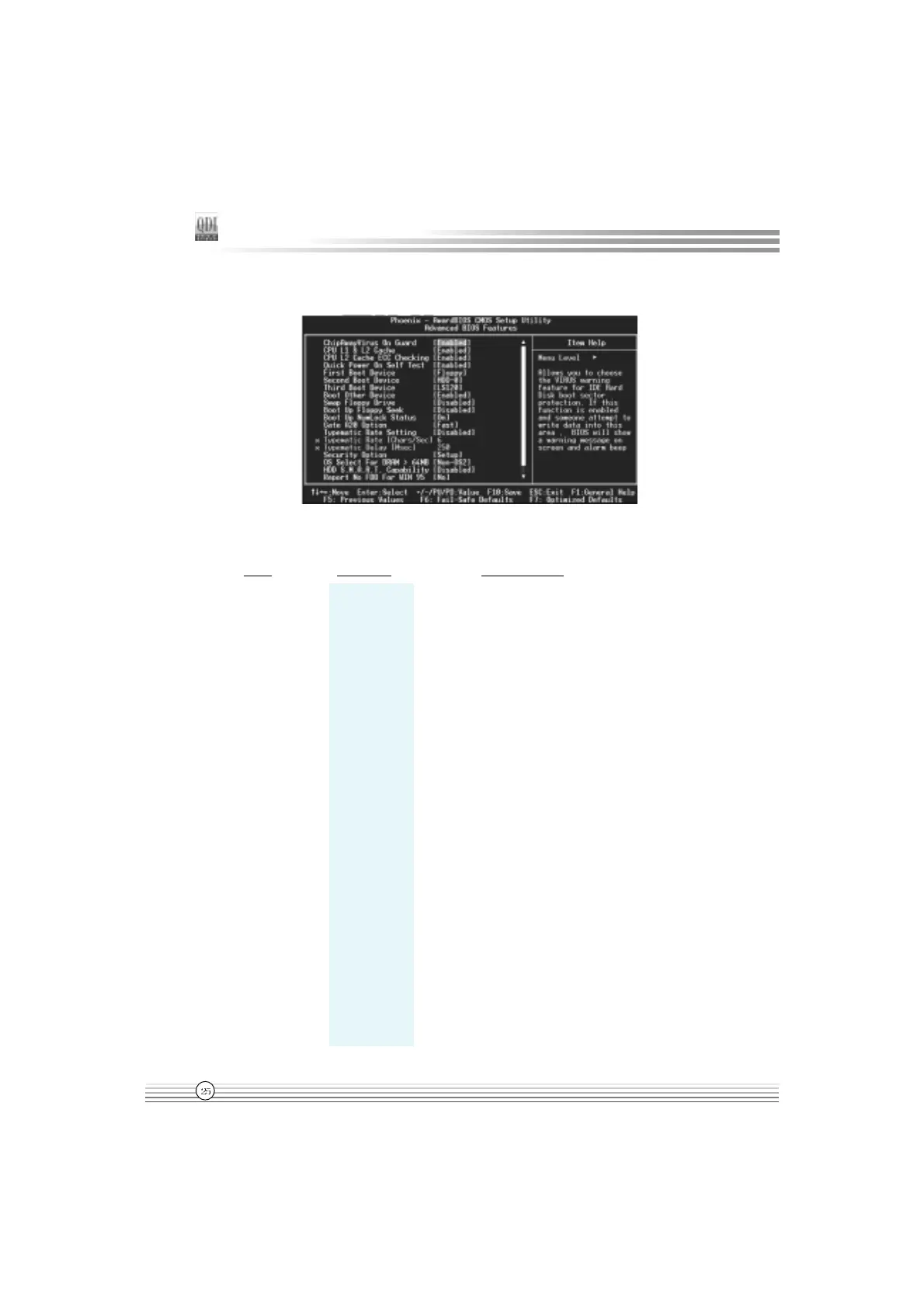
Advanced BIOS Features Setup
Figure-4 Advanced BIOS Features Menu
The following indicates the options for each item and describes their meaning.
Item Option Description
l ChipAway Virus Enabled Allows you to choose the VIRUS warning feature
on Guard for IDE Hard Disk boot sector protection. If this
function is enabled and someone attempt to write
data into this area, BIOS will show a warning
message on screen and alarm beep.
Disabled Invalidates this function.
l CPU L1&L2 Enabled Enable CPU L1/L2 cache.
Cache Disabled Disable CPU L1/L2 cache.
l CPU L2 Cache Enabled Enables CPU L2 Cache ECC function.
ECC Checking Disabled Disables CPU L2 Cache ECC function.
l Quick Power Enabled Allow the system to skip certain tests while
On Self Test booting. This will decrease the time needed to
boot the system.
Disabled Normal POST.
l First (Second, Disabled Select Your Boot Device Priority. It could be
Third) Boot Device Floppy Disabled, Floppy, LS120,ZIP100, HDD-0, HDD-1,
Boot Other Device HDD-2, HDD-3, SCSI, CDROM, LAN.
......
CDROM


 To Next Page
 Loading...