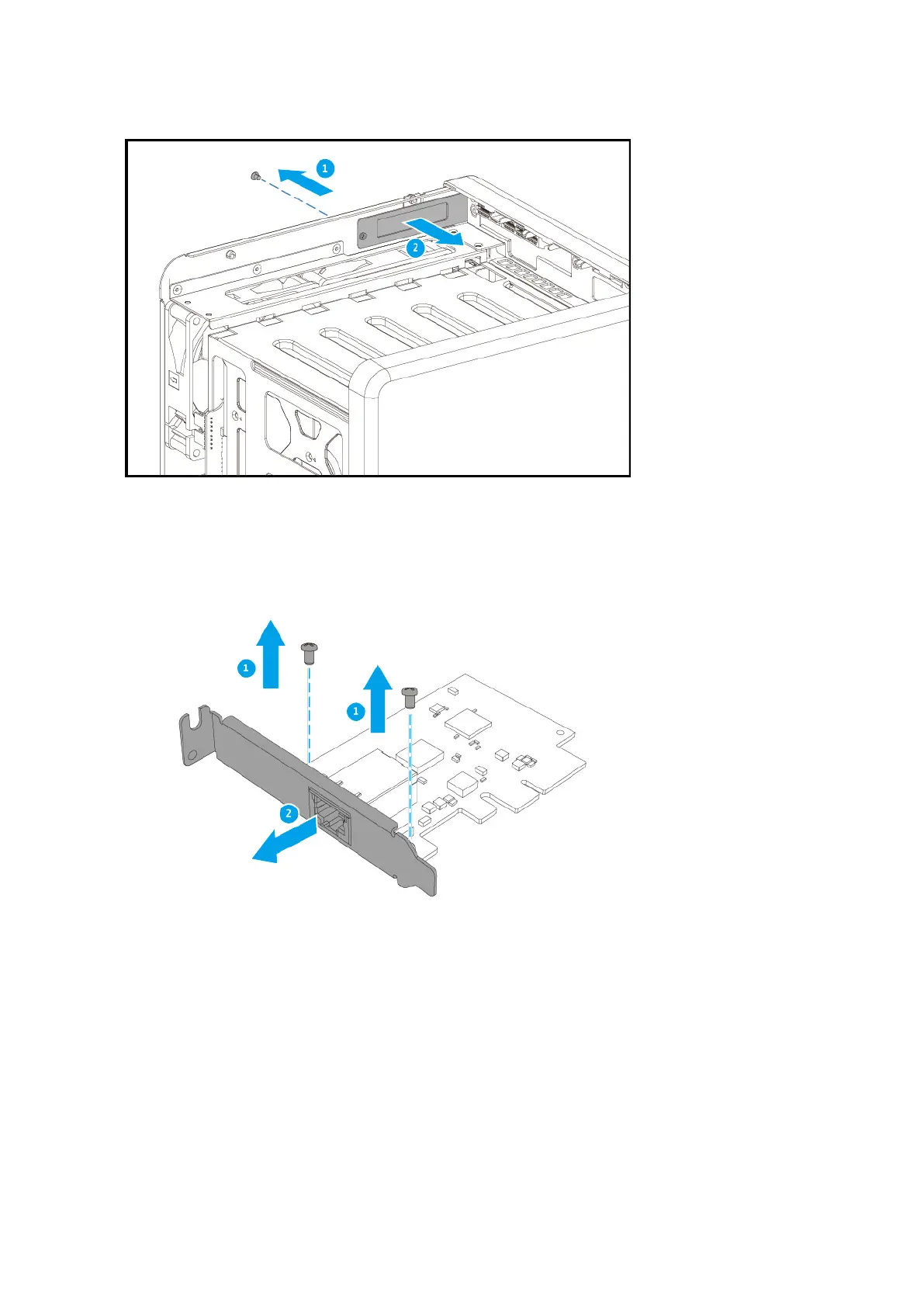
7. Optional: Attach the full-height bracket to the expansion card.
a. Remove all screws of the existing bracket.
b. Carefully pull the bracket away from the card.
c. Attach the full-height bracket to the card using the same screws.
TS-x62, TS-x64 User Guide
Installation and Conguration 41



 To Next Page
 Loading...