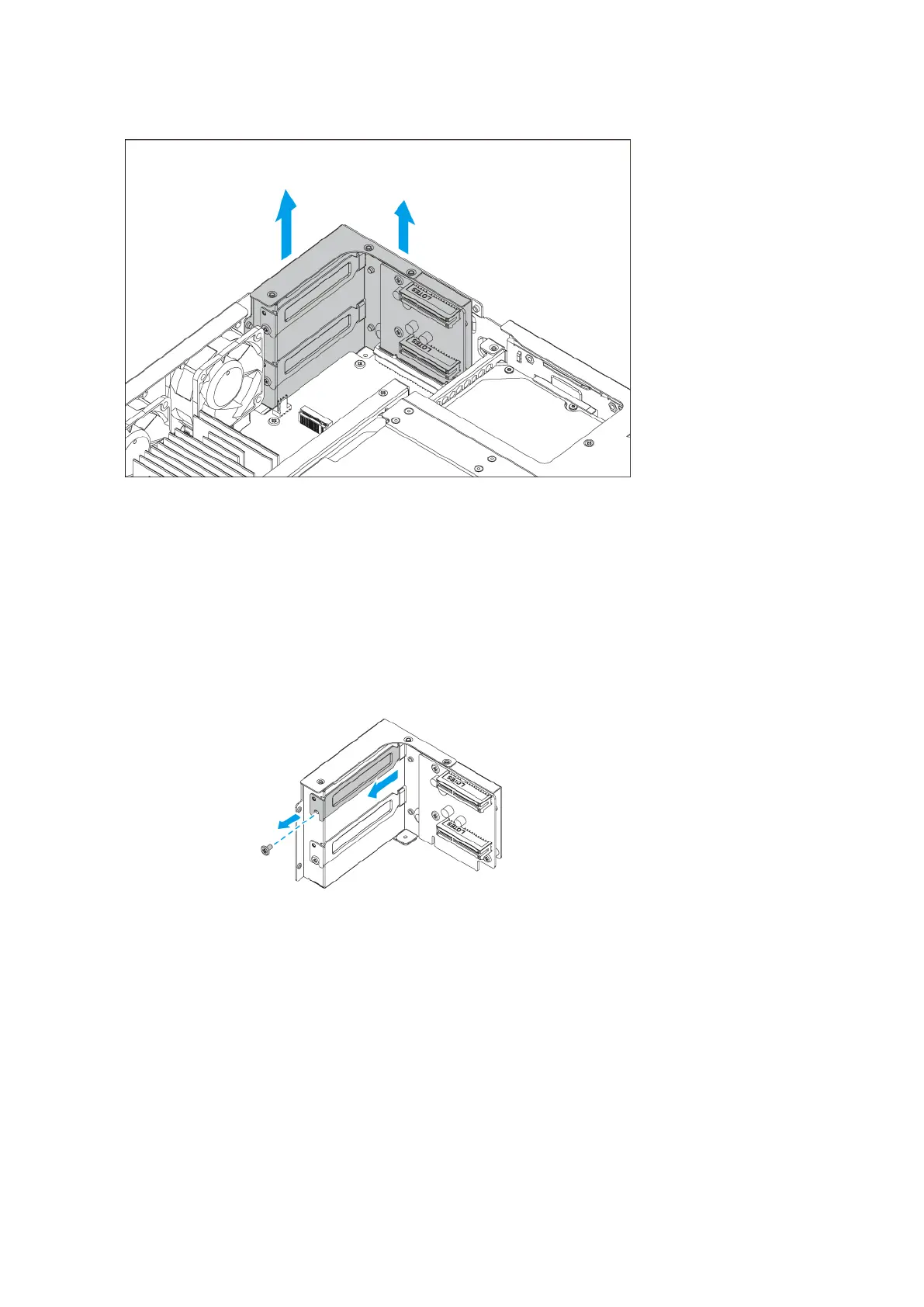
6. Remove the PCIe cover.
a. Remove the screw that secures the cover.
b. Pull the cover away from the slot.
7. Optional: Attach the QNAP bracket to the expansion card.
a. Remove all screws of the existing bracket.
TS-855eU User Guide
Installation and Conguration 28


 To Next Page
 Loading...