12
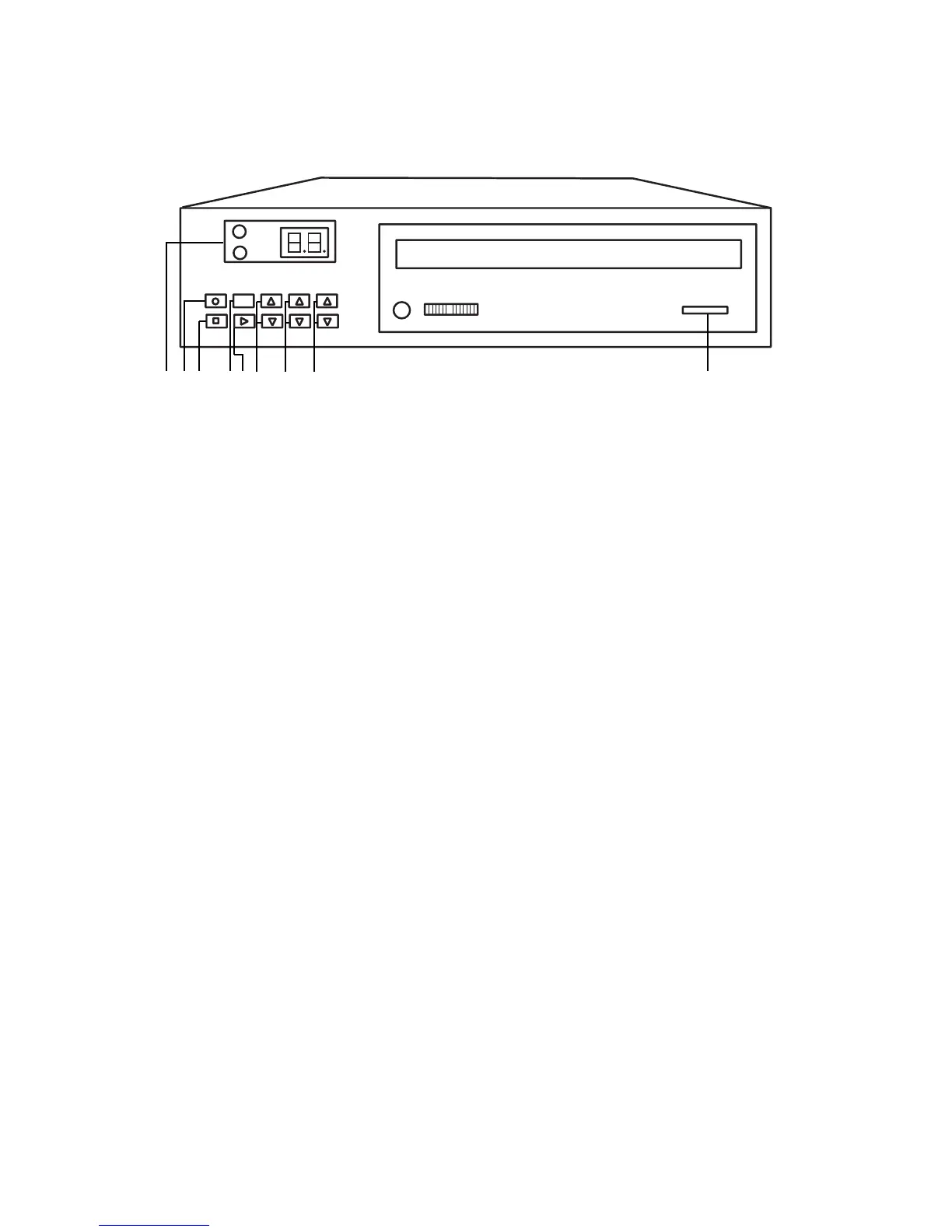
2000CD+ Front Panel Description
2000CD+ Front Panel Description
2000CD+ Front Panel Description
PIANO VOLUME UP and DOWN - Pressing these buttons will raise and lower the piano volume
respectively. Pressing both buttons simultaneously will reset the piano to its optimum performance
setting.
AUDIO VOLUME UP and DOWN - Pressing these buttons will raise and lower the audio volume
respectively. Pressing both buttons simultaneously will reset the audio to its optimum performance
setting.
NOTE: (To make small adjustments, quickly tap the buttons. Holding the buttons down for any length
of time will scan through the volume range rapidly.)
TRACK UP and TRACK DOWN - Pressing these buttons will skip through each track of the CD
respectively.
NOTE: (To select one track at a time, quickly tap the buttons. Holding the buttons down for any
length of time will scan through the discs tracks rapidly.)
EJECT - This button will open and close the CD tray.
6
7
8
9
ON/OFF
ran
STOP PLAY
PIANO AUDIO
TRACK
VOLUME VOLUME
QRS
Pianomation
2000CD+
Standby
IR Sensor
1 2 3 4 5 6 7 8 9



 To Next Page