August 3, 2018 7080-163D 7
MT. VERNON E2-C
C. Quick Start Guide
June 18, 2018
QUICK START GUIDE
*Before you plug in this appliance, follow these instructions*
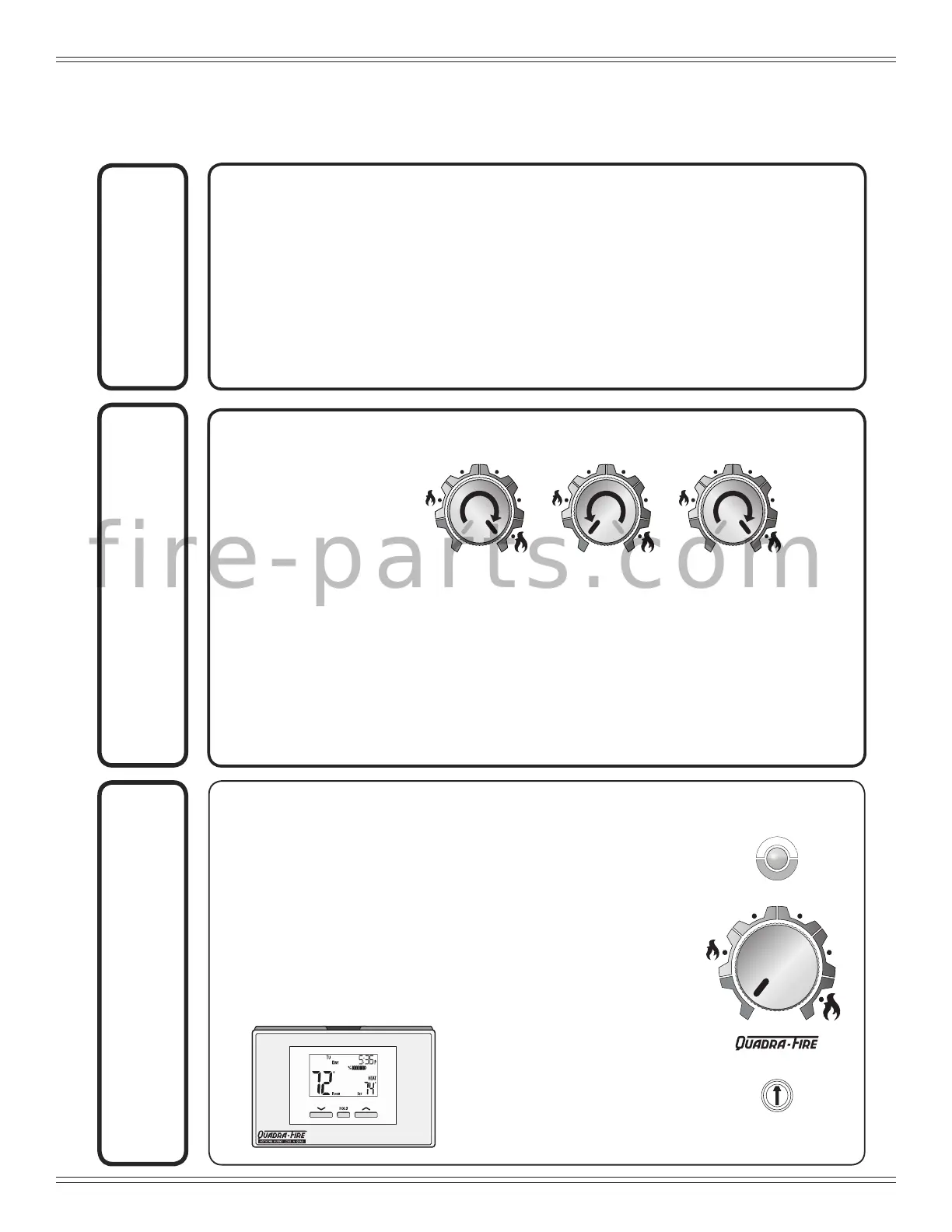
Run Set UpPrime
1. Empty Fire box
2. Add pellets and close lid
3. Turn DIAL to OFF
4. Plug in the appliance
• Exhaust blower will run for about 45 Seconds (wait for it to stop
before priming)
• Green light will start ashing
5. Ensure thermostat is connected properly per included instructions.
1. After the exhaust blower has stopped; quickly turn the dial from OFF
to HI two times:
• The LIGHT will turn solid green and pellets will feed. Wait for 2 minutes
• If the LIGHT did not turn solid green:
- Turn dial back to OFF
- Unplug appliance, plug it back in and repeat
Priming is only needed for rst re or starting re on empty hopper.
NOTE: The prime function is only required during initial set up of the unit, or after
the unit has alarmed out due to an empty hopper. Priming while under
normal operating conditions will cause the re pot to over ll.
H
E
A
T
S
E
T
T
I
N
G
H
E
A
T
S
E
T
T
I
N
G
O
F
F
HI
LO
H
E
A
T
S
E
T
T
I
N
G
H
E
A
T
S
E
T
T
I
N
G
O
F
F
HI
LO
H
E
A
T
S
E
T
T
I
N
G
H
E
A
T
S
E
T
T
I
N
G
O
F
F
HI
LO
It may take as long as 10
minutes to achieve a re in the
re pot. Turning the knob or
thermostat to off during this time
will interrupt the startup process.
1. While thermostat is in RUN
mode, the set temperature
can be temporarily changed
by pressing UP
.
H
E
A
T
S
E
T
T
I
N
G
H
E
A
T
S
E
T
T
I
N
G
O
F
F
HI
LO
Control Panel
Light
Dial
Trim
*The temporarily changed set temperature
will return to the programmed value stored
in memory when start time of the next
upcoming scheduled event is reached
(MORN, DAY, EVE, OR NITE).
**Appliance will not turn on unless target
temperature is a higher temperature than
the room temperature.
2. Choose Setting:
• LO – HI*
• Green LIGHT will
begin ashing and
stove will start
*For rst re, HHT
recommends running
on HI for rst 30
minutes
f i r e - p a r t s . c o m




 To Next Page