44
EMERGENCY
• Extract the cover of the HTS lock/
release lever
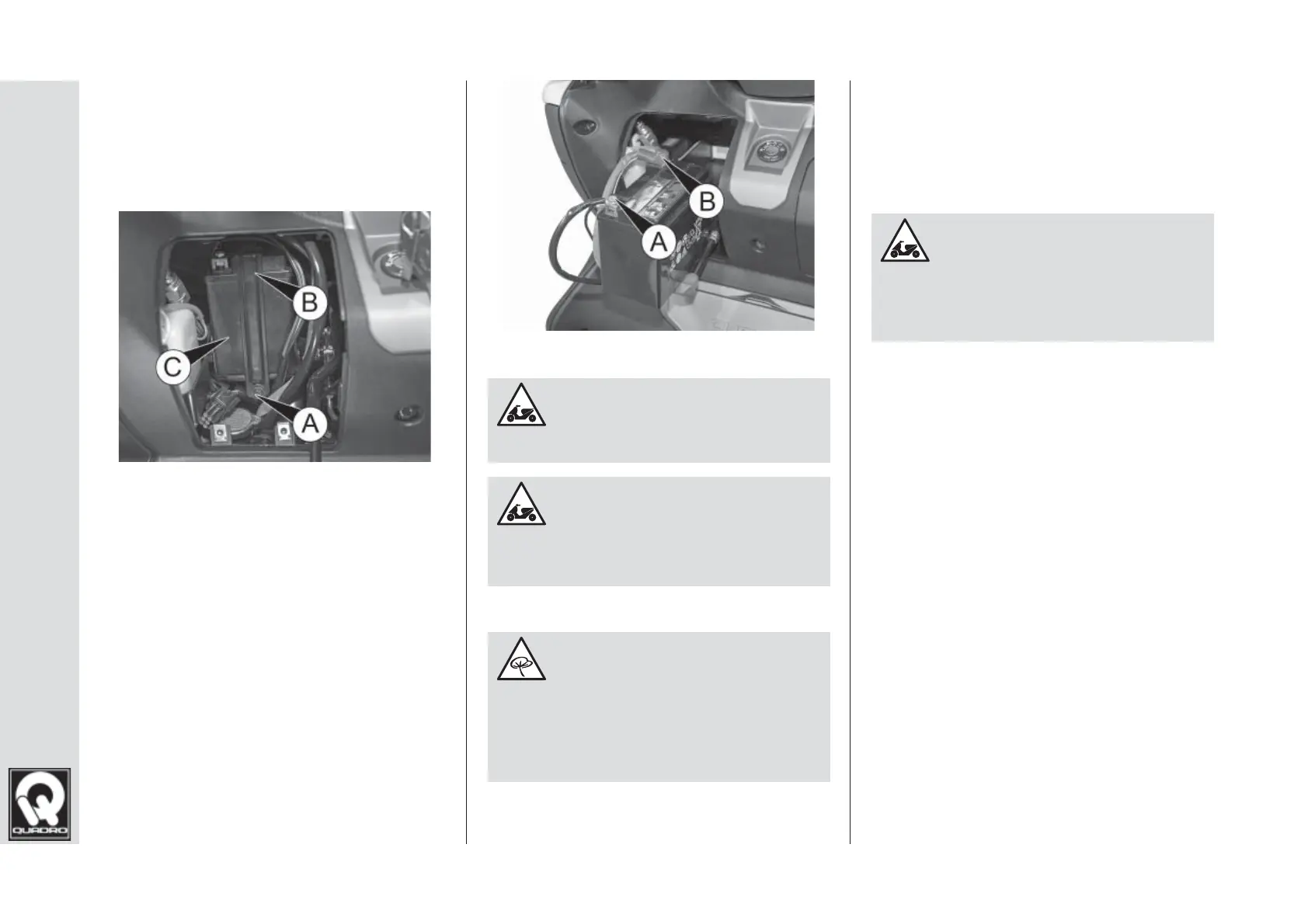
• Unscrew screw A fi g. 9 and remove
the bracket B, then extract the
battery C from its seat
fi g. 9
• Disconnect terminal A fi g. 10
(negative) from the battery, then
terminal B (positive)
• To reinstall the battery perform the
same procedure in reverse, ensur-
ing you fi rst connect terminal B fi g.
10 (positive), followed by the nega-
tive terminal A fi g. 10.
fi g. 10
Never invert the battery
polarity.
Never dump dead or dam-
aged batteries or dispose of them
in landfi ll – you must follow the
disposal procedure applicable in
your country.
Recharging the battery
To disconnect the battery, follow the
procedure described in the “Replacing
the battery” section in this chapter, then
connect the battery charger.
Use only suitable battery
chargers with an amperage which
does not exceed the battery to be
recharged.
Ensure the battery terminals
are correctly tightened. Loose ter-
minals can cause malfunctions.



 To Next Page