4.1 Overview of Files
File Name Description
3D GYRO User Manual.pdf This manual describes the hardware of the 3D GYRO sys-
tem and explains how to setup and wire the system for the
experiments.
3D GYRO Laboratory Guide.pdf This document demonstrates how to obtain the linear
state-space model of the system, simulate the closed-loop
system, and implement controllers on the 3D GYRO plant
using LabVIEW™ .
3DOF_Gyroscope_Laboratory.lvproj 3 DOF Gyroscope LabVIEW project that contains all the
VIs required for the lab.
3D_GYRO_LQR_SIM.vi VI used to design the LQR state-feedback gain and simu-
late the 3 DOF Gyroscope system.
3D_GYRO_LQR.vi VI that implements the state-feedback control on the 3D
GYRO system.
3D_GYRO_LQR (cRIO).vi VI that implements the state-feedback control on the 3D
GYRO system using the NI CompactRIO and Quanser
Q1-cRIO configuration.
Table 4.1: Files supplied with the 3D GYRO
4.2 Setup for Simulation
Before beginning the in-lab procedure outlined in Section 3.1, the 3D_GYRO_LQR_SIM VI must be configured.
1. Load LabVIEW™ .
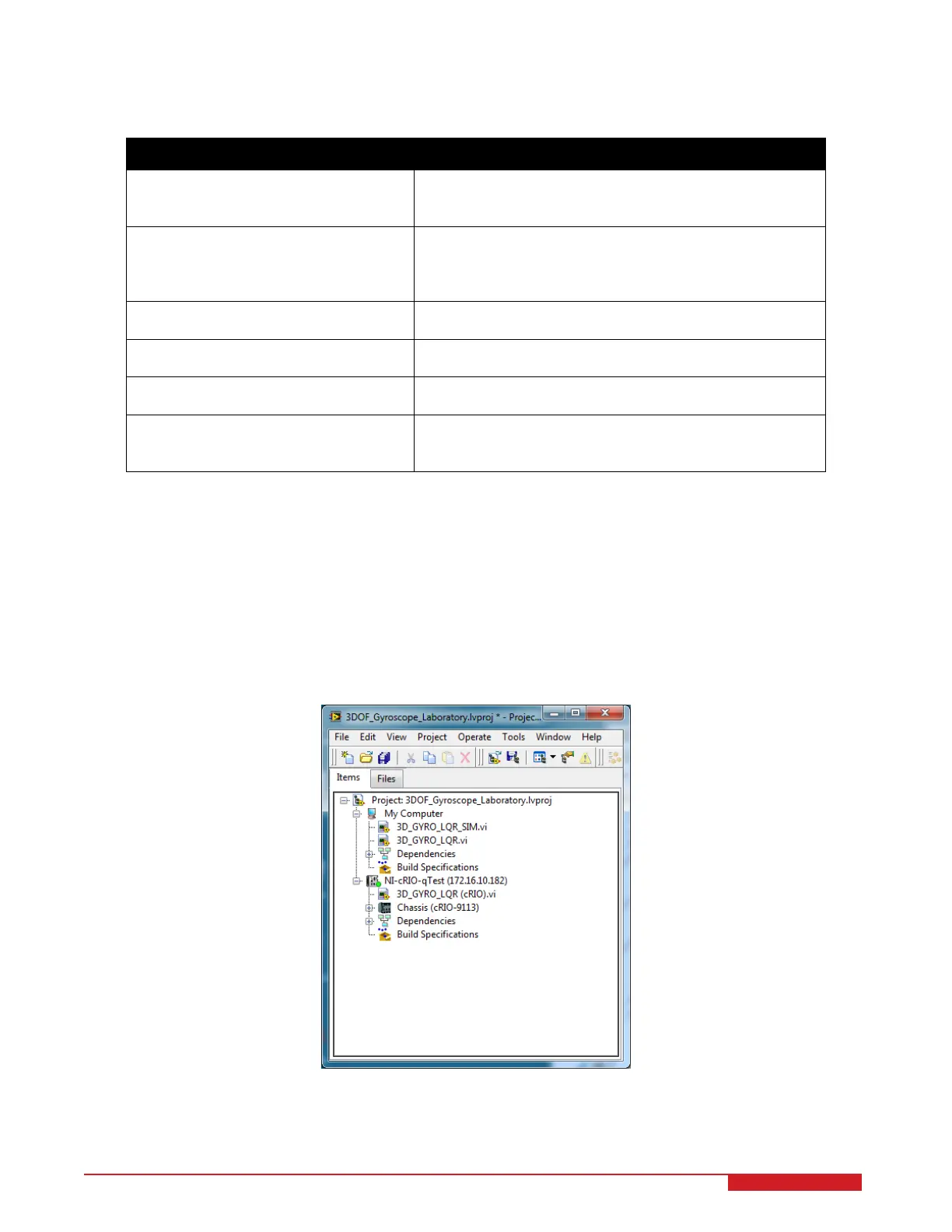
2. Open the 3DOF_Gyroscope.lvproj LabVIEW project, shown in Figure 4.1.
Figure 4.1: 3DOF Gyroscope LabVIEW project
3. Open the 3D_GYRO_LQR_SIM.vi shown in Figure 4.2.
3D GYRO Laboratory Guide 14


 To Next Page