4 SYSTEM REQUIREMENTS
Required Software
Make sure LabVIEW™ is installed with the following required add-ons:
1. LabVIEW™
2. NI-DAQmx
3. NI LabVIEW™ Control Design and Simulation Module
4. NI LabVIEW™ MathScript RT Module
5. Quanser Rapid Control Prototyping Toolkit
r
Note: Make sure the Quanser Rapid Control Prototyping (RCP) Toolkit is installed after LabVIEW. See the RCP
Toolkit Quick Start Guide for more information.
Required Hardware
• Data acquisition (DAQ) device with four encoder inputs and that is compatible with Quanser Rapid Control
Prototyping Toolkit
r
. This includes Quanser DAQ boards such as Q8-USB, QPID, and QPIDe and some
National Instruments DAQ devices.
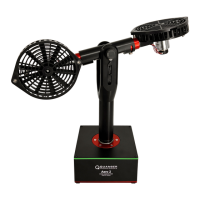
• Quanser 3 DOF Gyroscope
• Quanser AMPAQ-L4 power amplifier, or equivalent.
Before Starting Lab
Before you begin this laboratory make sure:
• LabVIEW™ is installed on your PC.
• DAQ device has been successfully tested (e.g., using the test software in the Quick Start Guide or the Analog
Loopback Demo).
• 3 DOF Gyroscope and amplifier are connected to your DAQ board as described its User Manual [2].
3D GYRO Laboratory Guide
v 1.1


 To Next Page