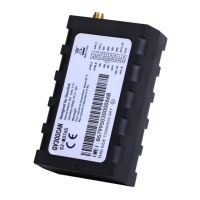
GL300W Manage Tool User Guide
TRACGL300WMT001 - 2 -
Contents
Contents ............................................................................................................................................ 2
1. Revision history ............................................................................................................................. 3
2. GL300W Manage Tool Interface .................................................................................................... 4
2.1. System Requirements .......................................................................................................... 4
2.2. COM Setting ........................................................................................................................ 5
2.3. Quick Setting Wizard ........................................................................................................... 5
2.4. Professional Setting Windows ............................................................................................. 6
2.4.1. Title Bar ............................................................................................................. 6
2.4.2. Menus ................................................................................................................ 6
2.4.2.1. Start Menu ..................................................................................................................... 6
2.4.2.2.
Tool Menu ...................................................................................................................... 6
2.4.2.3.
Help Menu ..................................................................................................................... 8
2.4.3. Toolbar ............................................................................................................... 9
2.4.4. Status Bar ........................................................................................................ 10
2.4.5. Command Browser and Command Operation Space ...................................... 10
2.4.5.1. Command Brower ........................................................................................................ 10
2.4.5.2.
Command Operation Space ......................................................................................... 11
2.5. Operation Result Interface ................................................................................................ 12
2.5.1. Operation Successfully Interface ..................................................................... 12
2.5.1.1. Command read OK. ...................................................................................................... 12
2.5.2. Operation Failed Interface ............................................................................... 12
3. Operation Instruction .................................................................................................................. 14
3.1. Device Configuration with Quick Setting Wizard .............................................................. 14
3.1.1. Welcome to Quick Setting Wizard ................................................................... 14
3.1.2. UMTS Network Setting .................................................................................... 14
3.1.3. Main Server Setting ......................................................................................... 15
3.1.4. Fixed Time Report Setting ............................................................................... 16
3.1.5. Send Command to Device ............................................................................... 17
3.2. Device Configuration in Professional Setting Mode .......................................................... 18
3.3. Read/Save All Configuration .............................................................................................. 19
3.4. Load/Send All Configuration .............................................................................................. 20


 To Next Page
 Loading...