EasyManua.ls Logo

Queclink GL200 - User Manual

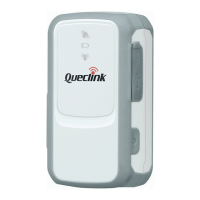
Queclink GL200
42 pages
Print Icon
To Next Page IconTo Next Page
Loading...
GSM/GPRS/GPS Tracker
GL200
Manage Tool User Guide
TRACGL200MT002
Revision: 2.03
http://www.queclink.com
sales@queclink.com

Table of Contents

Other manuals for Queclink GL200

Questions and Answers

  • D
    davisarthurJul 31, 2025
    What to do if there is no response from UART when configuring Queclink GPS GL200 through UART?
    • M
      Martha BennettJul 31, 2025
      If you are experiencing no response from UART when configuring your Queclink GPS GL200 via UART, it could be because the GL200 is in power saving mode. Remove the Data_Cable_M and plug it in again. This action will cause the GL200 to exit power saving mode for 10 seconds. Also, retry using the GL200 manager tool, as it will attempt to wake up the device.
  • N
    nathanjamesAug 7, 2025
    Why is my Queclink GPS GL200 not reporting messages to the backend server by GPRS?
    • T
      Travis ChangAug 7, 2025
      There are several reasons why your Queclink GPS GL200 might fail to report messages via GPRS: * The SIM card might not support GPRS. Try using a SIM card that supports GPRS. * The APN settings could be incorrect. Contact your network operator to verify the correct APN settings. * The IP address or port of the backend server might be wrong. Ensure that the IP address for the backend server is a valid address on the internet.
  • K
    Kaitlyn SellersAug 12, 2025
    What to do if my Queclink GPS GL200 can’t get a successful GPS fix?
    • J
      Jessica JenkinsAug 12, 2025
      If your Queclink GPS GL200 is unable to obtain a GPS fix, it might be because the GPS signal is weak. Try moving the GL200 to a location with a clear view of the sky. It is also better to have the top surface of the device facing the sky.
  • J
    James DuffyAug 18, 2025
    How to fix Queclink GPS GL200 if GSM LED flashes quickly?
    • J
      John PaceAug 18, 2025
      If the GSM LED on your Queclink GPS GL200 flashes quickly, it could indicate a few issues: * The SIM card may not be inserted. Ensure that you insert the SIM card into the GL200. * The GSM signal might be too weak, preventing the GL200 from registering to the network. Move the GL200 to a location with good GSM coverage. * The SIM card may be PIN locked. Use a SIM card without SIM-PIN, or unlock SIM-PIN.
  • S
    Samantha EvansAug 25, 2025
    What to do if I am unable to power off my Queclink GPS GL200?
    • J
      Jessica RowlandAug 25, 2025
      If you're unable to power off your Queclink GPS GL200, it might be due to these reasons: 1. The power key function may have been disabled using the command AT+GTSFR. If so, enable it using AT+GTFKS. 2. The GL200 cannot be powered off if a charger or external battery is connected. Disconnect the charger or external battery and try again.

Summary

GL200 Manage Tool Interface

System Requirements

Specifies the operating system and framework needed for the manage tool.

COM Setting

Configures the COM port and password for device communication.

Quick Setting Wizard

Introduces the wizard for basic device configuration.

Professional Setting Windows

Details the professional mode interface for advanced device settings.

GL200 Operation Instructions

Device Configuration with Quick Setting Wizard

Explains device configuration steps using the quick setting wizard.

Device Configuration in Professional Setting Mode

Guides on configuring the device using the professional setting mode.

Bearer Setting Information Configuration

Configures GPRS parameters using Bearer Setting Information.

Backend Server Register Information Configuration

Configures message reporting to the backend server.

Global Configuration Settings

Configures various global device parameters.

Speed Alarm Settings

Configures the speed alarm based on specified speed ranges.

Configuration Management

Read Device Configuration

Reads all current configurations from the connected device.

Save Device Configuration

Saves all device configurations to a local file.

Configuration Loading and Execution

Load Configuration File

Loads a configuration file into the manage tool for execution.

Execute All Configurations

Applies loaded configurations to the connected device.

Queclink GL200 Specifications

General IconGeneral
BrandQueclink
ModelGL200
CategoryGPS
LanguageEnglish

Related product manuals