GL200 Manage Tool User Guide
TRACGL200MT002 - 15 -
3. Operation Instruction
3.1. Device Configuration with Quick Setting Wizard
The manage tool is developed based on the @Track Air Interface Protocol. Please refer to “GL200
@Track Air Interface Protocol” for detail.
The quick setting wizard gives a basic setting for device. If you want use more functions of
GL200, please change to professional setting mode.
3.1.1 Welcome to Quick Setting Wizard
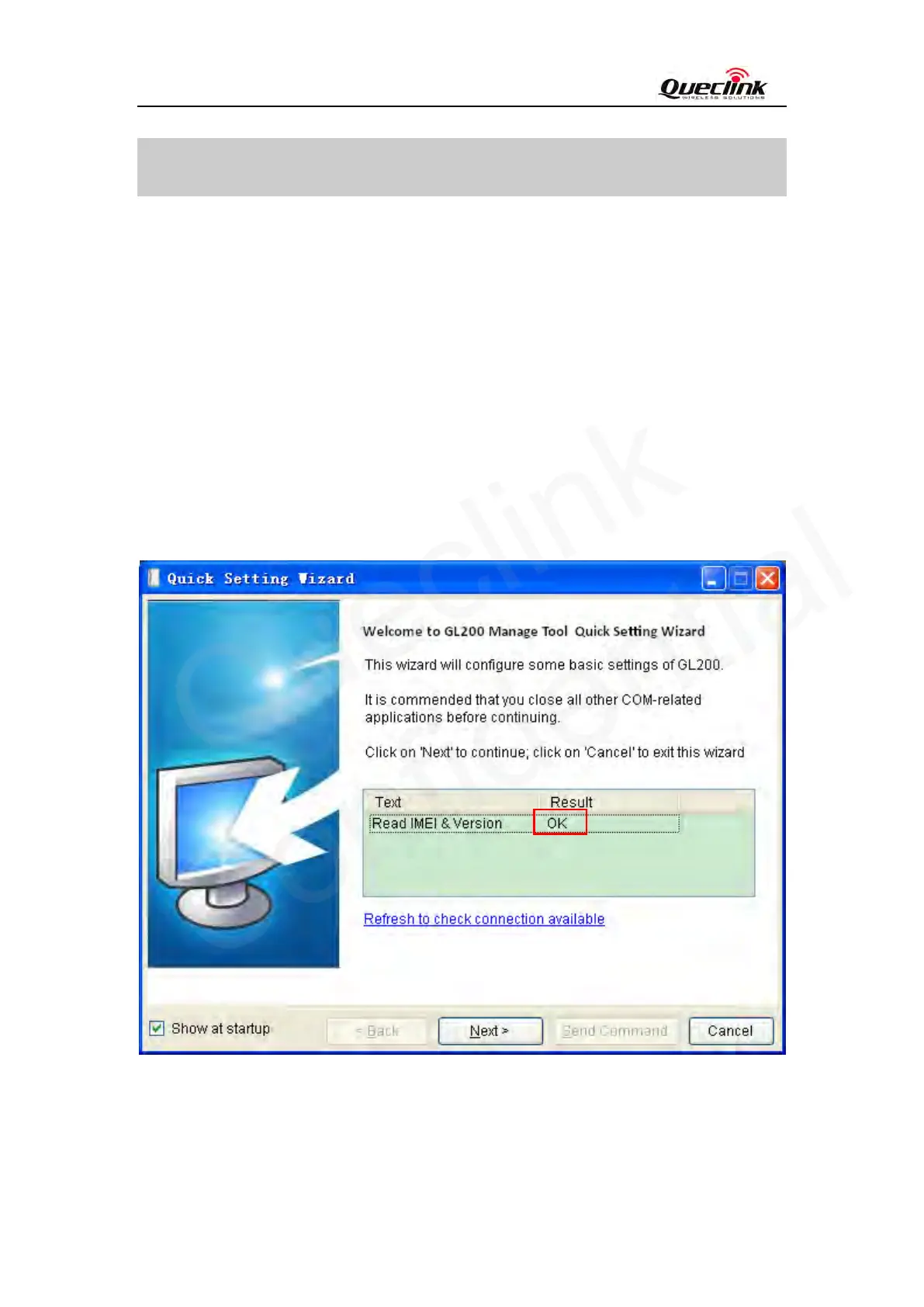
Click “Quick Setting Wizard” in toolbar, open quick setting wizard. If the “Result” in this window
is OK, click “Next”. If the “Result” is not OK, please check the COM port connection till the
result is OK.
Welcome to Quick Setting Wizard
3.1.2 GPRS Network Setting
Step_1: Set APN, APN user name and password in this window. The meaning of these parameters,


 To Next Page