GL200 Manage Tool User Guide
TRACGL200MT002 - 33 -
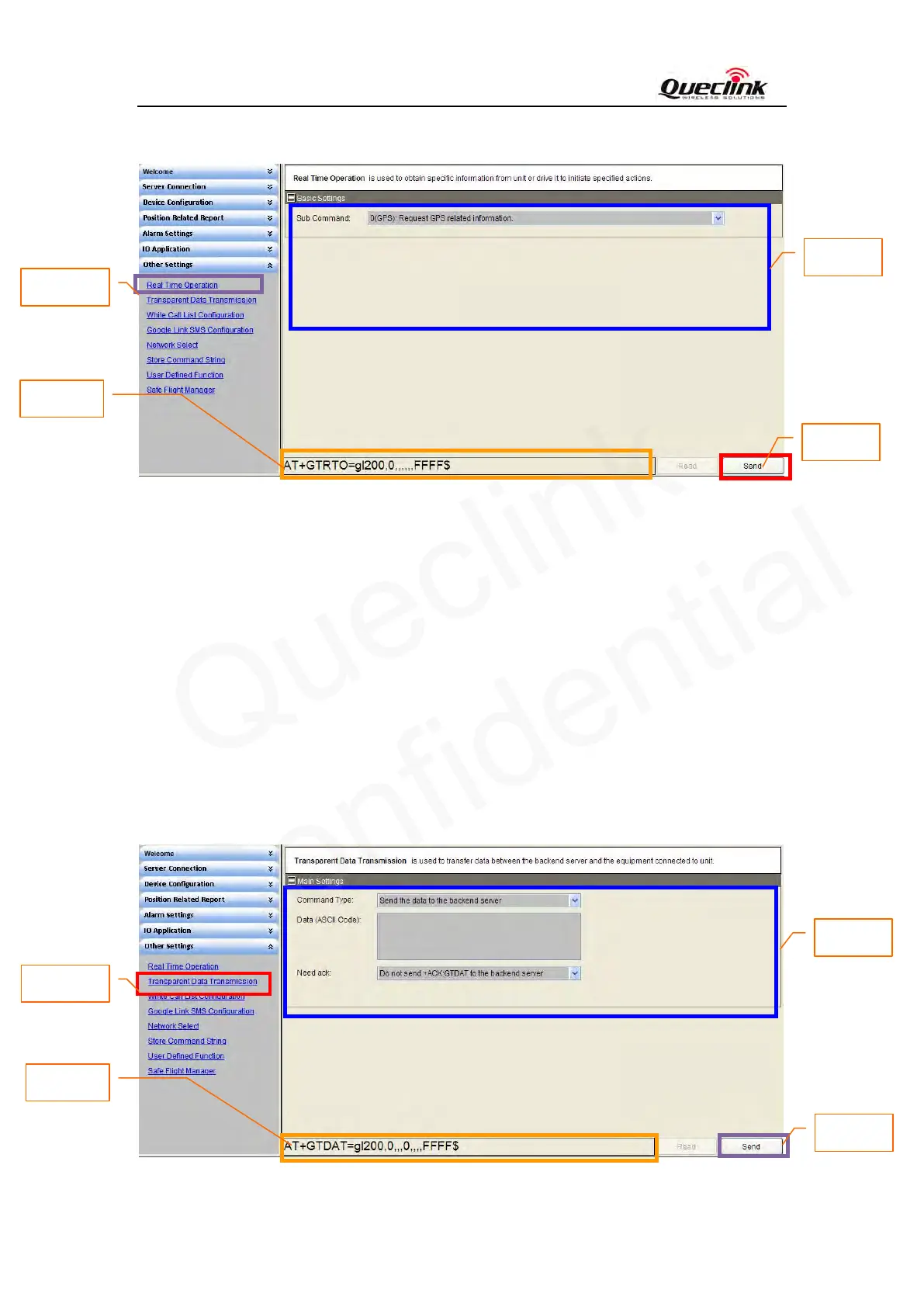
3.2.16 Set the parameters of Real Time Operation
Step_1: Select “Real Time Operation”, after that the parameters of GTRTO show in Command
Operation Space.
Step_2: The command message which shall be sent to GL200 will be generated based on input
and displayed here. Please note this command message can also be sent to GL200
through SMS or GPRS.
Step_3: Set the Real Time Operation parameters. Please refer to “GL200 @Track Air Interface
Protocol” for the meaning of each parameter.
Step_4: Click the “Send” button; download the parameters of GTRTO to GL200.
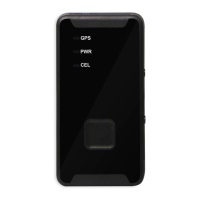
3.2.17 Set the parameters of Transparent Data Transmission
Step_1
Step_2
Step_3
Step_4
Step_1
Step_2
Step_3
Step_4


 To Next Page