EasyManua.ls Logo

Queclink GL300 - User Manual

Queclink GL300
90 pages
Print Icon
To Next Page IconTo Next Page
Loading...
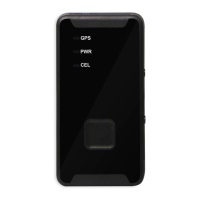
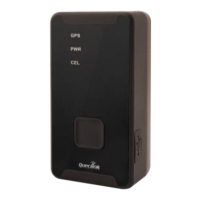
GSM/GPRS/GPS Tracker GL300
@Track Air Interface Protocol
Application Notes: TRACGL300AN001
Revision: 1.02
sales@eddywireless.com

Other manuals for Queclink GL300

Questions and Answers

  • S
    Seth CrawfordJul 26, 2025
    What to do if there is no response from UART when configuring Queclink GPS GL300 through UART?
    • L
      lamberthenryJul 26, 2025
      If you're not getting any response from UART when configuring your Queclink GPS GL300 via UART: * The device might be in power saving mode. Disconnect and reconnect the Data_Cable_M. This will take the device out of power saving mode for 10 seconds. * Try using the GL300 manager tool again to wake up the device.
  • R
    Rachel HensleyAug 2, 2025
    Why can't Queclink GL300 messages be reported to the backend server by GPRS?
    • S
      sara61Aug 2, 2025
      If messages from your Queclink GPS device aren't reaching the backend server via GPRS, there might be a few reasons: * The SIM card may not support GPRS. Try using a SIM card that does. * The APN settings could be incorrect. Contact your network operator to verify the correct APN. * The backend server's IP address or port might be wrong. Ensure the IP address is a valid internet address.
  • C
    Cassandra MercadoAug 7, 2025
    Why does the GSM LED flash quickly on my Queclink GPS GL300?
    • M
      mariahjohnsonAug 7, 2025
      If the GSM LED on your Queclink GPS GL300 flashes rapidly after turning it on, it could be due to these reasons: * A missing SIM card. Please insert the SIM card. * Weak signal, preventing network registration. Move the device to an area with better GSM coverage. * The SIM card is PIN locked. Use a SIM card without SIM-PIN, or unlock the SIM-PIN.
  • N
    Nathan TorresAug 14, 2025
    What to do if Queclink GPS GL300 can't get successful GPS fixing?
    • T
      Todd BrownAug 14, 2025
      If your Queclink GPS GL300 is unable to get a GPS fix, it might be due to a weak GPS signal. Move the device to a location with a clear view of the sky, ensuring the top surface (the side with the LED) faces upwards.
  • K
    Kelly RuizAug 19, 2025
    How to fix unable to power off Queclink GPS GL300?
    • C
      cheryljohnsonAug 20, 2025
      If you're unable to power off your Queclink GPS GL300, it could be due to the following: * The power key function might be disabled. Enable it using the command AT+GTFKS. * A charger or external battery is connected. Disconnect them and try again.

Summary

Revision History

Overview

Scope

Description of the @Track Air Interface Protocol.

Terms and Abbreviations

Glossary of technical terms and abbreviations.

System Architecture

System Architecture Diagram

Diagram illustrating system components and their interactions.

Backend Server Requirements

Abilities required for the backend server.

Message Description

Message Format

Describes the structure and components of protocol messages.

Message Flow Diagram

Diagram showing message exchange between terminal and backend server.

Command and Acknowledgement

Quick Start Setting (AT+GTQSS)

Command for GPRS and backend server configuration.

Bearer Setting Information (AT+GTBSI)

Command for GPRS parameter configuration.

Backend Server Register Information (AT+GTSRI)

Command for backend server and report mode config.

Global Configuration (AT+GTCFG)

Command to configure global parameters.

Non-movement Detection (AT+GTNMD)

Command for non-movement detection parameters.

Time Adjustment (AT+GTTMA)

Command to adjust local time.

Fixed Report Information (AT+GTFRI)

Command to configure scheduled report parameters.

Geo-Fence Information (AT+GTGEO)

Command to configure Geo-Fence parameters.

Speed Alarm (AT+GTSPD)

Command to configure speed alarm.

Function Key Setting (AT+GTFKS)

Command to configure power and function keys.

Real Time Operation (AT+GTRTO)

Command to retrieve terminal info or control it.

White Call List Configuration (AT+GTWLT)

Command to set the white call list table.

Google Link SMS Configuration (AT+GTGLM)

Command to configure SMS with Google link for SOS/GEO.

Auto Unlock SIM-PIN (AT+GTPIN)

Command to auto-unlock SIM-PIN.

Digital Input Port Settings (AT+GTDIS)

Command for digital input port settings.

Protocol Watchdog (AT+GTDOG)

Command for protocol watchdog and reboot.

Data Transfer UART to Backend Server (AT+GTDAT)

Command for data transfer between UART and backend.

Network Select (AT+GTNTS)

Command to set network in low signal.

Outside Working Hours (AT+GTOWH)

Command for privacy protection during off-duty hours.

Temperature Alarm (AT+GTTEM)

Command to configure temperature alarm.

Store Command String (AT+GTCMD)

Command to store commands for AT+GTUDF.

User Defined Function (AT+GTUDF)

Command to bind input events and stored commands.

Update Configuration Over The Air (AT+GTUPC)

Command for sending control commands.

Jamming Detection (AT+GTJDC)

Command to configure jamming detection.

Report

Position Related Report

Reports related to device position and movement.

Device Information Report

Reports device status, ICCID, signal strength, etc.

Report for Querying

Reports for real-time queries using AT+GTRTO.

Event Report

Reports triggered by specific events.

Buffer Report

How the device buffers messages when connection fails.

Report Google Maps Hyperlink

Sending SMS with Google Maps link for location.

Heartbeat

Server Acknowledgement

Queclink GL300 Specifications

General IconGeneral
BrandQueclink
ModelGL300
CategoryGPS
LanguageEnglish

Related product manuals