GL200 Manage Tool User Guide
TRACGL200MT002 - 7 -
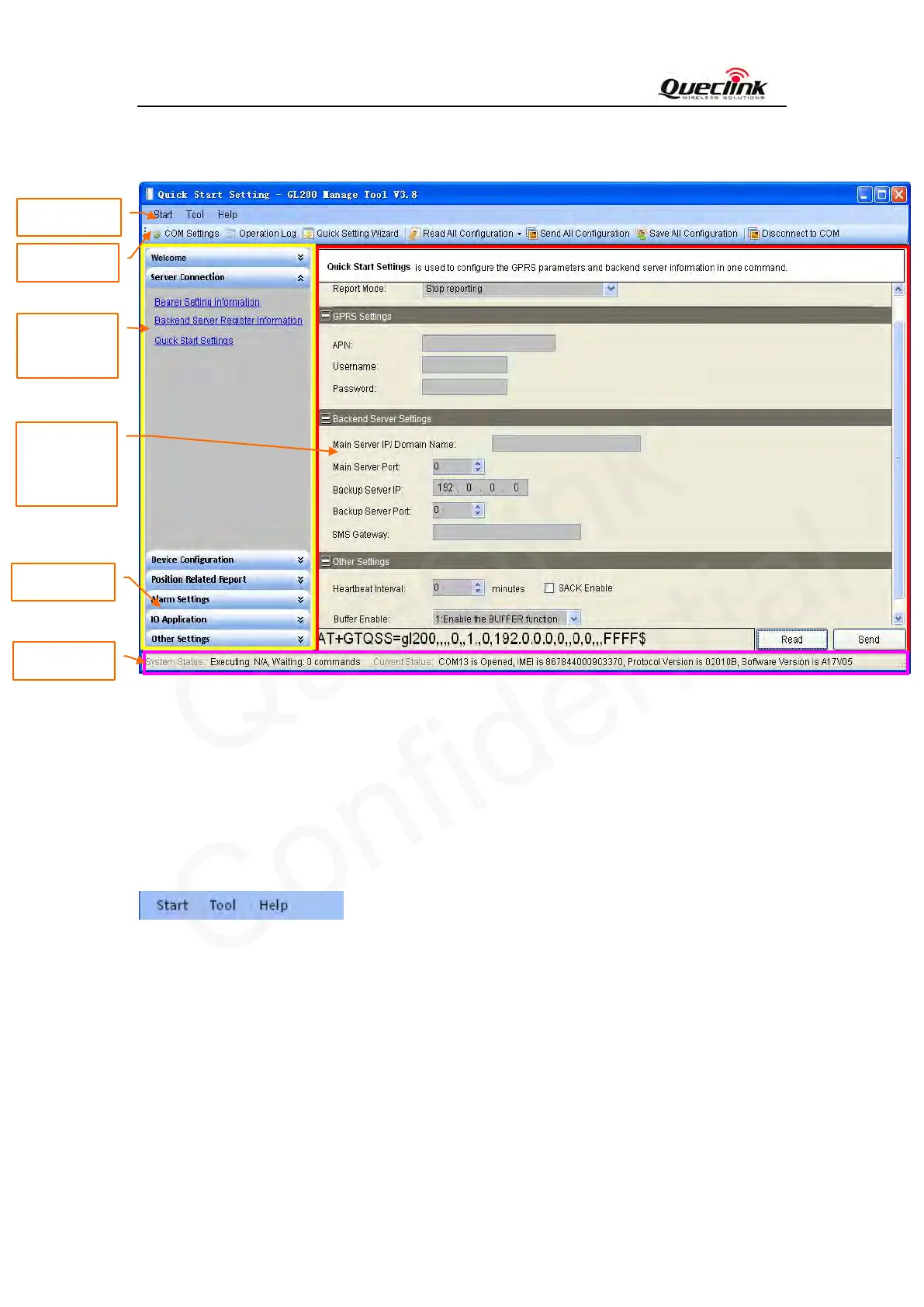
2.4. Professional Setting Windows
2.4.1 Title Bar
Title Bar indicates current operational command title.
2.4.2 Menus
It include “Start”, “Tool”, “Help” menu in menus.
2.4.2.1 Start Menu
Start menu include “COM Settings”.
[COM Setting]: It is used to set the COM information and password Setting details, please refer
to chapter 2.2
2.4.2.2 Tool Menu
Tool menu include “Quick Setting Wizard”, ”Operation Log”, “Options” setting.
Menus
Toolbar
Command
Browser
Command
Operation
Space
Title Bar
Status Bar


 To Next Page