1.
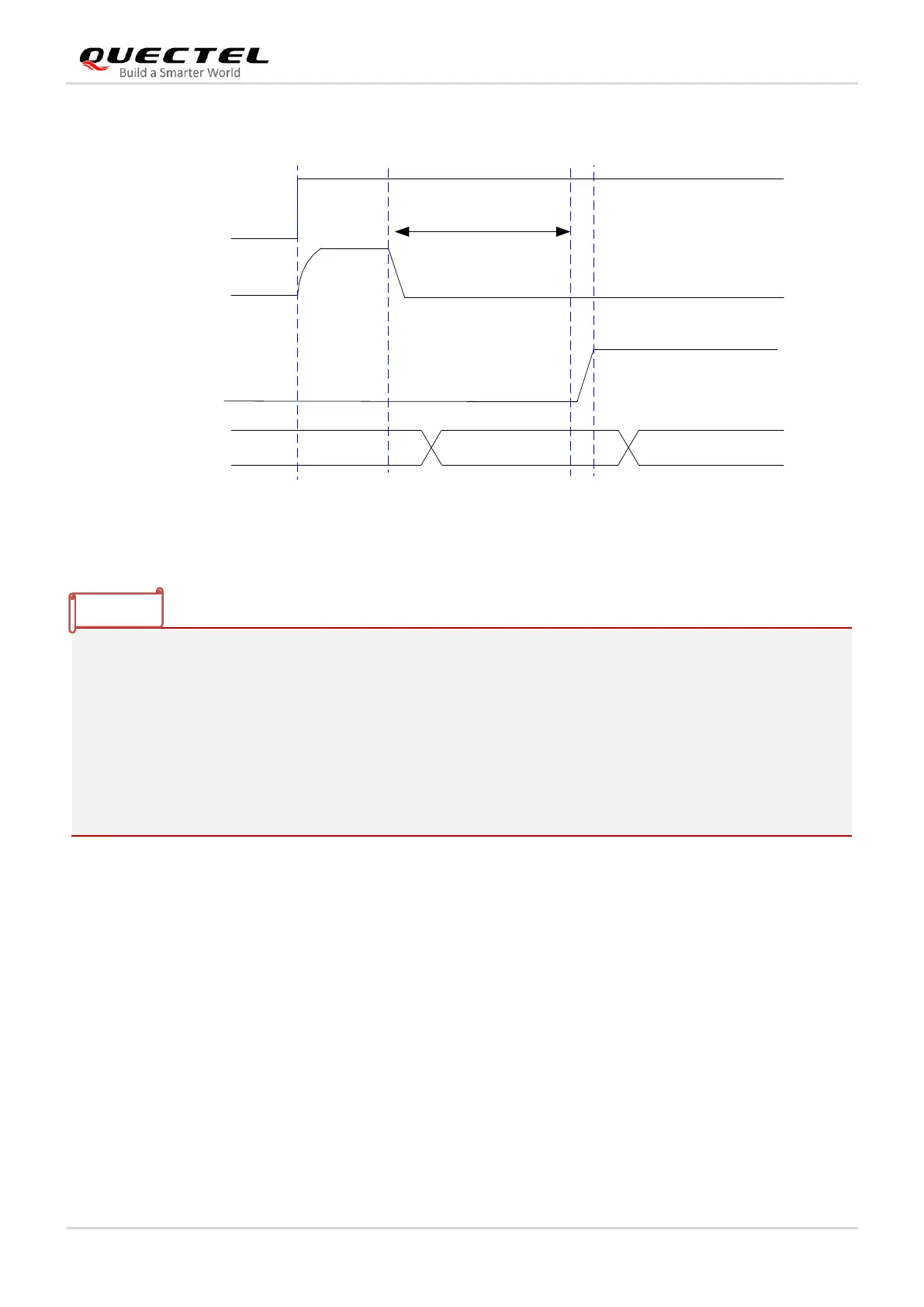
1)
After the module is turned on, the PWRKEY pin is at low level. When the module is shut down by
AT command, it can be woken up by pulling down PSM_EINT pin.
2. If PWRKEY button is not needed for the turn-on, PWRKEY pin can be connected to GND, and the
module will turn on automatically.
3. For the normal initialization of PWRKEY, make sure the VBAT voltage is lower than 0.5 V before
power-on.
4. It is recommended that the MCU retain the control of RESET_N, for the purpose of resetting the
module when abnormal booting occurs due to abnormal power-on timing.
3.7.2. Turn Off
BC65 can be turned off by any of the following methods:
⚫ Turn off by AT command AT+QPOWD=1 (see document [2]).
⚫ In emergency conditions, the module can be turned off through disconnecting VBAT power supply.
⚫ The module will be turned off automatically when VBAT drops below 3.2 V.



 To Next Page