Ⅳ. Parameter setting and operation
8
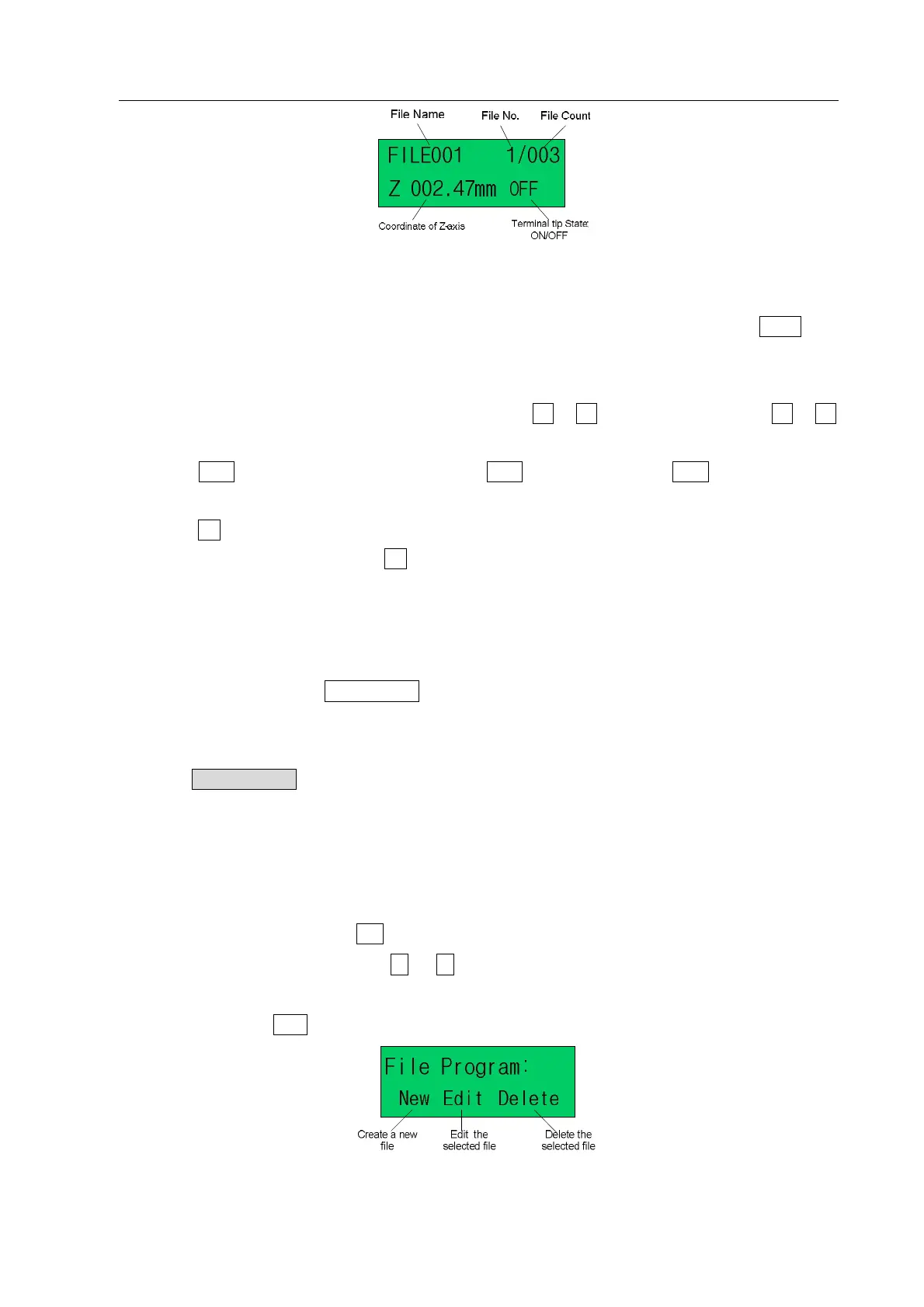
Pic.4-3: function test interface
2. Function test interface is used to test the keys function and Z-axis movement.
(1) “OFF” at the lower right corner of testing interface means the stub bar is off state. Press “FEED” and
not loosenly, it shows “ON”. If loosen, it changes as “OFF”. Also, user can judge the stub bar
controlling is effective or not by sound.
(2) It can move Z-axis upwards or downwards by pressing Z or Z key. By this, measure the Z or Z
key function to be normal or not.
(3) Test ORG function is normal or not: it can test ORG Function by pressing ORG key. Z-axis should
return to zero point.
(4) Test PG function is normal or not: it can change movement speed, L(low speed)-H(high speed)
-M(middel speed)by pressing PG key.
4.3 File Processing and Pause
1. File Processing
In WAIT or STOP state, press START/STOP key, the processing file starts work, and the processing state
shows “WORK”.
2. Pause the Processing
It can press “START/PAUSE” button to pause the processing file. And the file state changes from “WORK” to
“PAUSE”. If press this button again, the system will continue the paused processing file, and the file state
changes to “WORK”.
4.4 File Program
1. In interface of controller, press“file ”enter“file programme interface”(picture 4-4)。
2. At file programme interface, press“←”or“→”key,select“New file”、“Edit file”、“Delete file”. The
selected menu blink.
3. After select, press“enter”key,enter process interface.
Pic. 4-4: File Propram Interface



 To Next Page