Quicksilver 855WE — System & Component Overview and Operaon
50
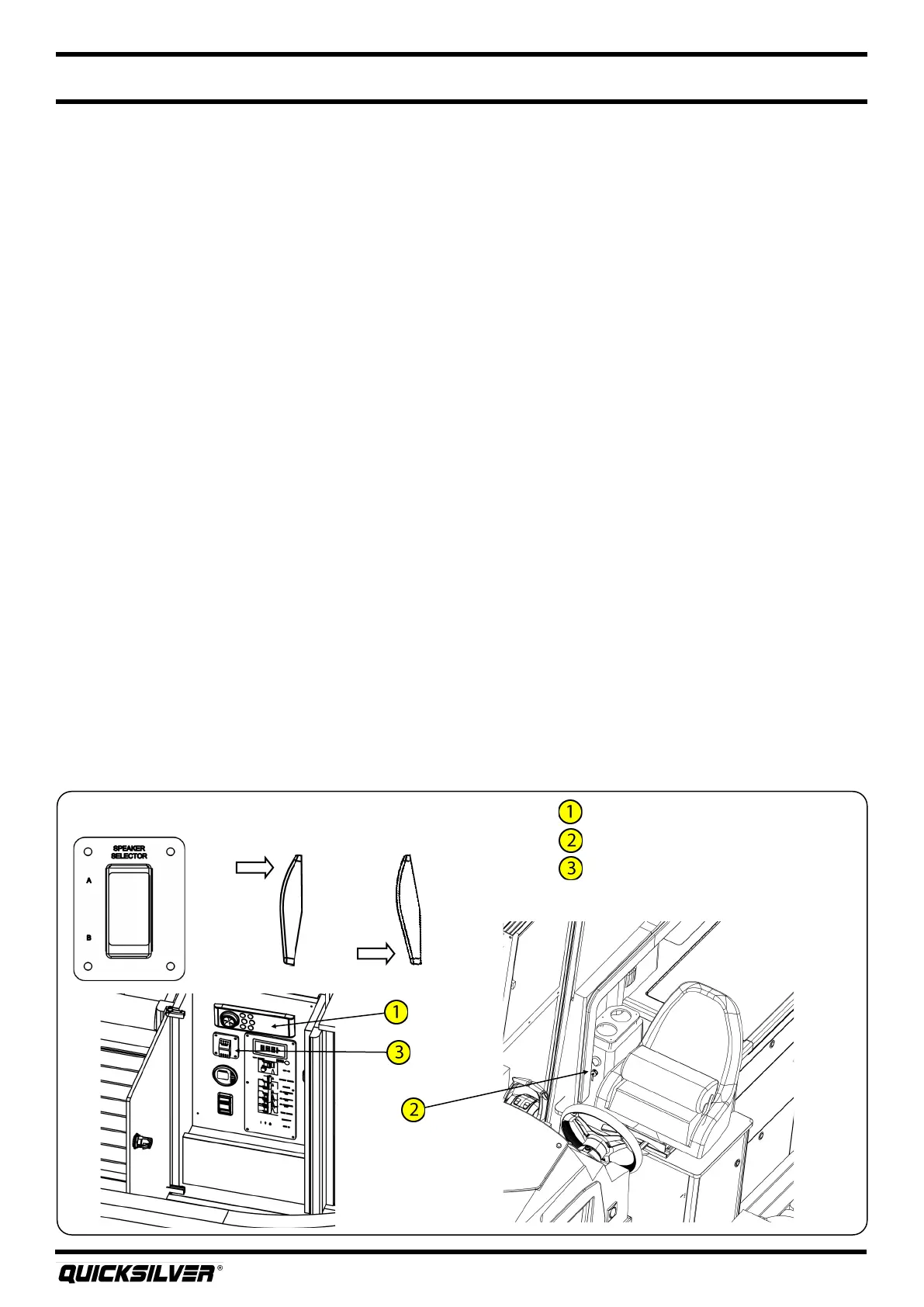
Stereo
USB port
Speaker selector switch
Stereo
Generator Starng Procedure
Refer to the generator owner’s manual for instrucons on startup procedure. The following are key
points to be aware of when starng the generator:
1. Operate the blower for four minutes and manually check the bilge for fuel or fuel vapor.
2. Make sure that the generator cooling seacock is opened, and check for water in the strainer.
3. To start the generator, quickly depress and release the generator START buon, located on
the remote start panel in the forward berth. The generator will go through an automac
startup cycle in approximately four to ve seconds. DO NOT PRESS THE START BUTTON MORE
THAN ONE TIME.
Generator Stopping Procedure
To stop the generator, quickly press and release the STOP buon located on the remote start panel in
the forward berth.
Maintenance
The generator owner’s manual will have a complete maintenance schedule that will need to be
followed to keep your generator in peak operang condion. Maintenance work must be performed
by skilled and suitably trained personnel familiar with generator set operaon and service.
REFER TO OWNER’S MANUAL PACKAGE FOR INSTRUCTIONS AND WARRANTY INFORMATION.
22. Stereo (oponal)
Your boat may come equipped with a Fusion AM/FM stereo with Bluetooth®. The stereo unit is
located under the helm seat, while a USB port is located at the starboard wall next to the helm seat.
The USB port allows you to connect an external music player for music playback thru the boat’s
stereo. Alternavely, you can playback music via the Bluetooth® sengs on your external music
player. If equipped with a factory installed GPS, the stereo can be controlled via screens on the GPS
unit. Refer to the GPS manual for complete instrucons.
Posion “A” Posion “B”



 To Next Page