INSTRUCTIONS
LU160™ INSTALLATION
RAB Lighting is committed to creating high-quality, aordable, well-designed and energy-ecient LED lighting and controls that make it easy for electricians to install
and end users to save energy. We’d love to hear your comments. Please call the Marketing Department at 888-RAB-1000 or email: marketing@rablighting.com
OPERATION (cont’d)
Stepless dimming
Stepless dimming
Stepless dimming
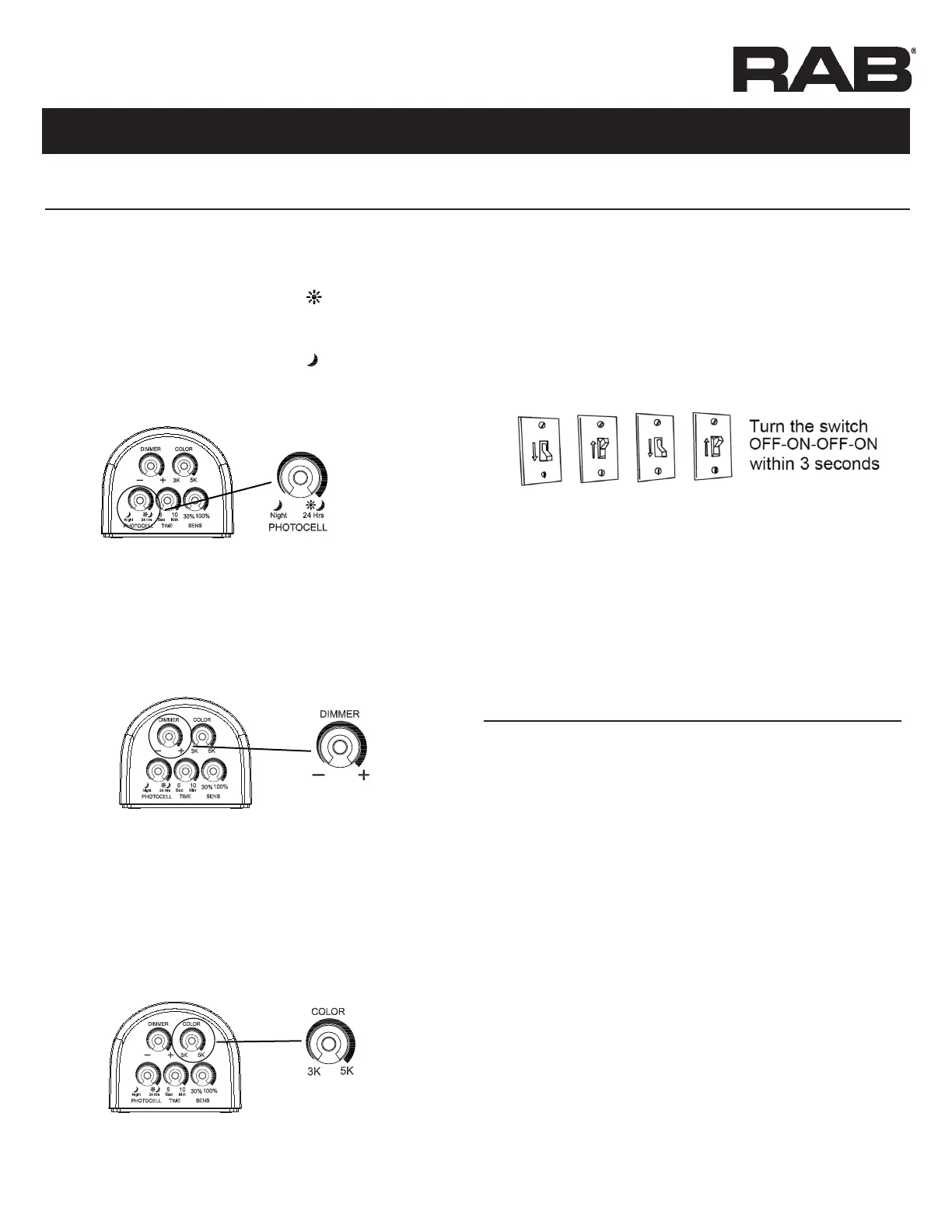
Dusk Level / Ambient Light sensor (LUX) Setting.
This setting is used to control when the security light
When sliding the “LUX” switch toward the position,
the light will turn on in the daylight, sunset, or
When sliding the “LUX” switch toward the position,
•
• The sensor will be more sensitive to motion across its detection
• For best performance, gently clean the lens with a soft cloth as
IMPORTANT NOTES
Dimmer Setting.
Set the “DIMMER” to the — position for 10% brightness, adjust
to the +
Stepless dimming
Color Setting.
3K position for 3000K, adjust to the 5K
position for 5000K (Color Temperature range is 3000K - 5000K)
Stepless dimming
Step 3: Manual Override Function.
When power is on, the PIR
for about 15 seconds, then automatically switches into
AUTO MODE
During AUTO MODE, by switching the main switch OFF-ON-
OFF-ON within 3 seconds as shown in Fig. 11, the PIR sensor
will automatically change into MANUAL MODE from AUTO
MODEMANUAL MODE
Turn the switch OFF - ON within 3 seconds, the manual mode
Step 4: Blue LED Sensor Indicator.


 To Next Page
 Loading...