EasyManua.ls Logo

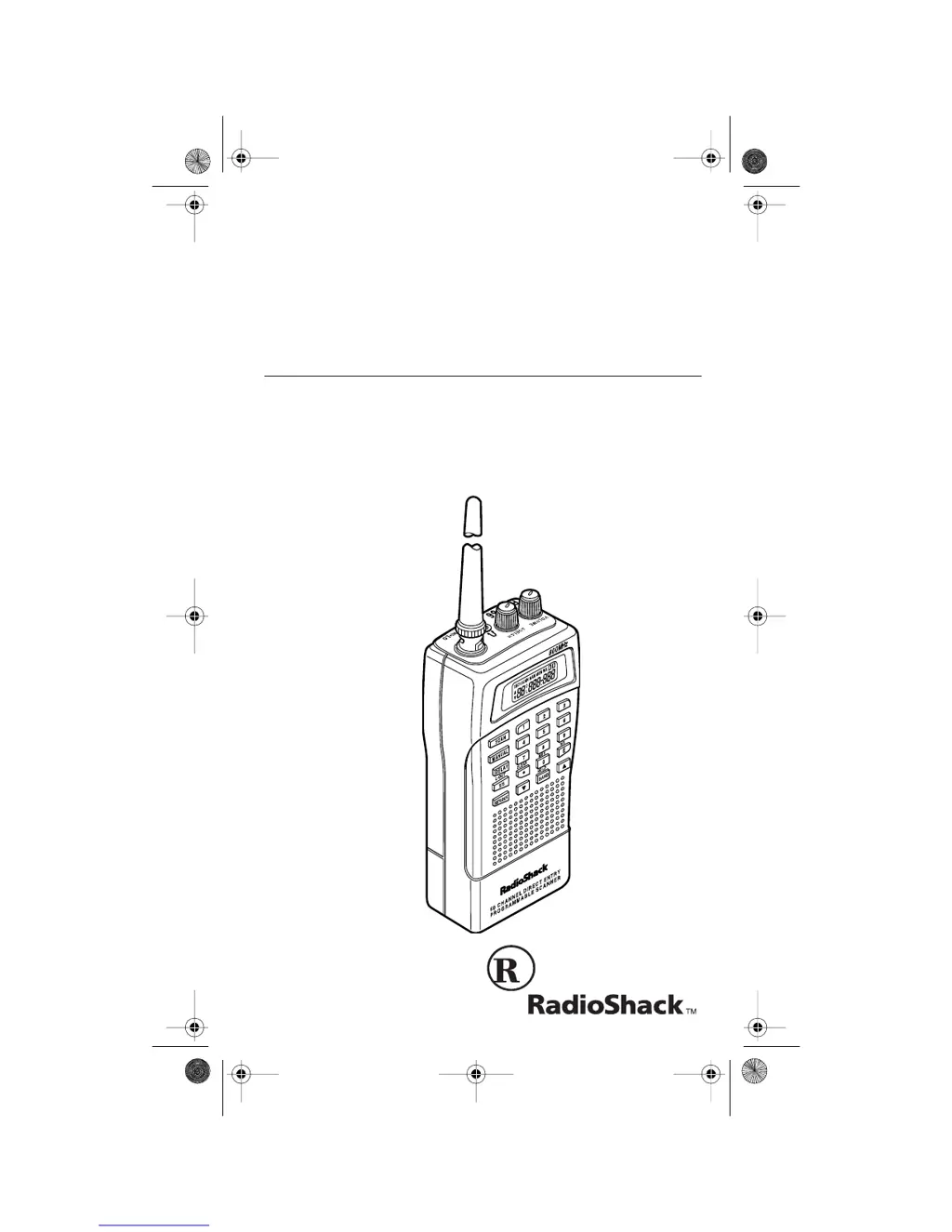
Radio Shack PRO-66 - User Manual

Radio Shack PRO-66
40 pages
Print Icon
To Next Page IconTo Next Page
Loading...
Cat. No.
20-511
OWNER’S MANUAL
PRO-66
50-Channel
Direct Entry Programmable Scanner
Please read before using this equipment.
20-511.fm Page 1 Wednesday, August 4, 1999 2:13 PM

Questions and Answers

  • S
    Stephanie MorganAug 14, 2025
    What to do if keypad does not work on Radio Shack PRO-66?
    • M
      Michaela WhiteSep 12, 2025
      If the keypad on your Radio Shack Scanner does not work, the keylock function may be activated. Press the KEYLOCK button until 'K' disappears from the display to turn off the keylock.
  • C
    cobbdonnaAug 17, 2025
    What to do if Radio Shack PRO-66 Scanner keys do not work?
    • J
      Jaime JensenAug 17, 2025
      If the keys on your Radio Shack Scanner do not work or the display changes at random, reset the scanner.
  • A
    Andrea JohnsonAug 20, 2025
    What to do if my Radio Shack Scanner is on but won't scan?
    • N
      nancy59Aug 21, 2025
      If your Radio Shack Scanner is on but not scanning, the squelch control might not be correctly adjusted. Try adjusting the squelch clockwise. Alternatively, you may have only one or no channels programmed. Program more than one channel into the scanner.
  • H
    Heather DunnAug 25, 2025
    Why does B flash on my Radio Shack PRO-66 Scanner display?
    • D
      Donald LoweAug 25, 2025
      If 'B' flashes on the display of your Radio Shack Scanner, it means the batteries are weak. Recharge the rechargeable batteries or replace the non-rechargeable batteries.
  • S
    Sarah GuzmanAug 27, 2025
    Why does my Radio Shack PRO-66 have poor or no reception?
    • M
      Meghan AguilarAug 27, 2025
      Poor or no reception on your Radio Shack Scanner can be due to several reasons. First, check the batteries or ensure the scanner is plugged into a working AC or DC outlet. The environment may not be suitable for reception, so relocate the scanner and try again. Also, make sure the antenna is properly connected.
  • H
    Heather JohnstonAug 31, 2025
    What to do if my Radio Shack PRO-66 Scanner is totally inoperative?
    • A
      Angela SmithAug 31, 2025
      If your Radio Shack Scanner is totally inoperative, first check the power source. Ensure the batteries are not depleted, or that the scanner is properly plugged into a working AC or DC outlet. Recharge the rechargeable batteries or replace the non-rechargeable batteries. Also, if using an optional AC or DC power adapter, make sure it is fully inserted into the DC 12V jack.
  • C
    Christine JacksonSep 3, 2025
    What does it mean if Error appears on the Radio Shack PRO-66 Scanner display?
    • A
      Adrian SparksSep 3, 2025
      If 'Error' appears on the display of your Radio Shack Scanner, it indicates a programming error. Reprogram the frequency correctly.
  • W
    wlevineSep 6, 2025
    Why does my Radio Shack PRO-66 display dim and sound a tone?
    • V
      vdouglasSep 6, 2025
      If your Radio Shack Scanner's display dims or it sounds a tone every 15-30 seconds, it could be due to a couple of reasons. Make sure the batteries’ + and – terminals are properly aligned. Alternatively, the batteries may need to be replaced. Insert new batteries or recharge rechargeable batteries.
  • J
    Jeffery RaymondSep 9, 2025
    What to do if Radio Shack Scanner locks on frequencies with unclear transmission?
    • K
      Kristen HodgeSep 10, 2025
      If, in scan mode, your Radio Shack Scanner locks on frequencies that have an unclear transmission, the programmed frequencies might be the same as “birdie” frequencies. Avoid programming frequencies or only listen to them manually.

Summary

Scanner Features

8-Digit Liquid Crystal Display

Details the scanner's display capabilities for showing channel and frequency information.

50 Programmable Channels

Explains the capacity to store up to 50 frequencies in the scanner's memory.

Band Search Functionality

Describes searching frequency bands for active transmissions.

Direct Search Functionality

Explains searching for frequencies starting from the current frequency.

Lockout Function for Channels

Allows skipping specified channels during scanning.

Search Skip Functionality

Enables skipping up to 20 unwanted frequencies during searches.

Monitor Memory Usage

Describes temporary storage of located frequencies.

Two-Second Scan Delay Feature

Explains the delay for hearing replies before resuming scan.

Weather Band Key Operation

Details how to scan preprogrammed weather frequencies.

Keylock Functionality

Prevents accidental changes to scanner programming.

FCC Notice and Legal Scanning

FCC Interference Troubleshooting

Steps to identify and resolve radio or TV interference.

Mobile Use Legal Notice

Note on potential legal restrictions for mobile scanner use.

Prohibited Transmission Monitoring

Lists transmissions that should not be intentionally monitored.

Electronic Communications Privacy Act

Explains legal consequences for intercepting private communications.

Scanner Preparation

Power Source Options

Details the three available power sources for the scanner.

Installing Internal Batteries

Step-by-step instructions for inserting AA batteries.

Battery Installation Cautions

Important warnings regarding battery mixing and usage.

External Power Jacks Explained

Clarifies the function of the POWER and CHARGE jacks.

Using Standard AC Power

Instructions and requirements for powering via AC adapter.

Using Vehicle Battery Power

Instructions and requirements for powering via DC cord.

Charging Nickel-Cadmium Batteries

Procedure and warnings for recharging Ni-Cd batteries.

Antenna and Audio Connections

Attaching the Supplied Antenna

Steps to connect the included flexible antenna.

Connecting Optional Antennas

Information on using alternative antennas and coaxial cables.

Outdoor Antenna Installation Safety

Critical safety warning regarding outdoor antenna installation.

Connecting Audio Devices

How to connect earphones or speakers for private listening.

Safe Listening Practices

Guidelines to protect hearing during headphone use.

Traffic Safety with Headphones

Warning about hazards of using headphones while operating vehicles.

Connecting an Extension Speaker

Instructions for connecting an external speaker for louder audio.

Attaching the Belt Clip

Guide for securing the belt clip for portability.

Understanding Your Scanner

Keypad Functions Overview

Explains the function of each key on the scanner's keypad.

Display Indicator Meanings

Details the various indicators shown on the scanner's display.

Scanner Operation Procedures

Turning On and Setting Squelch

Steps to power on the scanner and adjust squelch sensitivity.

Storing Frequencies into Channels

Instructions for entering and saving frequencies to memory channels.

Searching for Active Frequencies

Guide to using Band Search and Direct Search features.

Using Search Skip Memory

How to program and manage skipped frequencies during searches.

Monitor Memory Operations

How to listen to and move frequencies from monitor memory.

Scanning Stored Channels

How to initiate scanning through programmed channels.

Configuring 2-Second Scan Delay

Instructions for enabling and disabling the scan delay feature.

Channel Management

How to lock out channels and manually select channels.

Weather Band and Keylock

How to listen to the weather band and use the keylock function.

Frequency Guides and Band Allocation

General Scanning Guide

Basic principles of scanner reception and range.

National Weather Frequencies

List of NOAA weather frequencies available on the scanner.

Birdie Frequencies Explanation

Information about internal scanner signals that can cause interference.

Guide to Action Bands

Details typical usage and services for various frequency bands.

Specified Frequency Intervals

Lists the frequency step sizes for different band types.

Band Allocation by Service

Lists common services and their associated frequency ranges.

Advanced Frequency Information

Avoiding Image Frequencies

How to identify and avoid phantom signals caused by image frequencies.

Frequency Conversion Formulas

Provides formulas for converting between MHz, kHz, and meters.

Troubleshooting and Resetting

Scanner Troubleshooting Guide

Common problems and their solutions for scanner operation.

Scanner Reset Procedure

Instructions for resetting the scanner to factory defaults.

Scanner Reset Warning

Caution that resetting clears all programmed information.

Scanner Care and Specifications

Scanner Care and Maintenance

Tips for keeping the scanner in good condition.

Warning Against Tampering

Advises against modifying internal components to avoid voiding warranty.

Scanner Specifications Overview

Detailed technical specifications of the scanner's performance and features.

RadioShack Limited Warranty

Warranty Coverage Details

Information on the product's 1-year warranty against defects.

Warranty Exclusions and Limitations

Specifies what is not covered by the warranty.

Consumer Legal Rights

Outlines specific legal rights granted by the warranty.

Radio Shack PRO-66 Specifications

General IconGeneral
BrandRadio Shack
ModelPRO-66
CategoryScanner
LanguageEnglish

Related product manuals