Radiolink Electronic Ltd
www.radiolink.com
Chapter 2 Parameter Setup
In order to personalize the parameters, please download the zip file of osd config tool via below
link first https://mega.nz/#!5QE0HC5b!glasKUsrWhpAg-thRMIZyjYf_C4mT4tJzkNT1ol_cPo
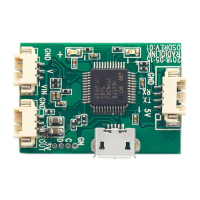
1. Connect the OSD module and computer with an android USB cable (data transmission)
Note Driver is automatically installed under Win10. For Win7/8 system, users can take
VCP_V1.4.0_Setup.exe in the file of USB virtual port driver to install.
2. Double click to open the in the OSD_Tool file
3. Right click MY COMPUTER and click “ PROPERTY ” , then Device Manager to check the
corresponding PORT No. Then select the same port at the bottom of the parameter setup
interface as below.


 To Next Page