Radiolink Electronic Ltd
www.radiolink.com
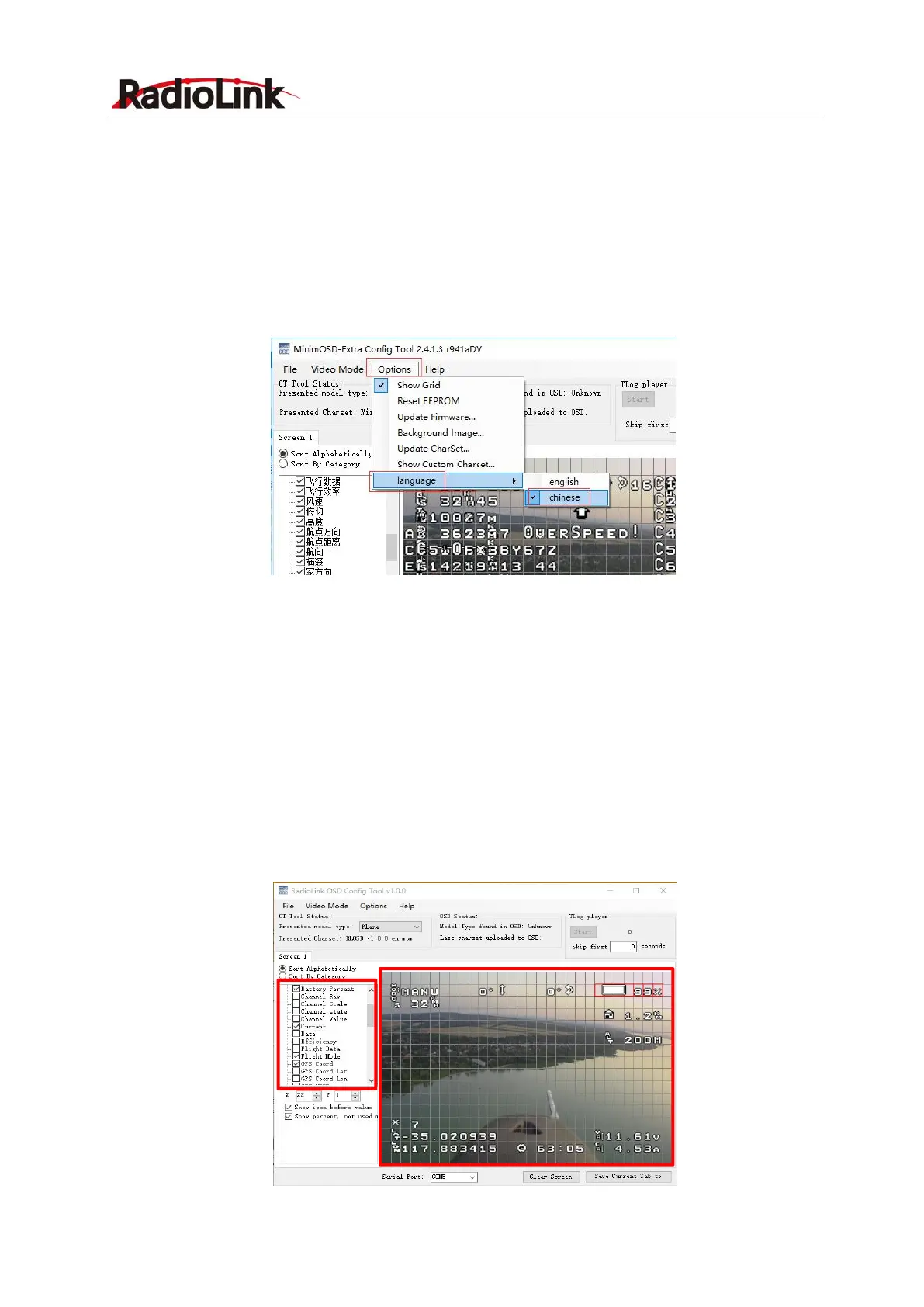
Parameter Language Display
Click Options => Select language=> Switch the language between Chinese/English
Note
The on-screen display language will be the same as the param. Setup language, being set
here
If the displayed language doesn’t change to English, please try to set the language to
Chinese then to English again.
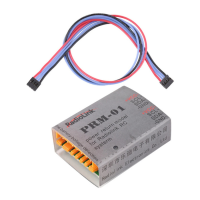
Parameter Setup and Save
Scroll the left column and select the data needed to display. The parameters display layout can be
modified on the right grids by moving the parameters to the preferred positions.
Note Parameters that are not installed can’t be displayed on screen even selected
Video modes may influences the displays result. Eg. For NTSC format, it is advised to have three
lines empty at the bottom of the grids under the PAL format when arranging the parameters
layout.
Note Video Mode selection differentiates the layout grids space.


 To Next Page