ESP-ME3 Controller
6
EN
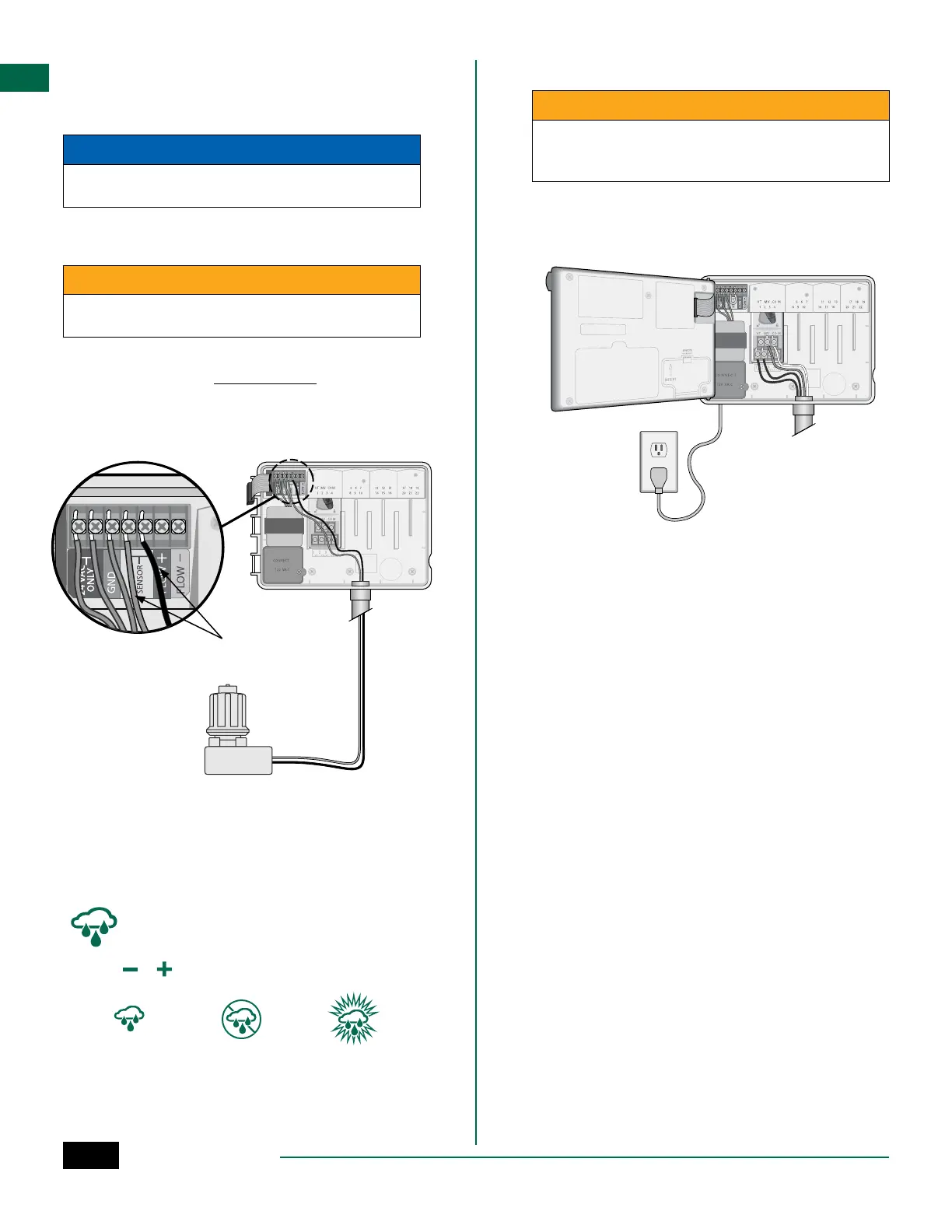
Connect Weather Sensor (optional)
a
Remove the yellow jumper wire from the SENSOR
terminals on the controller.
NOTICE
Do not remove the yellow jumper wire unless con-
necting a rain sensor.
b
Connect both rain sensor wires to the SENSOR
terminals as shown.
CWARNING
Do not route the rain sensor wires through the same
opening as the power wiring
B
NOTE: Rain Bird ESP-ME3 controllers are only
compatible with normally closed rain sensors.
B
NOTE: For wireless rain/freeze sensors, refer to
the sensor installation instructions.
b
Connect Power
CWARNING
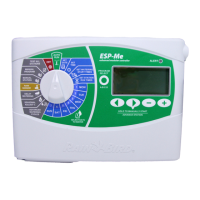
DO NOT plug in the transformer or connect external
power until you have completed and checked all
wiring connections.
Installation with Pre-attached Cord
• Plug the attached power cord into a nearby 120VAC
electrical outlet.
Weather Sensor Settings
Set the controller to obey or ignore a weather sensor.
When set to Sensor ON, automatic irrigation will be
suspended if rainfall is detected. When set to Sensor
OFF all stations will ignore the rain sensor.
Turn the dial to Weather Sensors.
• Press
or to select SENS ON (sensor on) or SENS
OFF (sensor off).
Sensor ON Sensor OFF Rain detected
(flashing)


 To Next Page