LNK2™ WiFi Module User Guide
© 2023 RAIN BIRD CORPORATION RAINBIRD.COM
10
Scenario B: NO, I cannot temporarily connect to the controller.
If you are unable to connect to the controller, try pulling the WiFi module out of the controller
and re-inserting it, allowing it to boot back up again. It should be blinking green when you try to
connect in the Rain Bird app.
If it is not blinking green, you are still unable to connect to the controller, you can scroll down
further in this FAQ and use one of the alternate apps to scan WiFi signal strength at the controller.
Using a WiFi Range Extender
If you find that you have poor WiFi signal strength at the controller and decide to use a WiFi range
extender, make sure the Rain Bird WiFi controller connection is changed to the new WiFi Range
extender network name and password. This is similar to changing to a new WiFi router and this article
may help: Router Change: Updating the WiFi Network Name and Password
3rd Party Apps for WiFi Signal Testing
Alternate apps can be used to scan the network signal strength at the controller location. The
following documents explain how to use these apps:
For iOS Users: Using Airport Utility to Scan WiFi Network Signal Strength
For Android Users: Scanning WiFi Network Congestion on Android Phone
How do I reset the controller’s WiFi seings back to QuickPair broadcast mode?
To reset WiFi seings back to QuickPair broadcast mode, follow the steps below. (Note: This action
will reset WiFi back to factory default seings and cannot be reversed; watering schedules will be
retained.)
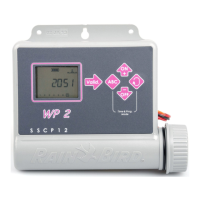
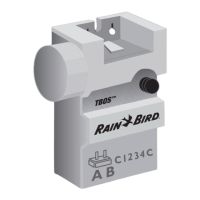
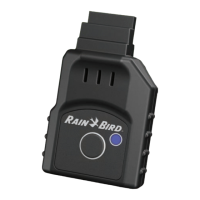
1. Hold down the Buon in the LNK2 WiFi Module for more than 5 seconds to erase all seings
and reset to factory seings.
2. If you have previously connected to the controller from your mobile device, you will need to
first delete the old controller card. The controller can then be reconnected to your mobile
device by launching the Rain Bird App, tapping the “Add Controller” icon and following the on-
screen instructions.
Frequently Asked Questions


 To Next Page