Weather Station - Model “PRO”
Nov., 2001 Page 50
Model “PRO”- Weather Station
Cozz GT27145B
ISOLATING THE PROBLEM
The recommended approach to trouble-
shooting the weather station is to divide
the system into three (3) sections, the
weather station itself, the commun-
ication path or network and the device
for communication (computer hookup).
Isolate these sections and test each one
to find the problem.
CHECKING THE WEATHER
STATION:
Check the weather station by using the
ML-10-KD keyboard display. If the
ML-10-KD is not available, you may
also use a laptop computer along with a
serial cable, as shown in FIGURE 25
under “Using a Laptop Computer”.
USING the ML-10-KD KEYBOARD
DISPLAY
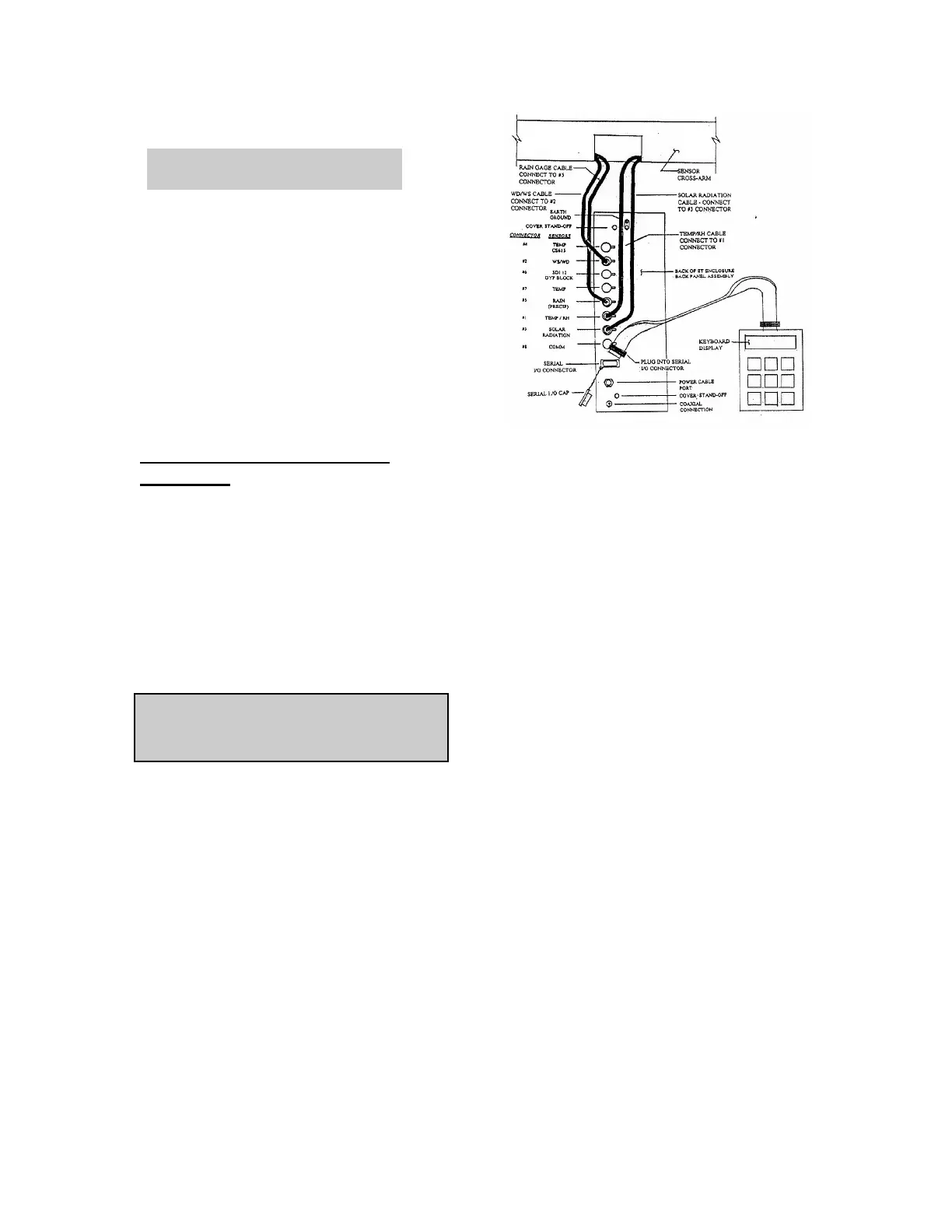
Connect the keyboard display to the
Serial I/O connector on the back of the
ET Enclosure behind the cable cover.
Refer to FIGURE 24 below.
Remove the cable cover. Remove the
cap from the Serial I/O connector and
plug the keyboard display cable into the
connector.
FIGURE 23 - USING THE
ML-10-KD KEYBOARD
DISPLAY
With the Keyboard display plugged into
the Serial I/O connector on the back of
the ET Enclosure, there should be
power to the I/O connector and now to
the keyboard display with the display
now being active.
Enter [*6] on the keyboard keypad.
Then press [A] to advance to the first
location (location #1) which is the
Battery Voltage. You can ADVANCE
to each of the next locations by pressing
the letter [A] key. Pressing the letter
[B] key will BACK-UP to the previous
location. By entering [*0] you can leave
the ML-10-KD in a “low energy mode”.
The location values are not important at
this time, as long as values are present.
After looking at all the locations needed
be sure to do a [*0] to place the micro
logger in a low energy mode to conserve
battery charge.



 To Next Page