EasyManua.ls Logo

Rain Bird WPX - User Manual

Rain Bird WPX
7 pages
Print Icon
To Next Page IconTo Next Page
Loading...
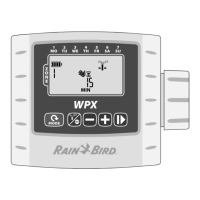
WPX Battery-Operated Controller
1
Rain+Birdt
WPX Battery-Operated Controller
Controls and Indicators ....................2
Operating Modes ..................................... 2
Introduction ..................................... 2
Operation and Setup ........................ 2
Contractor Rapid Programming
TM
......... 2
Set Date & Time ....................................... 2
Set Irrigation Schedule ........................... 3
Select Zone .................................................................3
Set Zone Watering Run Times ..............................3
Set Zone Watering Start Times ............................3
Set Zone Watering Days ......................................... 3
Custom Days .........................................................3
Watering Day Options .......................................3
Cyclic Days ........................................................ 3
Odd Days / Even Days .................................... 4
Auto Run .................................................. 4
O ............................................................. 4
Manual Watering ..................................... 4
One-touch Manual Start ......................... 4
Seasonal Adjust ....................................... 4
Special Features ............................... 5
Delay Watering ........................................ 5
Contractor Default Save.......................... 5
Contractor Default Restore ..................... 5
Factory Default Restore .......................... 5
Rain Sensor Bypass ................................. 5
Installation ....................................... 5
Valve Wiring ............................................. 5
Batteries ................................................... 6
Replacing Batteries .................................................. 6
Optional Rain Sensor .............................. 6
Troubleshooting ............................... 7
User Manual - Table of Contents


Questions and Answers

  • M
    Matthew VasquezJul 28, 2025
    Why is my Rain Bird Controller automatic irrigation not starting?
    • P
      Paul StoneJul 28, 2025
      If your Rain Bird Controller's automatic irrigation isn't starting, it could be due to a few reasons. First, check if you have set a start time, run time, and watering days. If a sensor wire loop is cut and no rain sensor is installed, reconnect the sensor wires or bypass the sensor operation. Also, make sure the rain delay feature is not activated; if it is, de-activate it.
  • A
    Amanda McculloughAug 2, 2025
    How to fix a Rain Bird WPX Controller with no display?
    • E
      emanningAug 2, 2025
      If your Rain Bird Controller display is blank, it might be in sleep/power save mode. Try pressing any key to wake it up. If that doesn't work, the batteries might be dead, so try replacing them.
  • L
    Lisa TateAug 9, 2025
    What to do if Rain Bird Controller starts, but no watering occurs?
    • J
      Janice HarrisAug 9, 2025
      If your Rain Bird Controller starts automatically but no watering happens, there might be a few issues. Ensure the main water supply is turned on to provide water pressure. Check the wiring for any open or short circuits. The solenoid could be faulty and need replacement. Also, verify that you are using a compatible solenoid; it should be a 9V-latching solenoid (Rain Bird K80920) or another compatible DC latching solenoid.
  • C
    Christian ValdezAug 14, 2025
    Why is my Rain Bird WPX watering more than expected?
    • M
      Matthew CampbellAug 14, 2025
      If your Rain Bird Controller is watering more than expected, it could be due to excessive start times, run times, or watering days. Modify these settings as desired. Also, check the seasonal adjust value and reduce it if needed.
  • D
    Dan JenkinsAug 21, 2025
    Why is 'Manual Watering ALL' not watering all zones on my Rain Bird WPX Controller?
    • R
      Robert McculloughAug 21, 2025
      If 'Manual Watering ALL' on your Rain Bird Controller isn't watering some zones or isn’t available, it's likely that one or more zones don’t have a programmed start time or run time. Program a start time and run time for all desired zones.

Summary

Controller Controls and Indicators

Operating Modes

Explains different operational states like Auto Run, Manual, and Off.

Set Date & Time

Guide to setting the current date and time on the controller.

Operation and Setup Guide

Contractor Rapid Programming

Feature to copy Zone 1 settings to other zones automatically.

Set Irrigation Schedule

How to program watering times and run durations for each zone.

Watering Day Options

Customizing watering days like Cyclic, Odd, or Even days.

Manual Watering

Instructions for manually starting watering cycles for zones.

Seasonal Adjust

Allows adjusting watering run times by a percentage for all zones.

Special Features

Delay Watering

Temporarily suspends automatic watering for a set period.

Default Settings Management

Save, restore contractor, or restore factory default schedules.

Rain Sensor Bypass

How to enable or disable the rain sensor function.

Installation and Maintenance

Valve Wiring

Instructions for connecting solenoids and optional master valve.

Batteries

Information on battery types and replacement.

Optional Rain Sensor

Steps for connecting an external rain sensor.

Troubleshooting

Rain Bird WPX Specifications

General IconGeneral
Number of Start TimesUp to 8 start times per zone
Zones4
Power Source9V Battery
DisplayLCD
EnclosureDurable plastic housing
Station Run Time1 minute to 12 hours
Operating Temperature14°F to 140°F (-10°C to 60°C)
TypeBattery-operated irrigation controller
ProgrammingSimple and intuitive

Related product manuals