Pro3 Series 3D Printer
/ User Manual
K. Dual Color Printing - Slicing
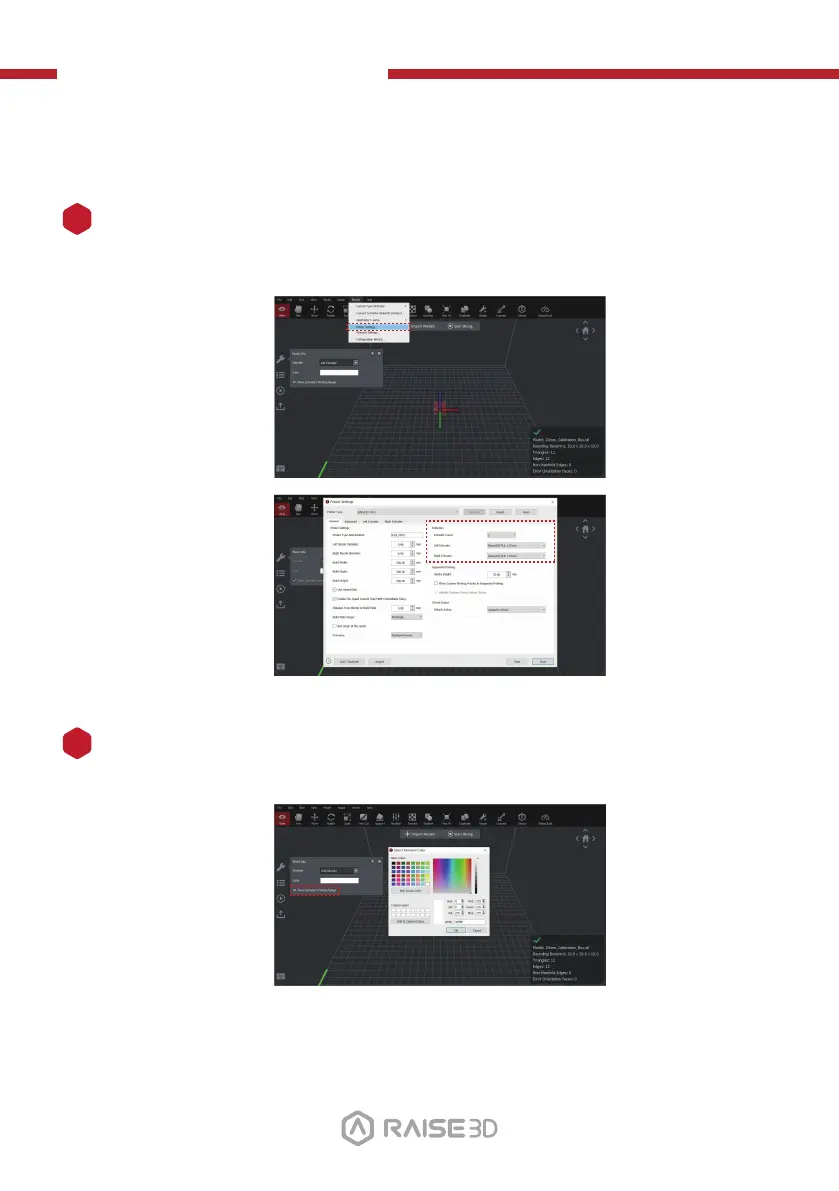
Each nozzle has a different printing range. To check the printing range of each
nozzle when aligning models, tick the "Show Extruder's Printing Range" box.
1
To perform higher-level dual-color printing and carry out offset calibration at the
same time, please do the following.
Load your filament type for both the left and right extruders.
2
31



 To Next Page