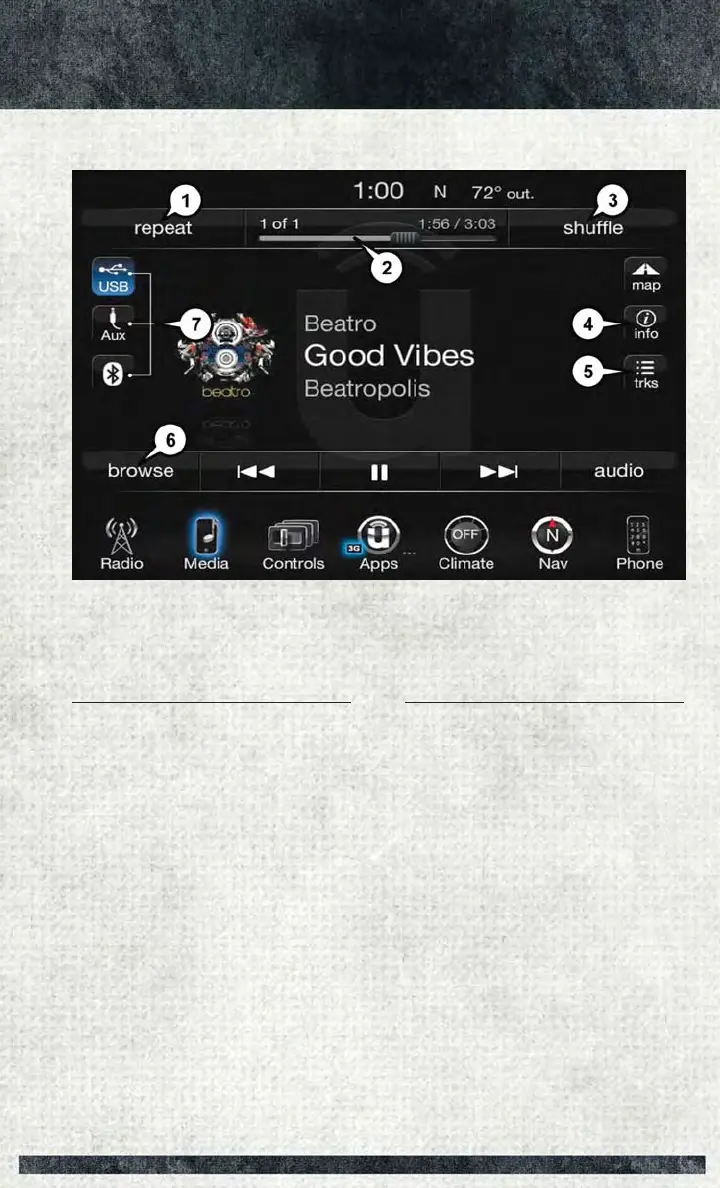
Media Controls
The controls are accessed by pressing the desired button on the touchscreen and
choosing between Disc, AUX, USB, Bluetooth or SD Card.
NOTE:
Uconnect will automatically switch to the appropriate mode when something is first
connected or inserted into the system.
Media Controls
1 — Repeat Music Track
2 — Music Track And Time
3 — Shuffle Music Tracks
4 — Music Track Information
5 — Show Songs Currently In Cue To
Be Played
6 — Browse Music By
7 — Music Source
ELECTRONICS
121



 To Next Page