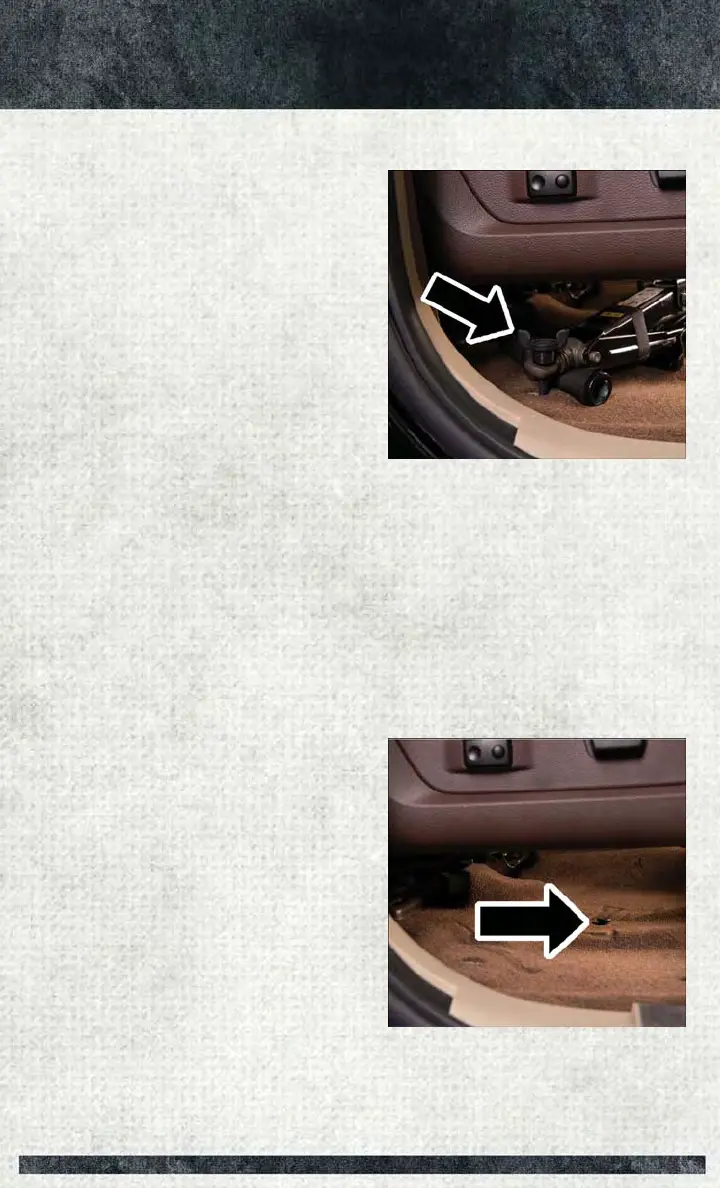
5. Turn the wing bolt clockwise to secure to the floor pan. Reinstall the plastic cover.
2500/3500 Series Trucks
1. Tighten the jack all the way down by turning the jack turn-screw clockwise until
the jack is snug.
2. Position the jack and tools into bracket assembly. Make sure the lug wrench is
under the jack near the jack turn-screw. Snap tools into bracket assembly clips.
Install the jack into bracket assembly and turn screw until jack is snug into
bracket assembly.
3. Place the jack and tool bracket assembly in the storage position holding the jack
by the jack turn-screw, slip the jack and tools under the seat so that the bottom
slot engages into the fastener on the floor.
NOTE:
Ensure that the jack and tool bracket
assembly slides into the front hold down
location.
4. Turn the wing bolt clockwise to secure
to the floor pan. Reinstall the plastic
cover.
Wing Bolt Location
Floor Fastener Location
WHAT TO DO IN EMERGENCIES
237



 To Next Page