TRAKFAST REPAIR MANUAL
45
Rev. 09/07
TOOL REASSEMBLY
Handle Assembly - part 2
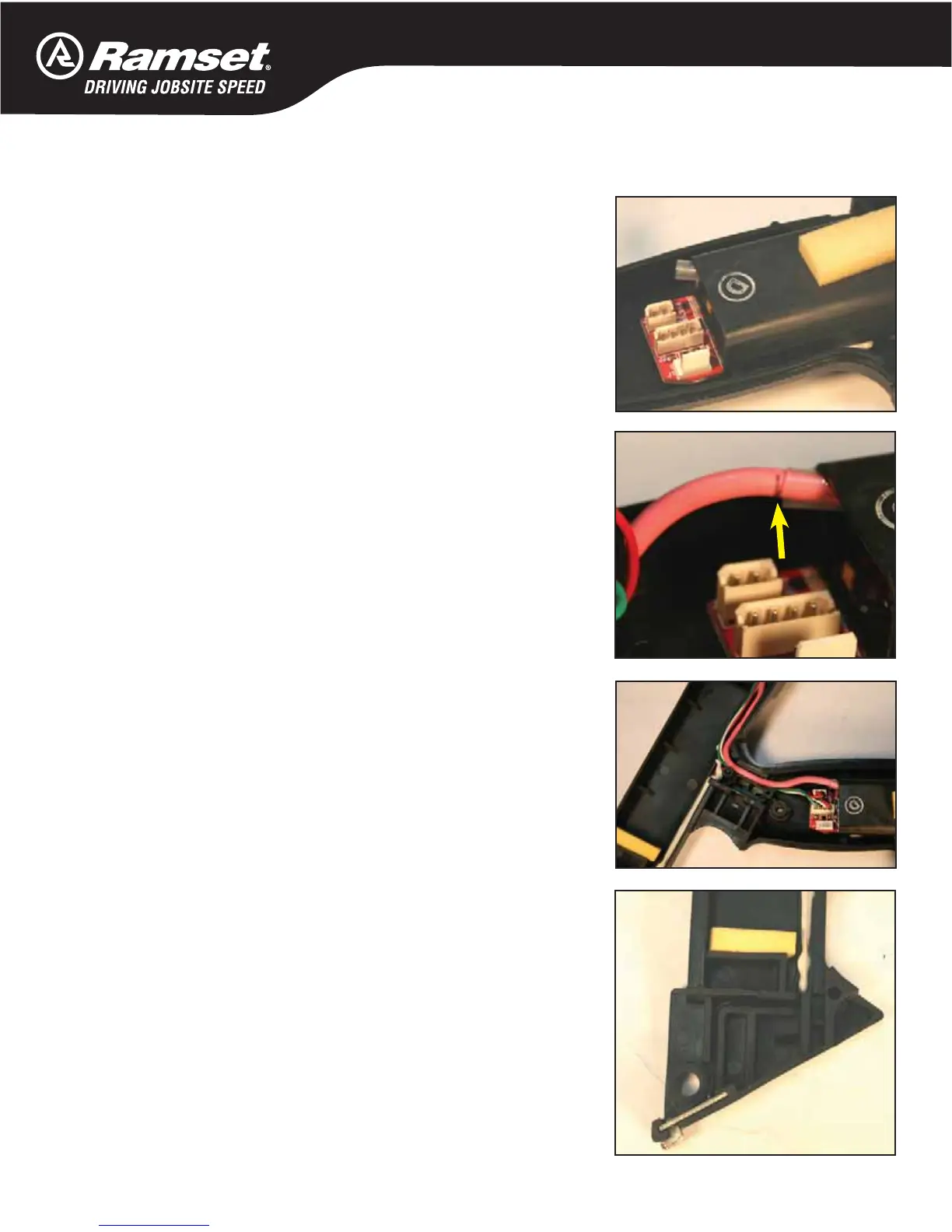
Spark Unit (part #7405163).
Remove any silicone residue from Handle. Place new silicone in
Handle.
Press Spark Unit into Handle.
Replace the unit if it does not spark.
Push red wire into Spark Unit and route the wires into the Handle.
Insert red wire into Spark Unit noting position of black line.
Place Contact Board into Handle.
Press all the wires into the grooves inside the Handle. Make sure
there are no pinches wires that would break contact.
Plug into the Spark Unit.
Make sure the wires are inside the grooves, and not pinched. If
they are out of the grooves, the Fuel Cell will not sit properly in
Handle.
If Fuel Cell Pad is loose or missing, replace Fuel Cell Pad.


 To Next Page