Trying Out the Instrument
R&S
®
RTO2000
45Getting Started 1332.9719.02 ─ 10
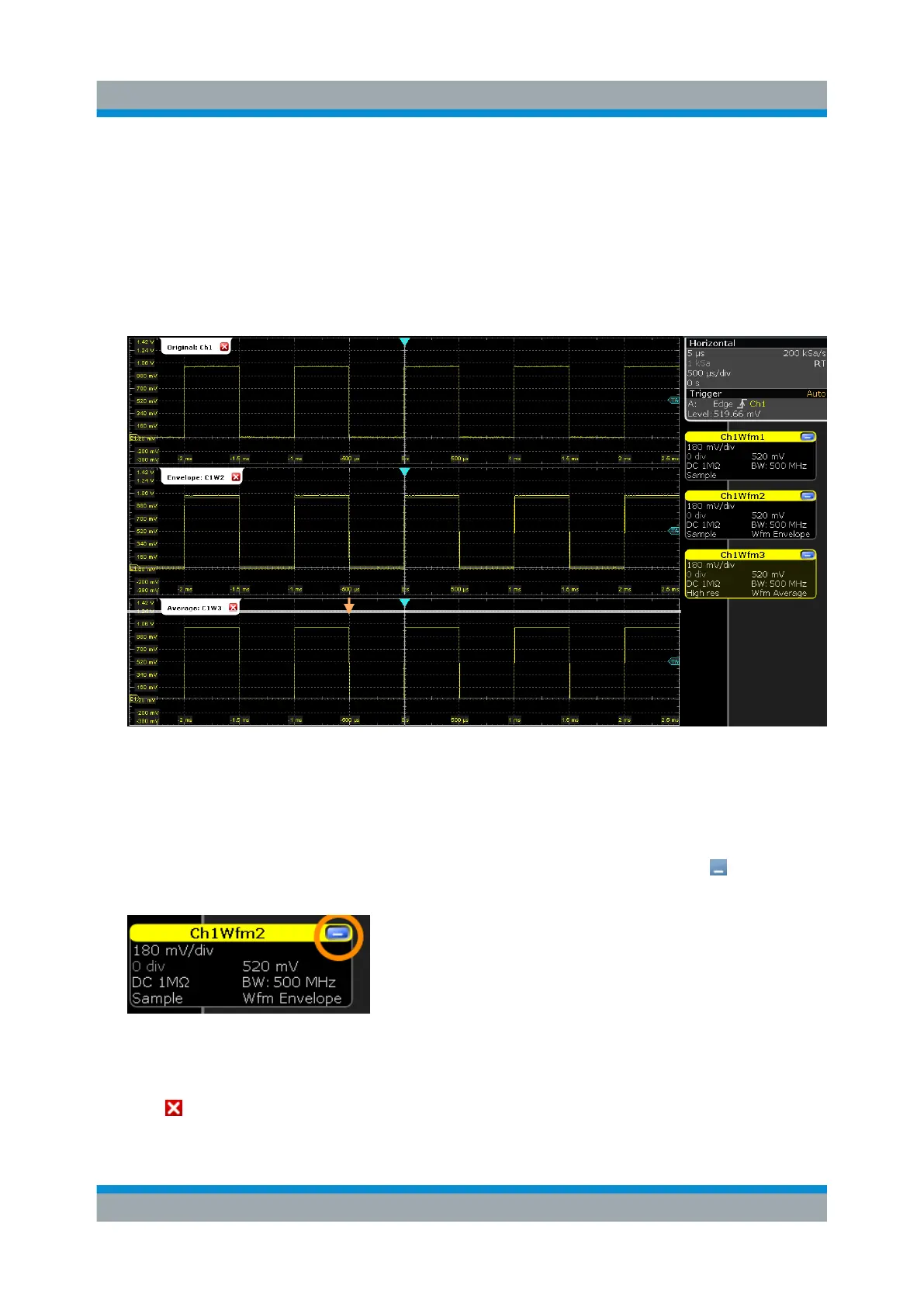
d) Repeat these steps to rename "Diagram 2: Ch1Wfm2" to Envelope.
e) Rename "Diagram 3: Ch1Wfm3" to Average.
The diagram titles are shown together with the waveform number that is dis-
played in the diagram.
4. To change the size of a diagram, drag its horizontal edge to the required posi-
tion.
To delete waveform diagrams
For the procedures in the following sections, we need only the original waveform
diagram. So we close the other two diagrams.
1. To minimize the waveform in diagram "Envelope: Ch1Wfm2", tap "Minimize"
in the "Ch1Wfm2" signal icon.
The diagram is removed and the signal icon on the sidebar displays a live
view of the signal.
2. Tap "Close" in the signal icon for "Ch1Wfm2".
The signal icon is removed from the sidebar, the waveform is switched off.
Organizing the Display



 To Next Page